1
OPERATING THE SVU300
23
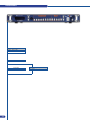
4-1. THE SVU300 FRONT PANEL
23
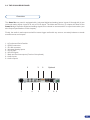
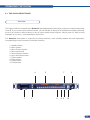
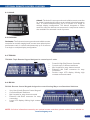
Overview
Standby button
Menu section
Input selection section
Preset selection section
PIP button
Logo button
Freeze button
Background Frame button
Background Live button
Effect selection button
Take button
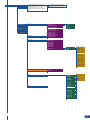
4-2. THE SVU300 MENU
26
Menu navigation
Home menu
4-3. WORKING WITH THE SVU300
27
Resetting default values
SVU300 color codes
Source input selection
Source output selection
Input selection settings
Output selection settings
Working with PIPs
PIP configuration
PIP as layers
Memorizing frames
Working with frames
Memorizing logos
Working with logos
Mixer functions
Layer transitions and effects
Working with presets
Preset configuration
Using presets
Working with audio
Audio configuration
HOME MENU
34
REMOTE CONTROL SOFTWARE
41
5-1. THE SVU300 RCS
RCS presentation
How to use the RCS
Software installation
Software overview
Serial connection
Ethernet connection
2
41