1
Smart
Q
Heart Rate Sensors
TECHNOLOGY
Introduction
The Smart Q Heart Rate Sensor monitors the light level transmitted through the
vascular tissue of the fingertip or the ear lobe and the corresponding variations in
light intensities that occurs as the blood volume changes in the tissue.
The EASYSENSE unit can detect that the Smart Q Heart Rate Sensor is connected
and the range it is set to.
Connecting
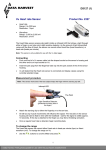
Smart Q label on top
Insert jack plug of
Pleth into jack socket
Sensor cable with locating
arrow facing upwards
Hold the Heart Rate Sensor housing with the Smart Q label showing on the top.
Push one end of the sensor cable (supplied with the EASYSENSE unit) into the
shaped socket at the end of the Sensor housing with the locating arrow on the
cable facing upwards.
Connect the other end of the sensor cable to the Input socket on the
EASYSENSE unit (with the locating arrow facing upwards).
Insert the jack plug from the finger/ear lobe clip into the jack socket at the end of
the Sensor housing.
The EASYSENSE unit will detect that the Heart Rate Sensor is connected. If
the currently selected range is not suitable for your investigation, set to the
correct range.
To set the range
The Heart Rate Sensor can record either Heart rate, in beats per minute (bpm) or
Heart waveform, in mV.
Connect the Heart Rate Sensor to the EASYSENSE unit.
Start the EASYSENSE program and select one of the
logging modes from the Home page. Select Sensor
Config from the Settings menu.
Select the Heart Rate Sensor from the list (it will be listed
using its current range) and click on the Change Range
button.
The current range will be highlighted. Select the required
range and click on OK.
Close Sensor Config. Click on New and then Finish for
the change in range to be detected by the logging mode.
1