1
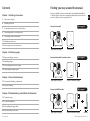
Contents
Finding your way around the manual
Chapter 1: Installing a transceiver
Amicus is available in various models that require individual installation.
To find the right section in the user manual, unpack all products and compare the contents to the descriptions below.
5
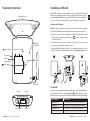
Transceiver overview
6
Installing a SIM card
7
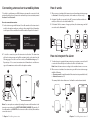
Connecting a transceiver to a mobile phone
8
Interpreting alarms on a mobile phone
9
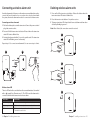
Connecting a wireless alarm unit
Amicus basic model
Go to page 11
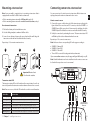
11 Mounting a transceiver
12 Connecting sensors to a transceiver
Pager with power supply
Transceiver
Chapter 2: Installing a pager
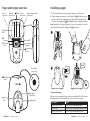
13 Pager and charger overview
Amicus with module for wireless alarm
Go to page 9
14 Installing a pager
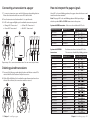
15 Connecting transceivers to a pager
16 Interpreting the pager signals
Chapter 3: Care and maintenance
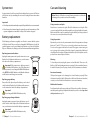
17 System test and battery replacement
Pager with power supply
Transceiver with power supply
18 Care and cleaning
Amicus with GSM module
Go to page 6
Chapter 4: Troubleshooting and additional information
19Troubleshooting
21 Technical information
23 Personalizing the pager label
24 Important safety instructions
3 Contents
Pager with power supply
Transceiver with power supply
Antenna
Finding the right model 4
EN