1
ENF Playback
4.5
Altering Playback
4.5.1
Lock to Time Signature
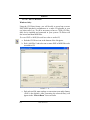
SmartScore allows for two kinds of playback: “Play what’s there” or
Lock to Time Signature. With Playback > Lock to Time Signature
check marked, every measure plays back with the exact number of
beats indicated in the default time signature. If the ENF file contains
editing errors, this may result in dropped notes during playback or in
the case of pickup measures and “split” measures, it will cause a pause
to be heard. With Lock to Time Signature turned off, whatever is written in each measure will be played back regardless of the current time
signature. If the ENF file contains errors, this option may result in
irregular meter, lengthened or shortened measures. Either option is useful under certain circumstances.
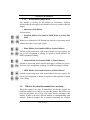
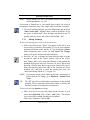
• For smoothest playback effects, leave Lock to Time Signature
on.
• For “aural editing” to uncover editing errors, turn Lock to Time
Signature off.
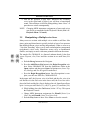
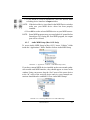
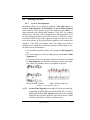
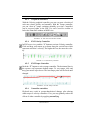
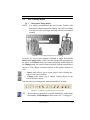
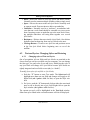
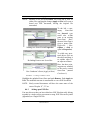
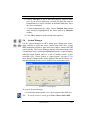
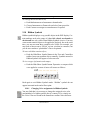
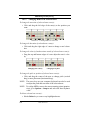
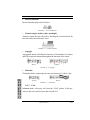
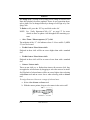
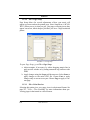
• For pickup measures or measures split between lines, turn Lock
to Time Signature off. Playback will ignore current time signature. Make sure rhythm values are consistent in all parts.
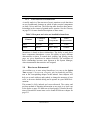
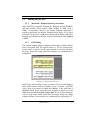
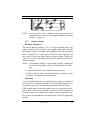
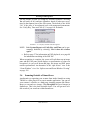
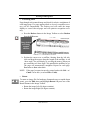
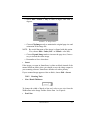
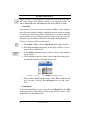
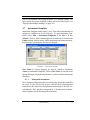
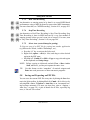
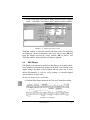
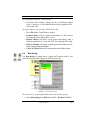
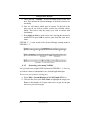
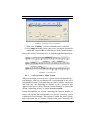
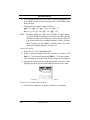
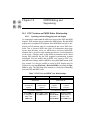
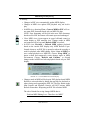
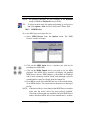
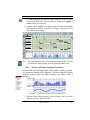
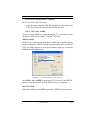
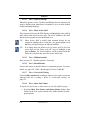
Pickup Measure (typical)
“Split” Measure (typical)
FIGURE 4 - 12: Pickup and split measures
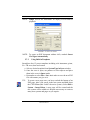
NOTE: Lock to Time Signature (on or off) will reflect its actual representation in MIDI. When an unedited ENF file is saved to
MIDI with Lock to Time Signature unchecked, the resulting
MIDI file may produce measures with various meters. When
checked, all measures will have constant meters.
USING SmartScore
67