1
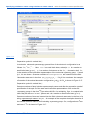
Processes properties
Working with the database
Handbook of Basic Atomic Spectroscopic Data” J. Phys. Chem. Ref. Data,Vol.34, No.4, P.
1559, 2005.
Working with the database
3.2
3.2.1
Database window
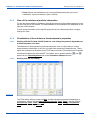
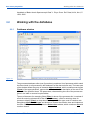
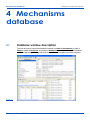
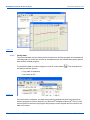
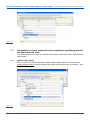
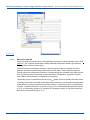
Figure 3-1
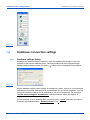
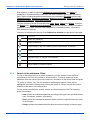
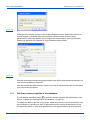
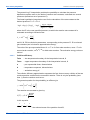
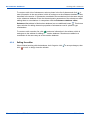
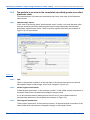
The processes database editor (see figure above) contains a list of processes which match
the filter criteria (or all processes in the database if a filter has not been set). The lower part
of the window shows the group of elements Approximations, which contains several types
(Types) of the approximations, approaches or methods of the description of the rate of the
process of the specified class. The parameters, characterizing the rate of the process are
given in the table or several coupled tables.
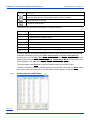
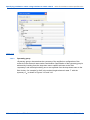
The set of elements for managing filters (Filter) is above of the processes list. It consists of
a field for entering substances to filter for (Substances), a field for entering class for
process to display (Class), a drop-down list of approximation type used for reaction rate
description Approximation type, and buttons to choose the reaction class and implement
the filter. Clicking these buttons opens the Select class window, which contains a tree with
reaction classes.
45
KintechDB 1.5 User Manual
Kintech Lab