1
SLUDGE HUNTER USER MANUAL
3
3.1
Programming the SLUDGE HUNTER
Selecting programmable parameters.
The Sludge Hunter device is programmed using the three keys on the front of the unit labelled UP, DOWN
and SET. If the Sludge Hunter is left for more than 50 seconds without a key being pressed the unit will
revert to the run mode. This is a safety feature to prevent an operator leaving the unit off line by forgetting
to exit the programming mode.
3.1.2
Viewing the current program.
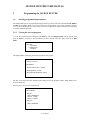
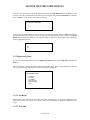
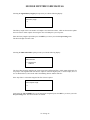
To view the current program running press the SET key and select Display Setup from the options, then
press the SET key. If no key is pressed within a set time a timeout causes the unit to return to the Run
Mode.
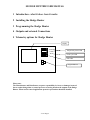
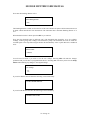
Main Menu
Setup Menu
>>> Display Setup
Run Mode
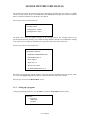
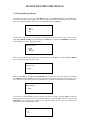
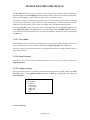
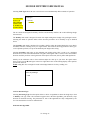
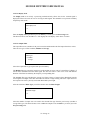
The Sludge Hunter will display the current program on four screens.
Software version: 1.47
HEAD SETUP
>Distance to tank bottom = 11.50(ft)
>Blanking distance = 2.30 (ft)
> RELATIVE Threshold offset = 50(mV)
The first screen shows the basic head and tank settings used in the program, and the sludge blanket level
detection threshold.
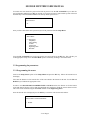
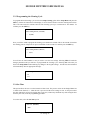
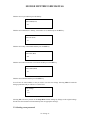
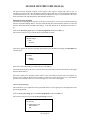
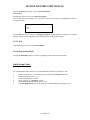
Press any key to move to the second screen.
RELAY SETUP:
>RELAY 1:
>Mode = HIGHLEVEL
>ON level = 6.00(ft)
>OFF level = 5.00(ft)
>RELAY 2:
>Mode = DISABLED
V1-47 Page 7