1
When an external power unit is used, the batteries are electronically separated
from the device, so that the power supply is taken over by the power unit so the
batteries do not discharge any further. In addition the cut off timers are switched
off as well, i.e. the device does not switch off automatically and the background
light (if switched on in the first place) remains switched on for as long as the
device is run on a power unit. In case the device is exclusively operated with a
power unit for a longer period of time, it is advisable to remove the batteries
from the device in order to prevent leakage and thus damage to the Easy Check.
This applies to empty batteries and discharged storage batteries in general. It is
not possible to recharge accumulator batteries in this device.
9
Input jack
The input jack is located at the front of this device. This is to connect loop
elements which do not have a terminal base, via the provided adapter cable.
It is important to make sure that there is no detector in the terminal base
during programming with the input jack. In this case always the element with
the lowest address will be displayed.
That’s why it is important that only ONE element is connected at a time.
ATTENTION !
NEVER apply current into the input jack !
This would cause irreparable damage to the EasyCheck 3000.
10
Switch on
The device is switched on by pressing the key [ 0 ] (keep pressed for longer
than 1 second). The display will show the following text (accompanied by 4
tones in rising sequence, if acknowledgement tones are turned on) :
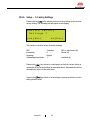
Easy Check
3000
====================
detectomat GmbH
V1.11
18.01.2007
The bottom line indicates the number of the current software version and date
of the EasyCheck. This text remains on the display for about 5 seconds (can
be cut off by using any key) and will be followed subsequently by the main
menu.
Version 2.1
7