1
YA7082-0/1
RemoteI/O & RemoteMotion
Local Input Board
Nippon Pulse Motor Co., Ltd.
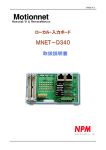
Motionnet Local Input Board MNET-D340
YA7082-0/1
Table of Contents
1. Preface...................................................................................................................................................... 1
2. Features.................................................................................................................................................... 3
3. Handling Precautions.............................................................................................................................. 4
4. Warranty Period and Coverage .............................................................................................................. 4
5. Specifications .......................................................................................................................................... 5
6. Configuration ........................................................................................................................................... 7
7. Connector Pin Assignment..................................................................................................................... 8
7-1. CN1 (input signal connector 1) ....................................................................................................... 8
7-2. CN2 (input signal connector 2) ....................................................................................................... 8
7-3. CN3, 4 (serial communication connector) ..................................................................................... 9
7-4.CN5 (power connector) ..................................................................................................................... 9
7-5. Connectors used .............................................................................................................................. 9
8. Signals and Functions .......................................................................................................................... 10
8-1. Input signal (IN*, INCOM*+, INCOM*-)........................................................................................... 10
8-2. Serial communication (RS485+, RS485-) ......................................................................................11
8-3. Power requirements (24V, GND, FG) .............................................................................................11
9. Settings................................................................................................................................................... 12
9-1. Setting the serial communication device number (SW1) ........................................................... 12
9-2. Setting the serial communication parameters (SW2) ................................................................. 12
9-2-1. Setting the data transfer speed (B0, B1) ............................................................................... 12
9-2-2. Setting the output signal status to use when a communication error occurs (TD) ......... 12
9-2-3. Setting the watchdog timer (TM)............................................................................................ 13
9-2-4. Break frame request (BK) ....................................................................................................... 13
9-2-5. Setting the termination resistance (TR) ................................................................................ 13
10. Status Display ...................................................................................................................................... 14
10-1. Communication status display LED (RUN)................................................................................ 14
10-2. Communication status display LED (ERR) ................................................................................ 14
10-3. Power indicator LED (3.3 V)......................................................................................................... 14
10-4. Input/Output signal display LED ................................................................................................. 14
11. Serial Communication Connection Cable ......................................................................................... 15
12. Allocation of Switches and Connectors............................................................................................ 16
13. External Dimensions ........................................................................................................................... 17
- C1 -
Remote/O & Remote Motion
Motionnet Local Input Board MNET-D340
YA7082-0/1
1. Preface
Thank you for purchasing our input board, a local board from our Motionnet ultra-high speed serial
communication system series.
□
The MNET-D340 board you have purchased is a 32-point parallel input board which contains a G9002
IO device for ultra-high speed serial communication.
This board is controlled by a center board, which is equipped with a G9001A Motionnet Center device.
Use the center board together with this board.
□
Motionnet is an ultra-high-speed serial communication system created by NPM (Nippon Pulse Motor).
Using our four specially developed devices (G9001A, G9002, G9003, and G9004) as core chips, this
serial communication system is a complete system for reducing wiring while affording remote operation
by emulating a CPU and handling CPU message communications, as well as controlling input and
output, at transfer speeds of 20 Mbps.
Device
G9001A: Center device
This is a central controller that manages local devices. This device has 256 bytes of RAM for I/O
control, and 512 bytes for data communication. This device can be operated from a remote CPU
just like accessing a memory. It can be connected to a maximum of 64 local devices (G9002,
G9003, and G9004).
G9002: IO device
This is a local I/O control device that can control 32 separate I/O signals.
G9003: PCL device
This is a local device containing a pulse control LSI that has been developed and polished by NMP
for use in motion control over many years. It also has a serial communication function. It can control
single-axis pulse input type stepper motors and servomotors.
G9004: CPU emulation device
This is the most sophisticated local device in the Motionnet series, and it can remotely control other
LSIs that need a connection to a CPU (for example a PCL6045B made by NPM). By connecting a
CPU to its local side, it can also communicate messages between CPUs.
RemoteI/O
If a Motionnet line is only used for input and output control, it can send and receive signals for 2048
points on 64 local devices in 0.97 msec (using a 20 Mbps data transfer speed). (If a smaller number of
devices are connected, the data transfer time will be proportionally shorter.)
RemoteMotion
If a Motionnet line is only used to control motors, it can control up to 64 axes. With this type of control,
individual devices can control pulse-input type stepper motors and servomotors. They can execute
continuous operations at constant speed, linear acceleration/deceleration, and S-curve
acceleration/deceleration, as well as carry out preset positioning operations, and zero return operations.
-1-
R
Remote I/O & Remote Motion
Motionnet Local Input Board MNET-D340
YA7082-0/1
A system combining these two motor types is also possible.
Although it depends on the number of devices connected and the data transfer speed selected, the
cable length can be extended up to 100 m using an ordinary CAT5 LAN cable.
The serial communication uses a receive-respond type protocol. This protocol adds a CRC
number to the communication frame to detect errors, thus offering higher reliability. You can use it
without worrying about the accuracy of the communication.
□
This instruction manual describes the specifications and methods for using the MNET-D340. We want
you to read this manual thoroughly and get full use of the functions offered by this board.
This manual does not describe the detailed functions of the G9001A and G9002 LSIs for
ultra-high-speed serial communication systems.
For the details about the functions and registers of these LSIs, please read NPM's "User's Manual for
the G9001A/G9002, LSIs for the Motionnet ultra-high speed serial communication system."
-2-
R
Remote I/O & Remote Motion
Motionnet Local Input Board MNET-D340
YA7082-0/1
2. Features
Data transfer speed
20 Mbps, maximum
Data transfer cycle
A maximum of 0.97ms, when using 64 I/O boards.
(At a transfer speed of 20 Mbps, and using our recommended 50 m cable.)
Number of devices that can be connected
Maximum 64 I/O boards/line, with 2048 points connected.
Connection method
Multi-drop connections using LAN cables.
Serial communication types
Three types of communication are available.
1) System communication
By polling the Motionnet line, the number of local devices that are connected, the device numbers,
device types, and I/O port allocation status can all be checked.
2) Cyclic communication
The system starts communication with the local device that has the lowest device number. When
the communication cycle reaches the device with the highest device number, the system starts over
again, communicating with the device that has the lowest device number. The process of
communicating with all active devices, from the lowest to the highest device, is one cycle. The
system always repeats this communication cycle, automatically.
Input and output are controlled using cyclic communication.
3) Data communication
This type of communication is used to read and write data between a PCL device and a CPU
emulation device.
Data is written into a FIFO buffer in the center device, and then a send command is issued. These
communications are sent and received automatically, during the interrupt driven cyclic
communications.
Communication error detection
Errors can be detected by adding CRC numbers to the serial communication frames.
Input
- Number of input points:
- Isolation method:
32 points
Photocouplers
Common input specifications
8 input points are configured as one group. This group is independent from all other groups. Each
group has one common line. Using jumpers, they can be connected to the power supply that is also
supplying power to the power connector.
-3-
R
Remote I/O & Remote Motion
Motionnet Local Input Board MNET-D340
YA7082-0/1
3. Handling Precautions
Inputting power
Do not connect or disconnect connectors while this board or peripheral circuits are supplied with
power.
Static electricity
This board uses a CMOS device. Therefore this board must be stored in a package in which it was
shipped until you actually use it, in order to prevent damage from static electricity.
Switch settings
This board is equipped with switches to set device number and details for serial communications.
Be sure to shut off the power supply to the board before changing these switches.
Connections to electrically noisy devices
Interference from excessively noisy devices or from power surges on the power and I/O circuits may
cause the board to malfunction. To connect to a device, which may generate electrical noise, we
recommend taking countermeasures, such as attaching a protective circuit to the input/output circuits.
However, it is best not to share the same power supply with noise generating sources.
Heat generation of circuit elements
Input resistors, output transistor arrays, and other elements may generate heat and thus become
hot, depending on the operating conditions. If this happens, take steps such as using forced
cooling.
4. Warranty Period and Coverage
Warranty period
12 months after being shipped from our factory.
Warranty coverage
During the warranty period, we will repair without charge any problems on the board that occurred
while it was being used appropriately, and where the cause of the problem is due to us.
However, the following cases will be not be covered by the warranty, even if the warranty period has
not expired.
- Problems caused by inappropriate handling or use.
- Problems caused by using parts not made or approved by us.
- Problems caused by modifications made to the board that were not authorized by NPM.
- Problems caused by disasters, accidents, or fires.
We warranty only the product as delivered, and we do not accept responsibility for any loss caused by
a fault in our product. We will repair the board when the user sends it to our plant.
-4-
R
Remote I/O & Remote Motion
Motionnet Local Input Board MNET-D340
YA7082-0/1
5. Specifications
Specifications of this board are shown below.
Signal
Item
name
Maximum of 0.12 msec, when using 8 devices. #1
Maximum of 0.24 msec, when using 16 devices. #1
Maximum of 0.49 msec, when using 32 devices. #1
Maximum of 0.97 msec, when using 64 devices. #2
(Data transfer speed: 20 Mbps, when using our
recommended cable #1:100m, #2: 50m)
Maximum of 100 m (At a data transfer speed of 20
Mbps with 32 devices connected)
Maximum of 50 m (At a data transfer speed of 20
Mbps with 64 devices connected)
Maximum of 100 m (At a data transfer speed of 10
Mbps with 64 devices connected)
(Using our recommended cables)
Pulse transformer and RS-485 specification line
transceiver
Our proprietary protocol
Cyclic communication times and
data transfer cycles
Total serial communication line
length
Serial communication interface
Serial communication protocol
Serial communication coding
method
Serial communication method
NRZ signed
Connection method
Serial communication device
number
Serial communication transfer
speed
SW1A0 to A5
SW2B0, B1
Output status setting when a
communication error occurs
SW2-TD
Watchdog timer setting
SW2-TM
Break frame request
SW2-BK
Termination resistance setting
SW2-TR
Display serial communication
status
RUN
ERR
Input/output status display
Selection of a common line
G9002 reference clock
-5-
Specifications
JP1 to 8
Half-duplex communication
Multi-drop connection using a LAN cable or our
proprietary cable.
Assignable device numbers, 0 to 63.
Set using switches.
20 Mbps/10 Mbps/5 Mbps/2.5 Mbps
Set using switches.
Maintain current status / Reset
Select one using a switch
(The selected output is used when the watchdog
timer times out during communication)
When 20 Mbps is selected: 20 msec. / 5 msec.
When 10 Mbps is selected: 40 msec. / 10 msec.
When 5 Mbps is selected: 80 msec. / 20 msec.
When 2.5 Mbps is selected: 160 msec. / 40 msec.
Select one of the above using a switch.
(This is the data sending interval allowed by the
center device.)
Send a break frame.
Set using a switch.
Enable termination resistance on the last device on
a serial line.
Set using a switch.
RUN: While receiving serial communications
normally, the green LED is lit.
ERR: When a serial communication error occurs
continuously, the red LED is lit.
Input: The green LED goes on when the input
photocoupler turns on.
Output: The red LED goes on when the output
transistor turns on.
Connection between the input/output circuit
commons and CN5, the input power terminal.
Set using a jumper connector.
80 MHz
R
Remote I/O & Remote Motion
Motionnet Local Input Board MNET-D340
Item
Signal
name
Input
Power requirements
Power indicator
Operating
temperature range *1
Operating ambient
humidity
Vibration proof
CN5-24 V,
GND
3.3 V
YA7082-0/1
Specifications
- Number of points: 32 (one common line for each 8 points)
- Photocoupler input (sink type output)
- Input signal voltage: 24 VDC
- Input signal current: 4.2 mA/point (Typ.)
- Response time: 55 msec (Typ.)
24 VDC±10%, 55 mA (Typ.)
(The current value given above is true when 24 VDC is input and
there is no connection with the input/output circuit common.)
Yellow LED Indicates that 3.3 VDC internal control power is
being output.
0 to +40˚C
80%RH or less
(Non condensing through the +10˚C to +40˚C range)
Complies with JIS C0040
Using DIN rail.
Installation method
(DIN rails are not supplied as accessory.)
Dimensions
W124x D72.5 x H50 (Unit: mm)
*1: The input current resistors have a loss of 0.12 W per point. Consider the heat generated by these
transistors in use.
-6-
R
Remote I/O & Remote Motion
Motionnet Local Input Board MNET-D340
YA7082-0/1
6. Configuration
A block diagram is shown below.
G9002
Motionnet
IO device
Serial communication line
CN3
Pulse
RS-485 line
transformer transceiver
SO
SOEH
SI
CN1
Input
interface
P00 to P07
IN1 to
IN8
INCOM1+
INCOM1-
CN4
Device number
setting switch
Input
interface
P10 to P17
IN9 to
IN16
INCOM2+
INCOM2-
DN0 to 5
SW1
Serial communication
setting switch
SW2
CN2
SPD0, 1
TUD
P20 to P27
TMD
BRK
Input
interface
IN17 to
IN24
INCOM3+
INCOM3-
Input
interface
IN25 to
IN32
INCOM4+
INCOM4-
Quartz oscillator
CLK
P30 to P37
80MHz
CN5
DC/DC
converter
5V, 3.3V
24V
GND
FG
Common selection
OUTCOM1+ to 4+
OUTCOM1- to 4JP1 to 8
-7-
R
Remote I/O & Remote Motion
Motionnet Local Input Board MNET-D340
YA7082-0/1
7. Connector Pin Assignment
7-1. CN1 (input signal connector 1)
Connect 16 points of input signals.
No. Signal name
Function
No. Signal name
1 IN1
Input signal 1
2 INCOM1+
3 IN2
Input signal 2
4 INCOM1+
5 IN3
Input signal 3
6 INCOM1+
7 IN4
Input signal 4
8 INCOM1+
9 IN5
Input signal 5
10 INCOM1+
11 IN6
Input signal 6
12 INCOM1+
13 IN7
Input signal 7
14 INCOM1+
15 IN8
Input signal 8
16 INCOM117 IN9
Input signal 9
18 INCOM2+
19 IN10
Input signal 10
20 INCOM2+
21 IN11
Input signal 11
22 INCOM2+
23 IN12
Input signal 12
24 INCOM2+
25 IN13
Input signal 13
26 INCOM2+
27 IN14
Input signal 14
28 INCOM229 IN15
Input signal 15
30 INCOM2+
31 IN16
Input signal 16
32 INCOM233 INCOM2+ Input signal common 2+ 34 INCOM2-
Function
Input signal common 1+
Input signal common 1Input signal common 1+
Input signal common 1Input signal common 1+
Input signal common 1Input signal common 1+
Input signal common 1Input signal common 2+
Input signal common 2Input signal common 2+
Input signal common 2-+
Input signal common 2+
Input signal common 2Input signal common 2+
Input signal common 2Input signal common 2-
7-2. CN2 (input signal connector 2)
Connect 16 points of input signals.
No. Signal name
Function
No. Signal name
1 IN17
Input signal 17
2 INCOM3+
3 IN18
Input signal 18
4 INCOM35 IN19
Input signal 19
6 INCOM3+
7 IN20
Input signal 20
8 INCOM39 IN21
Input signal 21
10 INCOM3+
11 IN22
Input signal 22
12 INCOM313 IN23
Input signal 23
14 INCOM3+
15 IN24
Input signal 24
16 INCOM317 IN25
Input signal 25
18 INCOM4+
19 IN26
Input signal 26
20 INCOM421 IN27
Input signal 27
22 INCOM4+
23 IN28
Input signal 28
24 INCOM425 IN29
Input signal 29
26 INCOM4+
27 IN30
Input signal 30
28 INCOM429 IN31
Input signal 31
30 INCOM4+
30 IN32
Input signal 32
32 INCOM431 INCOM4+ Input signal common 4+ 34 INCOM4-
-8-
Function
Input signal common 3+
Input signal common 3Input signal common 3+
Input signal common 3Input signal common 3+
Input signal common 3Input signal common 3+
Input signal common 3Input signal common 4+
Input signal common 4Input signal common 4+
Input signal common 4Input signal common 4+
Input signal common 4Input signal common 4+
Input signal common 4Input signal common 4-
R
Remote I/O & Remote Motion
Motionnet Local Input Board MNET-D340
YA7082-0/1
7-3. CN3, 4 (serial communication connector)
Connect the Motionnet serial signal. The corresponding pins of CN3 and CN2 are internally connected.
No. Signal name
Function
No. Signal name
Function
1 N.C.
2 N.C.
3 RS485+
Serial communication data+ 4 N.C.
5 N.C.
6 RS485Serial communication data7 N.C.
8 N.C.
Note 1: N.C. means Not Connected.
Note 2: The connector frames are connected to the FG terminal on the power connector.
7-4.CN5 (power connector)
Power connections
No. Signal name
Function
No. Signal name
Function
1 24V
Power, 24 VDC 2 GND
Ground
3 FG
Frame ground
4 24V
Power, 24 VDC
5 GND
Ground
6 FG
Frame ground
7-5. Connectors used
The manufacturer model names of the connectors used on this board are shown below.
Nbr.
Mfg.
Model name
Remarks
CN1 3M
3431-6002LCSC or equivalent
MIL standard, 34-pin box pin header
CN2
〃
〃
〃
Hirose
CN3
TM11R-3C-88 or equivalent
8-pin modular jack connector
Electric
CN4
〃
〃
〃
Board side: XW4A-06B1-V1 or equivalent Connector terminal block 3.81 mm
CN5 Omron
Cable side: XW4B-06B1-H1 or equivalent pitch
This board does not come with connectors for other devices owned by the user.
To choose these connectors, we recommend the following items.
Nbr.
Item name
Mfg.
Model name
Remarks
7934-6500SC Crimp connector, 1.27 mm pitch for
For CN1 Connector
3M
3448-7934
flat cable, with a strain relief
For CN2
〃
〃
〃
〃
For CN3 Modular plug Hirose electric TM11P-88P
Modular plug, with a shield
For CN4
〃
〃
〃
〃
-9-
R
Remote I/O & Remote Motion
Motionnet Local Input Board MNET-D340
YA7082-0/1
8. Signals and Functions
8-1. Input signal (IN*, INCOM*+, INCOM*-)
Function
These are input signals for general use.
Input signal interface
1) Number of input signal points
This board has 32 parallel input signal points, and a + common and a - common for each group of 8
points. The commons can be connected to the power that is supplied to the power connector using
jumper lines JP1 to JP8.
2) The input signal terminals are assigned to the following terminals on the G9002.
IN1 to 8: P00 to P07, IN 9 to 16: P10 to P17
IN17 to 24: P20 to P27, IN 25 to 32: P30 to P37
3) The open collector input signals are isolated from the internal power supply using photocouplers
(TLP280 or equivalent)
4) Logic
Photo couplers are turned on when ‘active-high’. (Positive logic)
(By turning on a photocoupler, the respective input bit will become “1.”)
[Input signal specifications]
- Input signal voltage: 24 VDC
・Input signal current: 4.2 mA (Typ.)
- Response time:
55 µsec. (Typ.)
TLP280 or equivalent
INCOM1+
680Ω
IN1
0.5 W, 4.7 KΩ
TLP280 or equivalent
680Ω
IN8
0.5 W, 4.7 KΩ
INCOM1-
CN5
JP1
24V
JP2
- 10 -
GND
R
Remote I/O & Remote Motion
Motionnet Local Input Board MNET-D340
5) Common signal lines and jumpers
Common JP Common
INCOM1+ JP1 INCOM1INCOM2+ JP3 INCOM2INCOM3+ JP5 INCOM3INCOM4+ JP7 INCOM4-
YA7082-0/1
JP
JP2
JP4
JP6
JP8
8-2. Serial communication (RS485+, RS485-)
Function
These are the Motionnet serial signals.
Interface
1) Serial communication signals are isolated by using a pulse transformer. They are input and output
by a line transceiver (SN65HVD1176D or equivalent) that meets the RS-485 specifications.
The board inputs/outputs the forward phase of the line transceiver through the RS485 plus side and
the reverse phase through the RS485 minus side terminals.
2) Termination resistance
In order to prevent reflection of the serial communication line signals, termination resistors must be
present at the start and end points of the line.
The serial communication setting witch (SW2) is used to enable/disable the termination resistance.
By turning on this switch, the termination resistance of 120 ohm is enabled on the board. Be sure to
turn this switch on if the board is the last one on the serial communication line.
G9002
SO
SOEH
RS-485 line transceiver
SN65HVD1176D or
equivalent
A
Pulse transformer
DP101-102F or
equivalent
CN3
3
6
B
SI
SW2
TR
RS485+
RS485-
120Ω
CN4
3
6
RS485+
RS485-
*1 FG
*1: The connector frame is connected to the FG terminal of power connector.
8-3. Power requirements (24V, GND, FG)
Function
These are terminals used to supply control power to the board. The 5 V and 3.3 V internal control
voltages are created from these lines using an isolated DC/DC converter.
The power terminals can be connected to the common lines of the input/output signal circuits using
jumpers.
The frame ground (FG) is connected to the serial communication connector case. Be sure to ground
the FG to the ground.
- 11 -
R
Remote I/O & Remote Motion
Motionnet Local Input Board MNET-D340
YA7082-0/1
9. Settings
9-1. Setting the serial communication device number (SW1)
Set the device number for Motionnet serial communication using switch SW1.
Set a device number that is not being used by any other device on the same serial communication line.
You do not need to set the device numbers sequentially. Pick any number between 0 and 63.
Switches A0 to A5 correspond to the values 1, 2, 4, 8, 16, and 32, respectively. The device number will
be the sum of the numbers for the switches that are turned on.
When delivered, the device number is set to 0.
SW1
ON
The example on the left means “13d” in decimal or “Dh” in
hexadecimal.
1 2 3 4 5 6
A A AAA A
5 4 32 1 0
9-2. Setting the serial communication parameters (SW2)
Set the parameters for Motionnet serial communications using switch SW2.
When delivered, all these switches are off.
SW2
ON
1 2 3 4 5 6
B B TTB T
1 0 D MK R
9-2-1. Setting the data transfer speed (B0, B1)
Specify a data transfer speed. Use switches B0 and B1 to choose from four speeds.
B1 (SW2-1)
B0 (SW2-2)
Transfer speed
OFF
OFF
20 Mbps
OFF
ON
10 Mbps
ON
OFF
5 Mbps
ON
ON
2.5 Mbps
9-2-2. Setting the output signal status to use when a communication error occurs (TD)
Select the output signal state to use when the communication status watchdog timer times out. Choose
from the desired setting below using the TD switch.
TD (SW2-3)
Output signal status
OFF
Maintains the current status of the output signal
ON
Turns off the output signal transistor (reset status)
The signal inputs will not be affected by this setting.
- 12 -
R
Remote I/O & Remote Motion
Motionnet Local Input Board MNET-D340
YA7082-0/1
9-2-3. Setting the watchdog timer (TM)
Set the time for the watchdog timer that is used to monitor the communication status. When the interval
between data communications from a center board, on which the G9001 is mounted, exceeds the time
set here, the watchdog timer will time out.
Possible causes of a time out are an abnormality on the serial communication line, and that the center
board communication has stopped.
This interval time varies with the data transfer time selected.
Watchdog timer time out interval
TM (SW2-4) At 20 Mbps At 10 Mbps At 5 Mbps At 2.5 Mbps
OFF
ON
5 ms
20 ms
10 ms
40 ms
20 ms
80 ms
40 ms
160 ms
9-2-4. Break frame request (BK)
This function is used to add to the number of local boards, or to restore a specific local board that has
previously been excluded from cyclic communication due to a communication error.
The center board on which the G9001 is mounted sends regular break frame sending request data
(approximately every 250 ms at 20 Mbps) to local devices. A local device, which has sent a break frame
request, will respond this communication from the center device.
When the center board confirms the response, the corresponding status bit “BRKF” will be changed to
“1” and an interrupt will occur.
With this sequence, the center board realizes that a local board has been added to the communication
line.
BK (SW2-5)
Break frame
OFF
ON
Break frame request
9-2-5. Setting the termination resistance (TR)
Set the termination resistance on a serial communication line. Turn the switch on to enable the
termination resistance.
TR (SW2-6)
Termination resistance
OFF
ON
Enable the termination resistance
- 13 -
R
Remote I/O & Remote Motion
Motionnet Local Input Board MNET-D340
YA7082-0/1
10. Status Display
10-1. Communication status display LED (RUN)
When the G9002 in the local board receives serial communications data successfully, the MSEL LED
will be lit green.
If there are a lot of local boards connected to the serial communication line, the LED may be somewhat
dimmed. This LED is green.
10-2. Communication status display LED (ERR)
When an error occurs, such as a CRC error in the serial communication data, the G9002 MRER LED is
lit red.
10-3. Power indicator LED (3.3 V)
Shows that 3.3 VDC is available internally. Lights yellow.
10-4. Input/Output signal display LED
When any of the input/output signals goes on, this LED goes on.
It lights green when inputs signals are detected and it lights red when output signals are sent.
- 14 -
R
Remote I/O & Remote Motion
Motionnet Local Input Board MNET-D340
YA7082-0/1
11. Serial Communication Connection Cable
This system guarantees enhanced quality for high-speed communication, and is designed to be
connected with LAN cables suitable for 100BASE and 1000BASE.
These are standard cables, easy to find and cheap. Therefore, we do not include these cables with our
products.
To select cables you need to connect, make sure they meet the following specifications.
Wiring standard: TIA/EIA-568-B
Category 5 (CAT5)
Enhanced category 5 (CAT5e)
Category 6 (CAT6)
UTP (UnShieldedTwistedPair) cables or STP (ShieldedTwistedPair) cables that meet the
specifications above.
The higher the standard the cables meet, the more the communication quality will be improved. To use
the board in an area with excessive electrical noise, use shielded cables (STP).
Observe the following when connecting your system.
1) Total serial line length
This system employs a multi-drop connection method. The maximum total extension distance of the
line varies, depending on the data transfer speed and the number of local boards that are
connected.
- Max. 100 m (Transfer speed; 20 Mbps with 32 local boards connected)
- Max. 50 m (Transfer speed; 20 Mbps with 64 local boards connected)
- Max. 100 m (Transfer speed; 10 Mbps with connecting 64 local boards connected)
2) Minimum cable length
The shortest cable must be at least 60 cm long.
3) Do not mix cables of different types and model in the same serial line.
4) Keep the total serial line length as short as possible.
5) If you are using shielded cables, do not connect the shield on both ends to the FG terminals.
Connecting only one end of the shield on each cable will improve noise immunity.
Multi-drop connection
Center board
- 15 -
Local boards
R
Remote I/O & Remote Motion
Motionnet Local Input Board MNET-D340
YA7082-0/1
12. Allocation of Switches and Connectors
Shown below is the layout of the connectors and switches.
Input connector (CN1)
Input connector (CN2)
Input/output display LED
Serial communication connector (CN3, 4)
Setting serial
communication (SW2)
Setting device number of
serial communication
(SW1)
Communication status
display LED (RUN)
Communication status
display LED (ERR)
Power indication LED
(3.3V)
Jumper connectors for common
Selection (JP1 to 8)
Power connector (CN5)
Item
Setting details
Item
Setting details
Serial
communication
device number
assignment
(SW1)
Assign a device number for serial
communication.
ON: 1, OFF: 0.
The example below sets “13d” as the
device number.
(Default setting: “0d”) SW1
ON
Serial
communication
assignment
(SW2)
- Set transfer speed (B0, B1)
B0
B1
Transfer speed
OFF OFF
20 Mbps
ON
OFF
10 Mbps
OFF ON
5 Mbps
ON
ON
2.5 Mbps
- Set the output signal status to use when a
communication error occurs (TD)
TD
Output signal status
OFF Maintain the current output
status
ON
Turn off the output signal
transistor (reset status)
- Set the watchdog timer time (TM)
Watch dog timer time
TM
20Mbps10Mbps 5Mbps 2.5Mbps
OFF
5ms 10ms 20ms
40ms
ON
20ms 40ms 80ms 160ms
- Break frame request (BK)
ON: Request a break frame
- Set termination resistance (TR)
ON: Use termination resistance
(Default setting: All off)
1 2 3 4 5 6
A A AAA A
5 4 32 1 0
Common
selection
connector
(JP1to 8)
JP
Common
JP
JP1 INCOM1+ JP2
JP3 INCOM2+ JP4
JP5 INCOM3+ JP6
JP7 INCOM4+ JP8
(Default setting: All open)
Common
INCOM1INCOM2INCOM3INCOM4-
SW2
ON
1 2 3 4 5 6
B B TTB T
1 0 D MK R
- 16 -
R
Remote I/O & Remote Motion
Motionnet Local Input Board MNET-D340
YA7082-0/1
13. External Dimensions
The external dimensions of this board are shown below. (DIN rails are not supplied as accessory for
this board).
Unit: mm
- 17 -
R
Remote I/O & Remote Motion
Motionnet Local Input Board MNET-D340
YA7082-0/1
The descriptions in this manual may be changed without prior notice to
CAUTION improve performance or quality.
Nippon Pulse Motor Co., Ltd.
Tokyo business site:
6-1, Sakaecho, Tachikawa City, Tokyo, 190-0003, Japan
TEL: 81-42-534-7701 FAX: 81-42-534-0017
Osaka sales office:
1-2-1-2504, Benten, Minato Ward, Osaka city, 552-0007
TEL: 81-6-6576-8330 FAX. 81-6-6576-8335
URL: //http://www.pulsemotor.com/
E-mail: [email protected]
Issued in March 2008
- 18 -
R
Remote I/O & Remote Motion