1
4.8.3
Reference staff
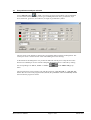
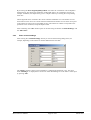
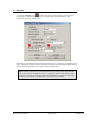
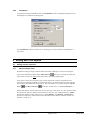
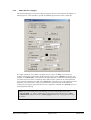
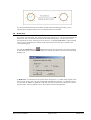
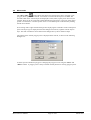
In addition to the reference staffs used by some of the GGU programs you can also have further
vertical reference lines represented, e.g. if you have a number of sections at differing heights or
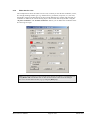
you need to use this function to generate horizontal or otherwise oriented scale bars. Click on the
"Reference staff" button and enter the required values into the subsequent dialogue box.
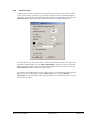
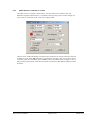
If you then draw a line, the program creates a reference staff from this, which always begins and
ends with a complete length unit. The "With original heights" check box is always activated by
default for vertical reference staffs. The actual section heights of the started GGU program (e.g.
GGU-STRATIG) are then used for the reference staff.
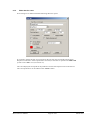
If you need a section-independent, vertical reference staff, you can deactivate this check box and
define a start point for the staff by using the "Offset [m]" function. If "User-defined" or
"Horizontal" are selected from the staff type list, the check box is automatically inactive and you
can work with the offset.
Mini-CAD User Manual
Page 22 of 42
March 2010