1
IAP-W420+/W422+ User Manual
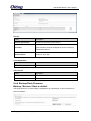
Label
Description
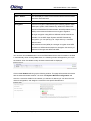
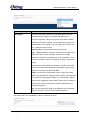
Download backup
Reset to defaults
Click Generate archive to save the current system settings as a
file stored in the local hard drive.
Click Perform reset to reset the device to the factory settings.
The device will reboot to validate the default settings.
Restore backup
You can restore configurations to previous status by installing a
previous configuration file. To do this, click on Browse to locate
the file you want to upload in the local hard drive and click Upload
archive.
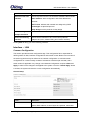
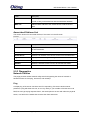
5.4.5 Reboot
This page allows you to reboot the operating system of your device. This is similar to the
power-off and power-on cycle. The system configuration remains the same. Any changes
that are not applied are lost.
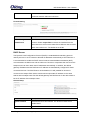
Flash new Firmware
ORing launches new firmware constantly to enhance performance and functions. To upgrade
firmware, download new firmware from ORing’s website to your PC and install it via Web
upgrade. Make sure the firmware file matches the model of your device. It will take several
minutes to upload and update the firmware. After upgrade completes successfully, reboot the
device. If you want to preserve network settings after updating, check the Keep settings
box.
5.5
Network
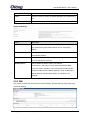
This section allows you to set up network configurations for your device, including LAN and
Wifi settings. Interfaces tab shows an overview of the network interfaces. You can view and
ORing Industrial Networking Corp
20