1
6. Operation
6.8 DVR
➏ Lock Recorded TV programs
▪ To protect a recorded program from accidental deletion or to restrict the viewing of recorded
programs to specific audience, programs can be locked.
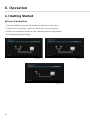
▪ To Lock a program press the
button to display the recorded programs Press menu button
and select the lock to enter lock mode.
this will put the receiver into File Lock Mode.
(To set your own personal PIN number for the receiver please refer to the Security Settings)
* the default PIN is "0000"
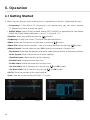
▪ Select the recorded program you wish to lock use the arrow buttons and press the OK button.
A padlock will appear next to the selected file. This file is now locked.
▪ To return to normal mode either press the button Exit or the RED button.
▪ Once a recorded file has been locked you will be required to enter the PIN number to view or
delete this program.
➐ Rename Recorded TV programs
▪ Recorded programs can be renamed once recording is complete
▪ To Rename programs press the
button to display the recorded programs
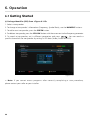
▪ Select the recorded program you wish to rename by using the arrow keys and press the menu
button, and then select Rename.
▪ The file name will be highlighted. Now press the OK button to bring up a virtual key board.
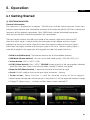
▪ Using the arrow keys select the desired letters to make up the new file name and press the OK
button
▪ Once you have completed the new file name press the Exit button.
You wil be prompted to save the changes, select Yes and press OK to save.
132