1
The Q control does not affect Pass/Cut or Shelf filter types. For Bells however
the Q is a way to define the frequency width of the boosting or cutting bell filter. It
may be represented by the mathematical relationship: Fc/Fw (center frequency
divided by frequency width at the traditional ‘-3dB point’, both in Hertz). For
example, a Q of 2.0 at 1,000Hz gives a bandwidth of 500Hz (1000Hz divided by
2). The low Q values offer the widest bells which are great for enhancing a
complete range similar to Hi Fi Tone controls. The high Q values offer the
narrowest filters useful for eliminating a specific problematic resonance.
EQ Clipping
When you have a fairly hot signal coming into the AudioTrack and there is further
EQ introduced, there is a chance of clipping the EQ output. The AudioTrack Clip
indicator above the output meters will show whether your audio is clipped and at
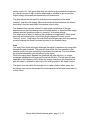
what stage. In the event the clipping is introduced by EQ the Clip indicator will
Indicate clip as follows –
In this case use the Input gain to avoid clipping and crate some headroom for the
EQ. In native 32bit float processing the EQ clip will probably not appear as the
floating point allows to go well over 0dBfs before actual signal clipping occurs so
in this case most clipping will be at the output.
AUDIOTRACK DYNAMICS
AudioTrack offers 2 useful dynamics processors. A Compressor/Expander and a
Gate. The AudioTrack Dynamics section has to meter bars that provide important
visual feedback. The energy meter allows setting the thresholds according to the
program energy and the Gain adjustment meter shows the gain attenuation or
boost applied to the signal in real-time as it is dynamically applied.
Compressor/Expander
AudioTrack Compressor/Expander offers the traditional Compressor controls –
Threshold, Ratio, Attack & Release. Using these controls the user can define a
set of conditions by which the track’s gain will be adjusted dynamically.
The Threshold sets the energy reference so that as long as the audio energy is
significantly lower then the threshold, no gain adjustment will be introduced.
When the energy approaches the threshold the track gain will be adjusted
according to the ratio specified. The Attack and release time constants determine
how quickly the gain adjustment will be applied. This is set in Milliseconds.
When the ratio is 1:1 no gain adjustment will take place and this is just like
having the compressor turned off. When we increase the ratio, for example
Waves AudioTrack software guide page 6 of 12