1
Chapter 2: Using AudioTrack.
QUICK START
This Quick Start section describes a recommended workflow for working with
AudioTrack. The easiest way to start is usually by selecting a preset and then
adjusting it to the actual context. AudioTrack has many presets for MultiMedia
audio processing, Broadcast, Musical styles and more. However useful some
users may feel that presets are not specific enough or don’t fit their personal
taste. Remember that the WaveSystem offers the user the option to create a set
of “User Presets” which will be shown in the Load menu of the plug-in under any
host application. The settings can also be saves into a setup file for exchange
with the plug-in on other computers through other host applications. For more
information read the WaveSystem guide.
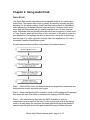
A basic recommended workflow is described in the diagram below –
Step 1 – Set the EQ to focus the desired frequency ranges that complement and
emphasize the track’s important audio signal.
Step 2 - Once a satisfactory EQ is reached, check for EQ clipping and if apparent
take down the Input Gain fader to eliminate this clipping of the EQ output.
Step 3 – We recommend to first raise the GATE threshold to shut out
insignificant low level audio in the track, to find a good point look at the energy
meter in a point where the track has the lowest significant signal that needs to
pass through the gate and set the gate threshold arrow just below that point.
Waves AudioTrack software guide page 3 of 12