1
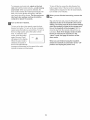
THE mNFORMATmONMODE/DEMO MODE
in a store, When the console is in the demo mode, the
power cord can be plugged in, the key can be removed
from the console, and the indicators in the display will
automatically light in a preset sequence, although the
buttons on the console will not operate, If a "d" appears
when the information mode is selected, press the
Speed decrease button so the "d" disappears.
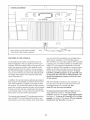
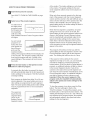
The consob features an information mode that keeps
track of the totaUnumber of miles that the waUking beUt
has moved and the totaUnumber of hours that the
treadmHUhas been operated, The information mode
aUsoallows you to sebct miles or kilometers as the unit
of measurement and to turn on and turn off the demo
mode,
To exit the information mode, remove the key from the
console,
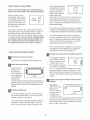
To sebct the information mode, hoUddown the Stop
button while inserting the key into the consob,
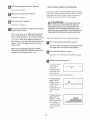
The Cabrbs/Dbtance
THE OPTIONAL
dis-
An optional chest pulse sensor adds even more features to the console, The chest pulse sensor offers
hands-free operation, and enables you to use the two
heart rate programs, To purchase the optionaJ chest
pulse sensor, call the toll-free telephone number
on the front cover of this manual
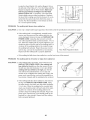
pUaywHUshow the totaUnumber of miles (or kilometers)
that the waUking beUthas
moved,
The Time/Pace dispUay will
show the total number of
hours that the treadmill has
been used,
CHEST PULSE SENSOR
if3
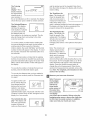
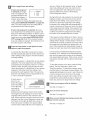
An "E" for English miles or an
"M" for metric kilometers will
appear in the Pube/Speed
display, Press the Speed increase button to change the
unit of measurement,
IMPORTANT: If a "d" appears in the Carbs/Indine display, the console is in the "demo" mode, This mode is
intended to be used only when a treadmill is displayed
22