1
cannot be modified. If a User ID must be changed, the user must be deleted entirely and a new User ID
can then be created.
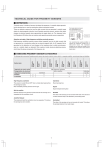
To change your Name, type the new name in the Name field and select [Save Changes]. To change your
Password, simply type the new password in both Password fields and select [Save Changes]. Please do
not cut and paste your new Password into the Retype field, as this action does not prevent
typographical errors. Your E-mail Address can be changed in the same manner. (Figure 2.3)
Figure 2.3
Session Logs
User Level: Manager
The Sessions page, a sub-branch under the Manage branch, allows you to view user sessions. This page
details each user, the date and time of the user’s last session, and the user’s current online status. If the
sphere next to a name is red, that user is currently offline; if the sphere is green, the user is currently
online. You can also view a more detailed session log by selecting [View Log] to the right of the user’s
name. (Figure 2.4)
8