1
PresentationPro™ User Manual
Thank you for purchasing the Califone® PA159 Wireless Portable PA System.
We encourage you to visit our website www.califone.com to register your product for its warranty
coverage, to sign up to receive our newsletter, download our catalog, and learn more about the
complete line of Califone® audio visual products, including portable and installed wireless PA
systems, multimedia players and recorders, headphones and headsets, computer peripheral
equipment, visual presentation products and language learning materials.
Returning your unit for service or repairs
Unpacking the Unit
Inspection and inventory of your system. Check
unit carefully for damage that may have occurred
during transit. Each PresentationPro™ product
is carefully inspected at the factory and packed
in a special carton for safe transport.
Should your unit require service, contact your
dealer or our Customer Service Department at
(800) 722-0500 to obtain a Return Authorization
(RA) number. All shipments to Califone must
include an RA number on the carton and must
shipped prepaid. C.O.D. shipments will be refused
and returned at your cost.
ALL DAMAGE CLAIMS MUST BE MADE
WITH THE FREIGHT CARRIER
Contents
Notify the freight carrier immediately if you
observe any damage the shipping carton or
product. Repack the unit in the carton and
await inspection by the carrier’s claim agent.
Notify your dealer of the pending freight claim.
•
•
•
•
•
Warranty Registration
Connections and Functions
Please visit the Califone website to register
your PresentationPro™ for warranty coverage.
NOTE: When first connecting other equipment to
“aux in” or “line” in make certain that their power is
off and volume control at minimum.
1
PA159 Manual - JH 2010.03.18.indd 4-5
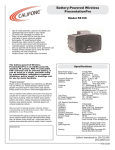
PA159 Powered Amplifier
MB-350 Mounting Bracket
RC-300 Remote Control and (2) AAA Batteries
Universal Power Adapter with AC Power Cord
User Manual
Charging the Battery
1. Before using your new PresentationPro PA159, charge the battery for at least 10 hours.
2. The indicator light above the power jack will be off if the battery is fully charged.
3. The indicator light above the power jack will light green if the battery has a low charge.
4. The battery should be fully recharged after several hours use to prolong the life of the battery.
The battery will deteriorate if stored in a discharged state for more than 30 days.
Recommended Set-up Procedure
1. Ideally volume on the unit should be set at maximum before the microphone volume is adjusted
to the desired level.
2. Turn on the main power switch and use either a wireless microphone or cabled microphone to
adjust the volume.
Operating the Sound System
1. Place the PresentationPro at its desired location.
2. CAUTION: Assure the 120/240 switch is in the correct position.
3. Plug the power cord into a grounded 90-240 volts AC, 50-60Hz.
4. Connect and audio source. Plug a microphone into either the XLR MIC input jack or the ¼” phone
mic input or a wireless Califone microphone. An audio source can be plugged into the AUX or
LINE IN jacks.
5. Turn the power switch “ON” (the red LED on the rear panel should light).
6. Adjust volume (press the Vol+/Vol- on the rear panel or keys on RC-300 remote control), bass/treble
controls for desired sound.
7. Point the remote control at the speaker grill).
2
3/19/2010 9:58:50 AM