1
Before You Start
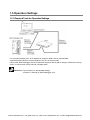
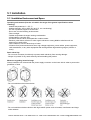
Operating environment (Use the unit within the range of the general specifications when
installing)
・Ambient temperatures:0 ~ +55 °C
・Ambient humidity: 30% to 85% RH (at 25°C, non-condensing)
・For use in pollution Degree 2 environment.
・Do not use it in the following environments.
- Direct sunlight
- Sudden temperature changes causing condensation.
- Inflammable or corrosive gas.
- Excessive airborne dust, metal particles or saline matter.
- Benzine, paint thinner, alcohol or other organic solvents or strong alkaline solutions such as
ammonia or caustic soda.
- Direct vibration, shock or direct drop of water.
- Influence from power transmission lines, high voltage equipment, power cables, power equipment,
radio transmitters, or any other equipment that would generate high switching surges.(100mm or more)
Static electricity
- Do not touch connector pins directly to prevent static electricity from causing damage.
- Always rid yourself of any static electricity before handling this product.
Power supplies
- An insulated power supply with an internal protective circuit should be used. The power supply for the
control unit operation is a non-insulated circuit.
- If using a power supply without a protective circuit, power should be supplied through a protective
element such as fuse.
- If an incorrect voltage is directly applied, the internal circuit may be damaged or destroyed.
Power supply sequence
- Have the power supply sequence such that the power supply of the control unit turns off before the
power supply for input and output.
- If the power supply for input and output is turned off before the power supply of the control unit, the
control unit will detect the input fluctuations and may begin an unscheduled operation.
Before turning on the power
When turning on the power for the first time, be sure to take the precautions given below.
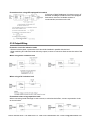
- When performing installation, check to make sure that there are no scraps of wiring, particularly
conductive fragments, adhering to the unit.
- Verify that the power supply wiring, I/O wiring, and power supply voltage are all correct.
- Sufficiently tighten the connector screws.
- Set the mode selector to STOP mode.
Phone: 800.894.0412 - Fax: 888.723.4773 - Web: www.ctiautomation.net - Email: [email protected]