1
LINUX-SNAPGEAR
51
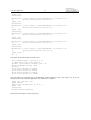
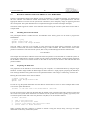
# echo deb ftp://ftp.se.debian.org/debian stable main contrib non-free >
/etc/apt/sources.list
# apt-get update
Installing telnet server can be done as follows:
# apt-get install telnetd
It is generally an good idea to have a look in the /etc/inetd.conf and verifying that telnetd is correctly
configured. To make the telnet server appear on the network inetd may need to be restarted to reread it's
configuration file, sometimes it is enough sending inetd it the SIGHUP signal.
11.8
Installing X.org X11 Server
The graphical X server is normally operated using keyboard and mouse. See the chapter "PS/2 and VGA" on
how to setup the monitor and PS/2 keyboard. The peripherals and monitor/GRVGA is setup in
/etc/X11/xorg.conf installed with apt-get.
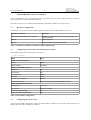
Installing the graphical X server, fbset (a frame buffer utility), X fonts and xterm terminal emulator is similar to
installing the telnet server in the previous section:
#
#
#
#
apt-get
apt-get
apt-get
apt-get
install
install
install
install
xserver-xorg
xfonts-base
fbset
xterm
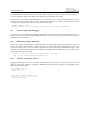
Configure the X server by editing /etc/X11/xorg.conf.
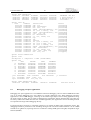
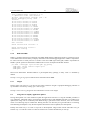
After setting up the X server properly it is possible to start the server with extra debug output by adding the
option -verbose [level]:
$ X -verbose 3