1
11
Superior Settings
Several Features are provided within Piano Suite Premier to facilitate an instructor-led classroom lesson. An
ideal strategy for learning is a combination of self-paced practice and Instructor-led lessons. The following
classroom features were designed to work well in a computer lab environment and in a school or music conservatory. There are obvious advantages to both.
There are three fundamental sections of Piano Suite designed for teaching in a classroom:
1. Teacher settings, which allows the teacher to control certain features for specific students.
2. Student Profiles, which allows the teacher to view and print detailed records of student accomplishments.
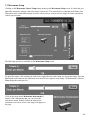
3. Classroom (Management), which allows teachers to manage a class of studentson a Local Area Network
(LAN) . The number of students can range from 1 to 32.
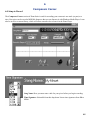
The teacher or student can access the classroom features by pressing the ‘Classroom’ button on the main Piano
Suite form. The teacher settings can be accessed by pressing ‘ Superior Settings’ on the main Piano Suite form,
and the Student Profiles can be accessed by pressing the ‘Personal Profiles’ button on the main form of Piano
Suite.
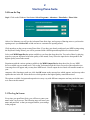
11.0 Teacher Settings
Teacher settings are ideal for teachers and parents who want to guide and oversee the progress of any other student. You must log in as “Teacher” to access this mode of Piano Suite.
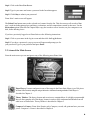
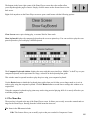
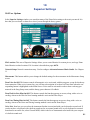
The following options are available in Superior Settings (refer to Chapter 11) when in Teacher mode:
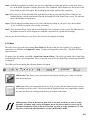
Lock Fingering off: This will disable the fingerings option for selected students. It is recommended that this
mode be used with early players who are prone to relying on fingering. Use the fingering initially to increase
speed, and as the students remove fingering to ensure the student is becoming comfortable with the notation
symbols themselves.
Lock Images off: This will turn off images for selected students, allowing more room for music notation on the
display. Young players enjoy the illustrations with each piece, and their interest in each piece is very important.
It takes a young novice longer to learn a beginner piece, and the longer they are interested in the piece for
whatever reason, the easier it is to motivate them to master it completely. The decision to move to a new piece
for interest’s sake, before mastering the current piece is a subjective decision which should be made carefully.
The ability to play a piece well is very motivating, as is learning a piece of special interest to the student.
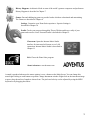
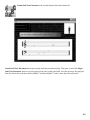
Lock Games off: This will disable all games for selected users.
Force Lessons in Sequence: This will force selected users to only progress through Theory Thinker Lessons in
order.
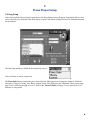
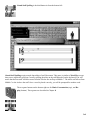
Force hands used: This will force selected users to always use the hands selected in the drop down menu next
to the Force hands used caption. The choices are: Both hands, Right Hand, or Left Hand. This is sometimes use56