1
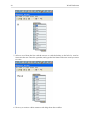
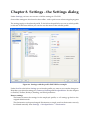
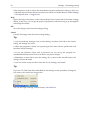
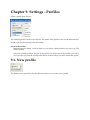
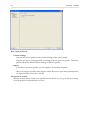
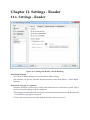
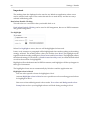
Settings - Hotkeys
61
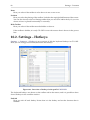
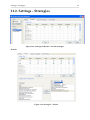
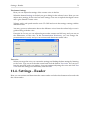
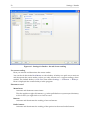
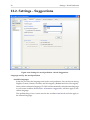
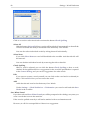
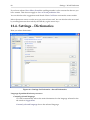
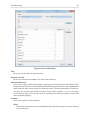
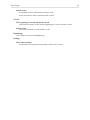
Hotkey
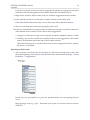
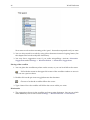
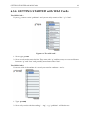
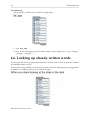
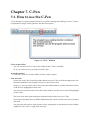
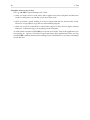
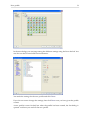
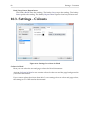
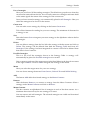
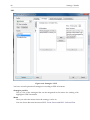
Here you see the hotkey. You change the hotkey by placing the cursor in the text field and
write the hotkey on the keyboard, so that the new hotkey is shown in the field.
Conflict
If the same hotkey is already used for another function, CD-ORD will show that there is a
conflict. Select then another hotkey.
Function name
This is the name of the function that the hotkey is used for.
Settings
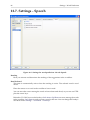
The hotkey Settings opens the settings dialog.
Exit
The hotkey shuts down CD-ORD.
Word prediction On/Off
The hotkey Word prediction On/Off activates and deactivates the wordprediction.
Move Up in Wordlist and Move Down in Wordlist
The hotkeys for Move Up in Wordlist and Move Down in Wordlist are hotkeys for
moving up and down among the words in the wordlist window.
Insert Word
The hotkey for Insert Word inserts the selected word from the wordlist.
Page Up and Page Down
The hotkeys for Page Up (1) and Page Down (1) are hotkeys for going up and down
in the wordlist to see more words.
The hotkeys for Page Up (2) and Page Down (2) are hotkeys for going up and down
in the bottom wordlist window, if you have chosen Separate Wordlist for Technical
Terms under Settings → Word prediction → Windows.
Word No. 1 To 15
The hotkeys for Word No. 1 To 15 are hotkeys to insert words from the wordlist window.
Numbers refer to the numeric keys only
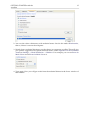
If you tick off Numbers refer to the numeric keys only, you can use the number
keys for writing numbers. You use the numbers in the numerical keyboard as
hotkeys to insert words from the wordlist in your text. This method is best for
stationary computers with a separate numeric keybord to the right on the ordinary
keyboard.
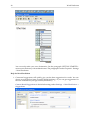
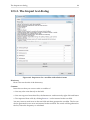
Screen reader On/Off
The hotkey Screen reader On/Off quickly activates and deactivates the screen reader.
Voice - Volume Up and Down
The hotkey Voice - Volume Up is used to turn up the volume. The hotkey Voice Volume Down is used to turn down the volumen.
Voice - Speed Up and Down
The hotkey Voice - Speed Up is used to speed up the reading. The hotkey Voice - Speed
Down is used to lower the speed of the reading.