1
NI Educational Laboratory Virtual Instrumentation Suite (NI ELVIS ) TM User Manual NI ELVIS User Manual September 2005 373363C-01 Support Worldwide Technical Support and Product Information ni.com National Instruments Corporate Headquarters 11500 North Mopac Expressway Austin, Texas 78759-3504 USA Tel: 512 683 0100 Worldwide Offices Australia 1800 300 800, Austria 43 0 662 45 79 90 0, Belgium 32 0 2 757 00 20, Brazil 55 11 3262 3599, Canada 800 433 3488, China 86 21 6555 7838, Czech Republic 420 224 235 774, Denmark 45 45 76 26 00, Finland 385 0 9 725 725 11, France 33 0 1 48 14 24 24, Germany 49 0 89 741 31 30, India 91 80 51190000, Israel 972 0 3 6393737, Italy 39 02 413091, Japan 81 3 5472 2970, Korea 82 02 3451 3400, Lebanon 961 0 1 33 28 28, Malaysia 1800 887710, Mexico 01 800 010 0793, Netherlands 31 0 348 433 466, New Zealand 0800 553 322, Norway 47 0 66 90 76 60, Poland 48 22 3390150, Portugal 351 210 311 210, Russia 7 095 783 68 51, Singapore 1800 226 5886, Slovenia 386 3 425 4200, South Africa 27 0 11 805 8197, Spain 34 91 640 0085, Sweden 46 0 8 587 895 00, Switzerland 41 56 200 51 51, Taiwan 886 02 2377 2222, Thailand 662 278 6777, United Kingdom 44 0 1635 523545 For further support information, refer to the Signal Conditioning Technical Support Information document. To comment on National Instruments documentation, refer to the National Instruments Web site at ni.com/info and enter the info code feedback. © 2003–2005 National Instruments Corporation. All rights reserved. Important Information Warranty The NI-ELVIS hardware is warranted against defects in materials and workmanship for a period of one year from the date of shipment, as evidenced by receipts or other documentation. National Instruments will, at its option, repair or replace equipment that proves to be defective during the warranty period. This warranty includes parts and labor. The media on which you receive National Instruments software are warranted not to fail to execute programming instructions, due to defects in materials and workmanship, for a period of 90 days from date of shipment, as evidenced by receipts or other documentation. National Instruments will, at its option, repair or replace software media that do not execute programming instructions if National Instruments receives notice of such defects during the warranty period. National Instruments does not warrant that the operation of the software shall be uninterrupted or error free. A Return Material Authorization (RMA) number must be obtained from the factory and clearly marked on the outside of the package before any equipment will be accepted for warranty work. National Instruments will pay the shipping costs of returning to the owner parts which are covered by warranty. National Instruments believes that the information in this document is accurate. The document has been carefully reviewed for technical accuracy. In the event that technical or typographical errors exist, National Instruments reserves the right to make changes to subsequent editions of this document without prior notice to holders of this edition. The reader should consult National Instruments if errors are suspected. In no event shall National Instruments be liable for any damages arising out of or related to this document or the information contained in it. EXCEPT AS SPECIFIED HEREIN, NATIONAL INSTRUMENTS MAKES NO WARRANTIES , EXPRESS OR IMPLIED, AND SPECIFICALLY DISCLAIMS ANY WARRANTY OF MERCHANTABILITY OR FITNESS FOR A PARTICULAR PURPOSE . C USTOMER’S RIGHT TO RECOVER DAMAGES CAUSED BY FAULT OR NEGLIGENCE ON THE PART OF NATIONAL INSTRUMENTS SHALL BE LIMITED TO THE AMOUNT THERETOFORE PAID BY THE CUSTOMER. NATIONAL INSTRUMENTS WILL NOT BE LIABLE FOR DAMAGES RESULTING FROM LOSS OF DATA, PROFITS, USE OF PRODUCTS, OR INCIDENTAL OR CONSEQUENTIAL DAMAGES, EVEN IF ADVISED OF THE POSSIBILITY THEREOF. This limitation of the liability of National Instruments will apply regardless of the form of action, whether in contract or tort, including negligence. Any action against National Instruments must be brought within one year after the cause of action accrues. National Instruments shall not be liable for any delay in performance due to causes beyond its reasonable control. The warranty provided herein does not cover damages, defects, malfunctions, or service failures caused by owner’s failure to follow the National Instruments installation, operation, or maintenance instructions; owner’s modification of the product; owner’s abuse, misuse, or negligent acts; and power failure or surges, fire, flood, accident, actions of third parties, or other events outside reasonable control. Copyright Under the copyright laws, this publication may not be reproduced or transmitted in any form, electronic or mechanical, including photocopying, recording, storing in an information retrieval system, or translating, in whole or in part, without the prior written consent of National Instruments Corporation. Trademarks National Instruments, NI, ni.com, and LabVIEW are trademarks of National Instruments Corporation. Refer to the Terms of Use section on ni.com/legal for more information about National Instruments trademarks. Other product and company names mentioned herein are trademarks or trade names of their respective companies. Patents For patents covering National Instruments products, refer to the appropriate location: Help»Patents in your software, the patents.txt file on your CD, or ni.com/patents. WARNING REGARDING USE OF NATIONAL INSTRUMENTS PRODUCTS (1) NATIONAL INSTRUMENTS PRODUCTS ARE NOT DESIGNED WITH COMPONENTS AND TESTING FOR A LEVEL OF RELIABILITY SUITABLE FOR USE IN OR IN CONNECTION WITH SURGICAL IMPLANTS OR AS CRITICAL COMPONENTS IN ANY LIFE SUPPORT SYSTEMS WHOSE FAILURE TO PERFORM CAN REASONABLY BE EXPECTED TO CAUSE SIGNIFICANT INJURY TO A HUMAN. (2) IN ANY APPLICATION, INCLUDING THE ABOVE, RELIABILITY OF OPERATION OF THE SOFTWARE PRODUCTS CAN BE IMPAIRED BY ADVERSE FACTORS, INCLUDING BUT NOT LIMITED TO FLUCTUATIONS IN ELECTRICAL POWER SUPPLY, COMPUTER HARDWARE MALFUNCTIONS, COMPUTER OPERATING SYSTEM SOFTWARE FITNESS, FITNESS OF COMPILERS AND DEVELOPMENT SOFTWARE USED TO DEVELOP AN APPLICATION, INSTALLATION ERRORS, SOFTWARE AND HARDWARE COMPATIBILITY PROBLEMS, MALFUNCTIONS OR FAILURES OF ELECTRONIC MONITORING OR CONTROL DEVICES, TRANSIENT FAILURES OF ELECTRONIC SYSTEMS (HARDWARE AND/OR SOFTWARE), UNANTICIPATED USES OR MISUSES, OR ERRORS ON THE PART OF THE USER OR APPLICATIONS DESIGNER (ADVERSE FACTORS SUCH AS THESE ARE HEREAFTER COLLECTIVELY TERMED “SYSTEM FAILURES”). ANY APPLICATION WHERE A SYSTEM FAILURE WOULD CREATE A RISK OF HARM TO PROPERTY OR PERSONS (INCLUDING THE RISK OF BODILY INJURY AND DEATH) SHOULD NOT BE RELIANT SOLELY UPON ONE FORM OF ELECTRONIC SYSTEM DUE TO THE RISK OF SYSTEM FAILURE. TO AVOID DAMAGE, INJURY, OR DEATH, THE USER OR APPLICATION DESIGNER MUST TAKE REASONABLY PRUDENT STEPS TO PROTECT AGAINST SYSTEM FAILURES, INCLUDING BUT NOT LIMITED TO BACK-UP OR SHUT DOWN MECHANISMS. BECAUSE EACH END-USER SYSTEM IS CUSTOMIZED AND DIFFERS FROM NATIONAL INSTRUMENTS' TESTING PLATFORMS AND BECAUSE A USER OR APPLICATION DESIGNER MAY USE NATIONAL INSTRUMENTS PRODUCTS IN COMBINATION WITH OTHER PRODUCTS IN A MANNER NOT EVALUATED OR CONTEMPLATED BY NATIONAL INSTRUMENTS, THE USER OR APPLICATION DESIGNER IS ULTIMATELY RESPONSIBLE FOR VERIFYING AND VALIDATING THE SUITABILITY OF NATIONAL INSTRUMENTS PRODUCTS WHENEVER NATIONAL INSTRUMENTS PRODUCTS ARE INCORPORATED IN A SYSTEM OR APPLICATION, INCLUDING, WITHOUT LIMITATION, THE APPROPRIATE DESIGN, PROCESS AND SAFETY LEVEL OF SUCH SYSTEM OR APPLICATION. Conventions The following conventions are used in this manual: <> Angle brackets that contain numbers separated by an ellipsis represent a range of values associated with a bit or signal name—for example, AO <3..0>. » The » symbol leads you through nested menu items and dialog box options to a final action. The sequence File»Page Setup»Options directs you to pull down the File menu, select the Page Setup item, and select Options from the last dialog box. This icon denotes a note, which alerts you to important information. This icon denotes a caution, which advises you of precautions to take to avoid injury, data loss, or a system crash. When this icon is marked on the product, refer to the Read Me First: Safety and Radio-Frequency Interference document, shipped with the product, for precautions to take. When symbol is marked on a product, it denotes a warning advising you to take precautions to avoid electrical shock. When symbol is marked on a product, it denotes a component that may be hot. Touching this component may result in bodily injury. bold Bold text denotes items that you must select or click in the software, such as menu items and dialog box options. Bold text also denotes parameter names. DAQ device DAQ device refers to any National Instrument DAQ device that meets the conditions listed in the DAQ Hardware section of Chapter 3, Hardware Overview. ELVIS Educational Laboratory Virtual Instrumentation Suite. italic Italic text denotes variables, emphasis, a cross reference, or an introduction to a key concept. Italic text also denotes text that is a placeholder for a word or value that you must supply. monospace Text in this font denotes text or characters that you should enter from the keyboard, sections of code, programming examples, and syntax examples. This font is also used for the proper names of disk drives, paths, directories, programs, subprograms, subroutines, device names, functions, operations, variables, filenames, and extensions. Contents Chapter 1 DAQ System Overview What is DAQ?................................................................................................................1-1 DAQ Hardware................................................................................................1-2 LabVIEW ........................................................................................................1-3 Virtual Instrumentation .....................................................................1-3 NI ELVIS Overview ......................................................................................................1-4 Chapter 2 NI ELVIS Overview NI ELVIS Hardware ......................................................................................................2-3 NI ELVIS Benchtop Workstation ...................................................................2-3 NI ELVIS Prototyping Board ..........................................................................2-3 NI ELVIS Software .......................................................................................................2-3 SFP Instruments...............................................................................................2-4 Instrument Launcher .........................................................................2-4 Arbitrary Waveform Generator (ARB).............................................2-4 Bode Analyzer...................................................................................2-5 Digital Bus Reader ............................................................................2-5 Digital Bus Writer .............................................................................2-5 Digital Multimeter (DMM) ...............................................................2-5 Dynamic Signal Analyzer (DSA) .....................................................2-6 Function Generator (FGEN) .............................................................2-6 Impedance Analyzer .........................................................................2-6 Oscilloscope (Scope).........................................................................2-6 Two-Wire and Three-Wire Current-Voltage Analyzers ...................2-7 Variable Power Supplies...................................................................2-7 NI ELVIS LabVIEW API ...............................................................................2-7 NI ELVIS Calibration Utility ..........................................................................2-7 NI ELVIS in Academic Disciplines...............................................................................2-8 NI ELVIS in Engineering ................................................................................2-8 NI ELVIS in Biological Sciences....................................................................2-8 NI ELVIS in Physical Sciences.......................................................................2-9 © National Instruments Corporation v NI ELVIS User Manual Contents Chapter 3 Hardware Overview DAQ Hardware.............................................................................................................. 3-1 Using the DAQ Hardware in Bypass Mode.................................................... 3-1 NI ELVIS Benchtop Workstation ................................................................................. 3-2 NI ELVIS Protection Board ............................................................................ 3-5 NI ELVIS Prototyping Board ........................................................................................ 3-6 Prototyping Board Power................................................................................ 3-7 Prototyping Board Signal Descriptions........................................................... 3-8 Connecting Signals........................................................................................................ 3-11 Grounding Considerations .............................................................................. 3-11 Connecting Analog Input Signals ................................................................... 3-11 Generic Analog Input ....................................................................... 3-11 Resource Conflicts............................................................................ 3-12 DMM ................................................................................................ 3-13 Oscilloscope...................................................................................... 3-13 Connecting Analog Output Signals................................................................. 3-13 Generic Analog Output..................................................................... 3-13 DC Power Supplies........................................................................... 3-13 Function Generator (FGEN) ............................................................. 3-14 Variable Power Supplies .................................................................. 3-14 Connecting Digital I/O Signals ....................................................................... 3-14 Connecting Counter/Timer Signals................................................................. 3-15 Connecting User-Configurable Signals .......................................................... 3-15 Chapter 4 Programming NI ELVIS Programming NI ELVIS Using NI-DAQmx................................................................. 4-2 Analog Input ................................................................................................... 4-2 Analog Output................................................................................................. 4-3 Timing and Control I/O................................................................................... 4-3 Programming NI ELVIS Using the NI ELVIS LabVIEW API .................................... 4-4 Variable Power Supplies................................................................................. 4-5 Function Generator ......................................................................................... 4-6 Digital Multimeter........................................................................................... 4-7 Digital I/O ....................................................................................................... 4-7 Scope ............................................................................................................... 4-8 NI ELVIS User Manual vi ni.com Contents Appendix A Specifications Appendix B Protection Board Fuses Appendix C Theory of Operation Appendix D Resource Conflicts Appendix E Common Questions Glossary Index Figures Figure 1-1. Figure 2-1. Typical DAQ System ............................................................................1-2 The NI ELVIS System ..........................................................................2-2 Figure 3-1. Figure 3-2. Control Panel Diagram of the Benchtop Workstation...........................3-3 Prototyping Board Parts Locator Diagram ............................................3-7 Figure 4-1. Figure 4-2. Figure 4-3. Figure 4-4. Figure 4-5. Simple Variable Power Supply Application .........................................4-5 Simple Function Generator Application................................................4-6 Simple DMM Application.....................................................................4-7 Simple Digital Input Application ..........................................................4-8 Simple Digital Output Application........................................................4-8 Figure B-1. Figure B-2. NI ELVIS Benchtop Workstation with Protection Board Removed.....B-1 Parts Locator Diagram for NI ELVIS Protection Board .......................B-3 Figure C-1. Figure C-2. Figure C-3. NI ELVIS Voltmeter Block Diagram....................................................C-2 NI ELVIS Current Meter Block Diagram .............................................C-4 Function Generator Block Diagram ......................................................C-6 © National Instruments Corporation vii NI ELVIS User Manual Contents Figure C-4. Figure C-5. Figure C-6. Figure C-7. Figure C-8. Figure C-9. Impedance Analyzer Block Diagram.................................................... C-7 CURRENT HI Block Diagram ............................................................. C-8 CURRENT LO Block Diagram ............................................................ C-9 Two-Wire Measurement Block Diagram.............................................. C-12 Three-Wire Measurement Block Diagram............................................ C-14 Analog Output Block Diagram ............................................................. C-16 Figure D-1. Possible Resource Conflicts.................................................................. D-2 Tables Table 3-1. Table 3-2. Signal Descriptions ............................................................................... 3-8 Analog Input Signal Mapping .............................................................. 3-12 Table 4-1. Counter Signal Correlations.................................................................. 4-3 Table B-1. Resistor Packs and NI ELVIS Components.......................................... B-4 NI ELVIS User Manual viii ni.com 1 DAQ System Overview The NI ELVIS User Manual contains information that you need to understand and program the NI ELVIS architecture and instruments. It also discusses the components of an NI data acquisition (DAQ) system and the concept of virtual instrumentation. This chapter briefly describes the concept of DAQ systems and introduces NI ELVIS, a DAQ system designed for educational laboratories. Note Refer to the Where to Start with NI ELVIS document for information about how to set up the components of the NI ELVIS. What is DAQ? DAQ systems capture, measure, and analyze physical phenomena from the real world. Light, temperature, pressure, and torque are examples of the different types of signals that a DAQ system can measure. Data acquisition is the process of collecting and measuring electrical signals from transducers and test probes or fixtures, and sending them to a computer for processing. Data acquisition can also include the output of analog or digital control signals. The building blocks of a DAQ system include the following items: • Transducer—A device that converts a physical phenomenon such as light, temperature, pressure, or sound into a measurable electrical signal such as voltage or current. • Signal—The product of the DAQ system transducer. • Signal conditioning—Hardware that you can connect to the DAQ device to make the signal suitable for measurement or to improve accuracy or reduce noise. The most common types of signal conditioning include amplification, excitation, linearization, isolation, and filtering. • DAQ hardware—Hardware used to acquire, measure, and analyze data. • Software—NI application software is designed to help you easily design and program your measurement and control application. © National Instruments Corporation 1-1 NI ELVIS User Manual Chapter 1 DAQ System Overview Figure 1-1 shows the components of a typical DAQ system. Data Acquisition and Analysis Hardware Transducers Signal Conditioning Software Personal Computer Figure 1-1. Typical DAQ System NI ELVIS incorporates DAQ hardware and software, the last two of the DAQ system components, into one product. The following sections provide more information about DAQ hardware and software, which is LabVIEW in the case of NI ELVIS. DAQ Hardware Since DAQ devices acquire electrical signals, a transducer or a sensor must convert some physical phenomenon into an electrical signal. A DAQ system can also simultaneously produce electrical signals. These signals can either intelligently control mechanical systems or provide a stimulus so that the DAQ system can measure a response. Most DAQ devices have four standard elements: analog input (AI), analog output (AO), digital I/O (DIO), and counter/timers. Note You can use M Series DAQ devices with NI ELVIS if you are using NI ELVIS software version 2.0 or later. The DAQ Hardware section of Chapter 3, Hardware Overview, describes in greater detail the DAQ device used as part of the NI ELVIS. Refer to the DAQ device documentation, available at ni.com/manuals for specific information about the functionality and operation of the device. NI ELVIS User Manual 1-2 ni.com Chapter 1 DAQ System Overview LabVIEW LabVIEW is a graphical programming language frequently used for creating test, measurement, and automation applications. LabVIEW uses icons instead of lines of text to create applications. Unlike text-based programming languages, LabVIEW uses dataflow programming, where the flow of data determines execution. In LabVIEW, you build a user interface by using a set of tools and objects. The user interface is known as the front panel. You then add code using graphical representations of functions to control the front panel objects. The block diagram contains this code. In some ways, the block diagram resembles a flowchart. A virtual instrument (VI) is a LabVIEW program that models the appearance and function of a physical instrument. The flexibility, modular nature, and ease-of-use programming possible with LabVIEW makes it popular in top university laboratories. With LabVIEW, you can rapidly create applications using intuitive graphical development and add user interfaces for interactive control. Scientists and engineers can use the straightforward I/O functionality of LabVIEW along with its analysis capabilities. LabVIEW can also be used in the classroom to solve purely analytical or numerical problems. For more information about programming with LabVIEW, refer to Getting Started with LabVIEW and the LabVIEW Measurements Manual, available at ni.com/manuals. The LabVIEW Help is available by selecting Help»VI, Function, and How-To Help from the LabVIEW block diagram or front panel, or you can select Help»Search the LabVIEW Bookshelf from the block diagram or front panel to display other relevant LabVIEW documentation. Virtual Instrumentation Virtual instrumentation is defined as the combination of measurement and control hardware and application software with industry-standard computer technology to create user-defined instrumentation systems. Virtual instrumentation provides an ideal platform for developing instructional curriculum and conducting scientific research. In an instructional laboratory course, students perform various experiments that combine measurements, automation, and control. Tools or systems used in these situations must be flexible and adaptable. In research environments, virtual instrumentation provides the flexibility that a researcher must have to modify the system to meet unpredictable needs. Research and instructional efforts also require that their systems be economical. Because you can reuse components in a virtual instrumentation system (without © National Instruments Corporation 1-3 NI ELVIS User Manual Chapter 1 DAQ System Overview purchasing additional hardware or software), virtual instrumentation is an economical choice. Finally, measurement systems must be scalable to meet future expansion needs. The modular nature of virtual instrumentation makes it easy for you to add new functionality. NI ELVIS Overview NI ELVIS uses LabVIEW-based software instruments, a multifunction DAQ device, and a custom-designed benchtop workstation and prototyping board to provide the functionality of a suite of common laboratory instruments. The LabVIEW software that you use to interact with the NI ELVIS Benchtop Workstation and the DAQ device provides a high-level programming environment for easy implementation of the sophisticated display and analysis capabilities required for virtual instrumentation. The NI ELVIS hardware provides a function generator and variable power supplies from the benchtop workstation. The NI ELVIS LabVIEW soft front panel (SFP) instruments combined with the functionality of the DAQ device provide the functionality of the following SFP instruments: • Arbitrary Waveform Generator (ARB) • Bode Analyzer • Digital Bus Reader • Digital Bus Writer • Digital Multimeter (DMM) • Dynamic Signal Analyzer (DSA) • Function Generator (FGEN) • Impedance Analyzer • Oscilloscope (Scope) • Two-Wire Current Voltage Analyzer • Three-Wire Current Voltage Analyzer • Variable Power Supplies Refer to Figure 2-1, The NI ELVIS System, for an illustration of NI ELVIS. NI ELVIS User Manual 1-4 ni.com Chapter 1 DAQ System Overview Related Documentation The following documents contain information that you might find helpful as you read this manual: • DAQ device documentation, available at ni.com/manuals • Getting Started with LabVIEW, available at ni.com/manuals • LabVIEW Help, available by selecting Help»VI, Function, and How-To Help from the LabVIEW block diagram or front panel • LabVIEW Measurements Manual, available at ni.com/manuals • Measurement & Automation Explorer Help for DAQmx, available by selecting Help»Help Topics»NI-DAQmx from the Measurement & Automation Explorer (MAX) window • Where to Start with NI ELVIS, available in PDF format on the NI ELVIS Software CD or from ni.com/manuals • NI ELVIS Help, available on the NI ELVIS Software CD or from ni.com/manuals © National Instruments Corporation 1-5 NI ELVIS User Manual 2 NI ELVIS Overview NI ELVIS combines hardware and software into one complete laboratory suite. This chapter provides an overview of the hardware and software components of the NI ELVIS. Additionally, this chapter discusses how you can use NI ELVIS in various academic environments. Chapter 3, Hardware Overview, provides more detailed information about NI ELVIS hardware components. Refer to the NI ELVIS Help for more information about the software components. Refer to Figure 2-1 for a diagram of the NI ELVIS system. © National Instruments Corporation 2-1 NI ELVIS User Manual Chapter 2 NI ELVIS Overview 1 2 3 4 5 1 2 3 Computer Running LabVIEW DAQ Device 68-Pin E/M Series Cable 4 5 NI ELVIS Prototyping Board NI ELVIS Benchtop Workstation Figure 2-1. The NI ELVIS System NI ELVIS User Manual 2-2 ni.com Chapter 2 NI ELVIS Overview NI ELVIS Hardware The following sections briefly describe the hardware components of NI ELVIS. For more specific information about these components, refer to Chapter 3, Hardware Overview. NI ELVIS Benchtop Workstation Together, the benchtop workstation and the DAQ device create a complete laboratory system. The workstation provides connectivity and functionality. The workstation control panel provides easy-to-operate knobs for the function generator and variable power supplies, and it offers convenient connectivity in the form of BNC and banana-style connectors to the NI ELVIS - Scope SFP and NI ELVIS - DMM SFP. The NI ELVIS software routes signals in the NI ELVIS Benchtop Workstation between the SFP instruments. For example, you can route the output of the function generator to a specific channel of the DAQ device and ultimately acquire data on a desired channel of the NI ELVIS - Scope SFP. The benchtop workstation also contains a protection board that protects the DAQ device from possible damage resulting from laboratory errors. Refer to the NI ELVIS Benchtop Workstation section of Chapter 3, Hardware Overview, for more detailed information about the benchtop workstation, including the parts locator diagram. NI ELVIS Prototyping Board The NI ELVIS Prototyping Board connects to the benchtop workstation. The prototyping board provides an area for building electronic circuitry and allows the connections necessary to access signals for common applications. You can use multiple prototyping boards interchangeably with the NI ELVIS Benchtop Workstation. Refer to the NI ELVIS Prototyping Board section of Chapter 3, Hardware Overview, for more information about the prototyping board, including signal descriptions, connection instructions, and the parts locator diagram. NI ELVIS Software The NI ELVIS software, created in LabVIEW, takes advantage of the capabilities of virtual instrumentation. The software includes SFP instruments and the LabVIEW API for programming the NI ELVIS hardware. © National Instruments Corporation 2-3 NI ELVIS User Manual Chapter 2 NI ELVIS Overview SFP Instruments NI ELVIS ships with the SFP instruments, created in LabVIEW, and the source code for the instruments. You cannot directly modify the executable files, but you can modify or enhance the functionality of these instruments by modifying the LabVIEW code. The instruments are virtual instruments (VIs) that are necessary in typical laboratory applications. Instrument Launcher The NI ELVIS Instrument Launcher provides access to the NI ELVIS software instruments. To launch an instrument, click the button corresponding to the desired instrument. If the NI ELVIS software is properly configured and the benchtop workstation is cabled to the appropriate DAQ device, all buttons should be enabled. If there is a problem with your configuration, such as when the NI ELVIS Benchtop Workstation is powered off or disconnected from the configured DAQ device, all instrument buttons are dimmed, and the only available option is to click the Configure button. Refer to the Where to Start with NI ELVIS document for more information about configuring NI ELVIS. Some instruments perform similar operations using the same resources of the NI ELVIS hardware and the DAQ device, and therefore cannot run at the same time. If you launch two instruments with overlapping functionality that cannot run at the same time, the NI ELVIS software generates an error dialog describing the conflict. The instrument with the error is disabled and will not function until the conflict is resolved. Arbitrary Waveform Generator (ARB) This advanced-level SFP instrument uses the AO capabilities of NI ELVIS (DAC0 and DAC1). You can create a variety of signal types using the Waveform Editor software, which is included with the NI ELVIS software. You can load waveforms created with the NI Waveform Editor into the ARB SFP to generate stored waveforms. Refer to the NI ELVIS Help for more information about the Waveform Editor. Because a typical DAQ device has two AO channels, two waveforms may be simultaneously generated. You can choose continuous output or a single output. The maximum output rate of the NI ELVIS - ARB SFP is determined by the maximum update rate of the DAQ device connected to the NI ELVIS hardware. Refer to the DAQ device documentation for these specifications. NI ELVIS User Manual 2-4 ni.com Chapter 2 NI ELVIS Overview Bode Analyzer By combining the frequency sweep feature of the function generator and the AI capability of the DAQ device, a full-function Bode Analyzer is available with NI ELVIS. You can set the frequency range of the instrument and choose between linear and logarithmic display scales. Digital Bus Reader This instrument reads digital data from the NI ELVIS digital input (DI) bus. You can either continuously read from the bus or you can take a single reading. Digital Bus Writer This instrument updates the NI ELVIS digital output (DO) bus with user-specified digital patterns. You can manually create a pattern or select predefined patterns, such as ramp, toggle, or walking 1s. This instrument can either continually output a pattern or just perform a single write. The output of the NI ELVIS - Digital Bus Writer SFP stays latched until the instrument is stopped or another pattern is output. Output voltage levels of the NI ELVIS DO bus are TTL compatible. Digital Multimeter (DMM) This commonly used instrument can perform the following types of measurements: • DC voltage • AC voltage • Current (DC and AC) • Resistance • Capacitance • Inductance • Diode test • Audible continuity You can connect to the DMM from the NI ELVIS Prototyping Board or from the banana-style connectors on the front panel of the benchtop workstation. © National Instruments Corporation 2-5 NI ELVIS User Manual Chapter 2 NI ELVIS Overview Dynamic Signal Analyzer (DSA) This instrument is especially useful in advanced electrical engineering and physics classes. This instrument uses the analog input of the DAQ device to make measurements, and can either continuously make measurements or make a single scan. You can also apply various window and filtering options to the signal. Function Generator (FGEN) This instrument provides you with choices for the type of output waveform (sine, square, or triangle), amplitude selection, and frequency settings. In addition, the instrument offers DC offset setting, frequency sweep capabilities, and amplitude and frequency modulation. Impedance Analyzer This instrument is a basic impedance analyzer that is capable of measuring the resistance and reactance for passive two-wire elements at a given frequency. Oscilloscope (Scope) This instrument provides the functionality of the standard desktop oscilloscope found in typical undergraduate laboratories. The NI ELVIS - Scope SFP has two channels and provides scaling and position adjustment knobs along with a modifiable timebase. You can also choose trigger source and mode settings. The autoscale feature allows you to adjust the voltage display scale based on the peak-to-peak voltage of the AC signal for the best display of the signal. Depending on the DAQ device cabled to the NI ELVIS hardware, you can choose between digital or analog hardware triggering. You can connect to the NI ELVIS - Scope SFP from the NI ELVIS Prototyping Board or from the BNC connectors on the front panel of the benchtop workstation. The FGEN or DMM signals can be internally routed to this instrument. In addition, this computer-based scope display has the ability to use cursors for accurate screen measurements. The sampling rate of the Oscilloscope is determined by the maximum sampling speed of the DAQ device installed in the computer attached to the NI ELVIS hardware. Refer to the DAQ device documentation for information about the type of triggering supported on the device and for the maximum sampling speed specifications of the device. NI ELVIS User Manual 2-6 ni.com Chapter 2 NI ELVIS Overview Two-Wire and Three-Wire Current-Voltage Analyzers These instruments allow you to conduct diode and transistor parametric testing and view current-voltage curves. The two-wire instrument offers full flexibility in setting parameters such as voltage and current ranges, and can save data to a file. In addition, the three-wire instrument offers base current settings for measurements of NPN transistors. Note Other types of transistors can be measured, but these measurements are not currently supported by the SFPs. Both instruments have cursors for more accurate onscreen measurements. Variable Power Supplies You can control the output of the positive or negative variable power supply with these SFP instruments. The negative power supply can output between –12 and 0 V, and the positive power supply can output between 0 and +12 V. Note For a detailed explanation of the SFP instruments and instructions for taking a measurement with each instrument, refer to the NI ELVIS Help. For more information about the operation of the NI ELVIS circuitry, refer to Appendix C, Theory of Operation. NI ELVIS LabVIEW API The NI ELVIS software also includes APIs to program four features of the NI ELVIS hardware: the DIO, DMM, function generator, and variable power supplies. Refer to Chapter 4, Programming NI ELVIS, for more information about using the APIs to program NI ELVIS. Note For the VI reference for each API, refer to the NI ELVIS Help. NI ELVIS Calibration Utility The NI ELVIS 2.0 or later software includes a calibration utility that you can use to recalibrate the NI ELVIS variable power supplies or function generator circuitry. © National Instruments Corporation 2-7 NI ELVIS User Manual Chapter 2 NI ELVIS Overview NI ELVIS in Academic Disciplines You can use NI ELVIS in engineering, physical sciences, and biological sciences laboratories. NI ELVIS is suitable not only in terms of the included software, but also because of the custom signal conditioning hardware you can create with NI ELVIS. Instructors can implement the NI ELVIS curriculum with beginning to advanced classes to provide hands-on experience to students. NI ELVIS in Engineering NI ELVIS is suited for teaching basic electronics and circuit design to students in electrical engineering, mechanical engineering, and biomedical engineering. The suite offers full testing, measurement, and data-saving capabilities needed for such training. Students can use the removable prototyping board at home to build circuits, thus using laboratory time more effectively. NI ELVIS SFP instruments, such as the Bode Analyzer, offer instructors an opportunity to teach advanced courses in signal analysis and processing. Students can construct software filters in LabVIEW and hardware filters on the prototyping board and compare the performance of those two types of filters. Mechanical engineering students can learn sensor and transducer measurements in addition to basic circuit design by building custom signal conditioning. Students can install custom sensor adapters on the prototyping board. For example, installing a thermocouple jack on the prototyping board allows robust thermocouple connections. The programmable power supply can provide excitation for strain gauges used in strain measurements. NI ELVIS in Biological Sciences Caution The NI ELVIS hardware is not environmentally sealed; therefore, exercise extreme caution for use in chemical and biological sciences. Biomedical engineering departments have challenges that are similar to those of mechanical departments. Students typically learn basic electronics and build instruments such as an electrocardiogram (ECG) monitor. The prototyping board offers signal conditioning capability for ECG sensors, and the NI ELVIS SFP instruments are ideal for testing the circuits as students build the signal conditioning circuits. NI ELVIS User Manual 2-8 ni.com Chapter 2 NI ELVIS Overview NI ELVIS in Physical Sciences Physics students typically learn electronics and circuit design theory. NI ELVIS provides these students with the opportunity to implement these concepts. Physics students sometimes need signal conditioning for common sensors such as photoelectric multipliers or light detector sensors. Students can build high-gain, low-noise circuits on the removable printed circuit board (PCB) and study them in modern physics labs. © National Instruments Corporation 2-9 NI ELVIS User Manual 3 Hardware Overview This chapter describes the hardware components of NI ELVIS, including the DAQ device, the benchtop workstation, and the prototyping board. Appendix C, Theory of Operation, provides more information about the circuitry used for the different NI ELVIS measurements. DAQ Hardware NI ELVIS is designed to interact with National Instruments E/M Series DAQ devices, which are high-performance, multifunction analog, digital, and timing I/O devices for PCI bus computers. Supported functions on DAQ devices include AI, AO, DIO, and timing I/O (TIO). Note You can use M Series DAQ devices with NI ELVIS if you are using NI ELVIS software version 2.0 or later. To use NI ELVIS, the DAQ device installed in the computer connected to the NI ELVIS hardware must meet the following minimum requirements: • 16 AI channels, minimum sample rate of 200 kS/s • Two AO channels • Eight DIO lines • Two counter/timers Note NI ELVIS also supports 64 AI channel DAQ devices when used with the appropriate cable. For cabling information, refer to the DAQ device documentation. NI ELVIS does not support DIO-only devices or the NI DAQPad-6020E for USB. Using the DAQ Hardware in Bypass Mode NI ELVIS communicates with the computer through the eight DIO lines of the DAQ device. The Communications switch controls the routing of the DIO to the NI ELVIS. In normal operation, the switch is in Normal mode, and the DIO lines are routed to the NI ELVIS hardware, allowing software control. When the Communications switch is set to Bypass mode, the LED next to the switch is lit. No communication changes occur unless you use © National Instruments Corporation 3-1 NI ELVIS User Manual Chapter 3 Hardware Overview the NI ELVIS - Enable Communications Bypass VI in conjunction with putting the switch in Bypass mode. After you move the switch and run the VI, the DIO lines are routed to the DI lines on the prototyping board. Figure 3-1 shows the location of the Communications switch. When in Bypass mode, the hardware function generator and variable power supplies are still available through the manual controls. The counter/timers, AI, and AO on the DAQ device are also available. The NI ELVIS SFP instruments notify you when the Communications switch is in Bypass mode. Unavailable SFP controls are dimmed when the Communications switch is moved to Bypass mode. For detailed information about the DAQ device, refer to the DAQ device documentation, which you can download at ni.com/manuals. NI ELVIS Benchtop Workstation Caution Refer to the Read Me First: Safety and Radio-Frequency Interference document before removing equipment covers, or connecting or disconnecting any signal wires. This section describes the NI ELVIS Benchtop Workstation and the control panel on the front of the workstation. Refer to Figure 3-1 for the parts locator diagram for the benchtop workstation. NI ELVIS User Manual 3-2 ni.com Chapter 3 Hardware Overview 1 NI ELVIS VARIABLE POWER SUPPLIES SUPPLY – MANUAL SYSTEM POWER DMM FUNCTION GENERATOR SUPPLY + MANUAL CURRENT MANUAL CH A AMPLITUDE HI PROTOTYPING BOARD POWER SCOPE VOLTAGE HI W COMMUNICATIONS CH B VOLTAGE 50 kHz VOLTAGE BYPASS 5 kHz A 250 kHz FINE FREQUENCY 500 Hz LO LO FUSED AT 500 mA 20 VDC MAX 14 Vrms MAX 50 Hz TRIGGER COARSE FREQUENCY NORMAL –12 0 0 +12 10 VDC, 7 Vrms MAX ELECTROSTATIC SENSITIVE CONNECTORS 2 1 2 3 4 3 4 System Power LED Prototyping Board Power Switch Communications Switch Variable Power Supplies Controls 5 5 6 7 7 6 Function Generator (FGEN) Controls DMM Connectors Oscilloscope (Scope) Connectors Figure 3-1. Control Panel Diagram of the Benchtop Workstation The benchtop workstation has the following controls and indicators: • System Power LED—Indicates whether the NI ELVIS is powered on. • Prototyping Board Power Switch—Controls the power to the prototyping board. • Communications Switch—Requests disabling software control of the NI ELVIS. This setting provides direct access to the DAQ device DIO lines. For more information about the Communications switch, refer to the Using the DAQ Hardware in Bypass Mode section. • Variable Power Supplies Controls Note You can control the variable power supplies through either the hardware controls on the benchtop workstation (Manual mode) or the controls on the NI ELVIS - Variable Power Supplies SFP (Software mode). You can only use the controls described in the following section when the variable power supplies are in Manual mode. – © National Instruments Corporation Supply– Controls • Manual Switch—Controls whether the negative supply is in Manual mode or Software mode. • Voltage Adjust Knob—Controls the output of the negative supply. The negative supply can output between –12 and 0 V. 3-3 NI ELVIS User Manual Chapter 3 Hardware Overview – Supply+ Controls • Manual Switch—Controls whether the positive supply is in Manual mode or Software mode. • Voltage Adjust Knob—Controls the output of the positive supply. The positive supply can output between 0 and +12 V. For more information about the software controls for the NI ELVIS - Variable Power Supplies SFP, refer to the NI ELVIS Help. • Function Generator Controls Note You can control the function generator through either the hardware controls on the benchtop workstation (Manual mode) or the controls on the NI ELVIS - FGEN SFP (Software mode). You can only use the controls described in the following section when the function generator is in Manual mode. – Manual Switch—Controls whether the function generator is in Manual mode or Software mode. – Function Selector—Selects what type of waveform is generated. NI ELVIS can generate sine, square, or triangle waves. – Amplitude Knob—Adjusts the peak amplitude of the generated waveform. – Coarse Frequency Knob—Sets the range of frequencies the function generator can generate. – Fine Frequency Knob—Adjusts the output frequency of the function generator. For more information about the software controls for the function generator, refer to the NI ELVIS Help. • DMM Connectors By connecting different signals to both the DMM terminals on the prototyping board and the DMM connectors on the control panel, you are shorting them together, potentially damaging the circuit on the prototyping board. Caution – NI ELVIS User Manual CURRENT Banana Jacks • HI—The positive input to all the DMM functionality, except measuring voltage. • LO—The negative input to all the DMM functionality, except measuring voltage. 3-4 ni.com Chapter 3 – Hardware Overview VOLTAGE Banana Jacks • HI—The positive input for voltage measurements. • LO—The negative input for voltage measurements. Note The NI ELVIS DMM is ground referenced. • Oscilloscope (Scope) Connectors By connecting different signals to the Scope terminals on the prototyping board and the Scope connectors on the control panel, you are shorting them together, potentially damaging the circuit on the prototyping board. Caution – CH A BNC Connector—The input for channel A of the Oscilloscope. – CH B BNC Connector—The input for channel B of the Oscilloscope. – Trigger BNC Connector—The input to the trigger of the Oscilloscope. NI ELVIS Protection Board NI ELVIS protects the DAQ device installed in the desktop computer by means of a protection board located inside the NI ELVIS Benchtop Workstation. This removable protection board provides short-circuit protection from unsafe external signals. Removing the protection board enables you to quickly replace a nonfunctioning board with a replacement unit. You can obtain the components on the protection board from electronics vendors and therefore service the protection board without sending it to NI for repairs. Refer to Appendix B, Protection Board Fuses, for more information about replacing the fuses on the NI ELVIS Protection Board. © National Instruments Corporation 3-5 NI ELVIS User Manual Chapter 3 Hardware Overview NI ELVIS Prototyping Board This section describes the NI ELVIS Prototyping Board and how you can use it to connect circuits to NI ELVIS. This section also describes the signals that you can connect to NI ELVIS from the prototyping board and the connectors you can use to do so. Ensure the power to the prototyping board is off before inserting the prototyping board into the NI ELVIS Benchtop Workstation. Caution The prototyping board connects to the benchtop workstation with a standard PCI connector, so you can create custom circuits to interact with NI ELVIS. The prototyping board exposes all the signal terminals of the NI ELVIS for use through the distribution strips on either side of the breadboard area. Each signal has a row, and the rows are grouped by function. Refer to Figure 3-2 for the parts locator diagram for the prototyping board. NI ELVIS User Manual 3-6 ni.com Chapter 3 1 Hardware Overview 2 NI ELVIS PROTOTYPING BOARD 20 25 ADDRESS 0 ADDRESS 1 ADDRESS 2 ADDRESS 3 5 15 20 10 10 15 Programmable Function I/O DO 0 DO 1 DO 2 Digital DO 3 DO 4 DO 5 DO 6 DO 7 WR_ENABLE LATCH GLB_RESET RD_ENABLE DI 0 DI 1 DI 2 DI 3 DI 4 DI 5 DI 6 DI 7 5 20 BANANA C 20 15 PFI1 PFI2 PFI5 PFI6 PFI7 SCANCLK RESERVED Oscilloscope 15 CH A+ CH ACH B+ CH BTRIGGER BANANA B 10 10 9 5 BANANA A 5 Analog Input Signals ACH0+ ACH0ACH1+ ACH1ACH2+ ACH2ACH3+ ACH3ACH4+ ACH4ACH5+ ACH5AISENSE AIGND 1 1 I/O 4 LED Array 5 0 1 4 3 2 25 25 3 25 4 5 30 30 6 BANANA D 7 35 40 50 35 45 4 45 55 50 60 DC Power Supply ** SIGNAL NOTES 1 Range: +-10 VDC, 7 Vrms + VDC, 14 Vrms Max Input Voltage: 20 2 Current Input/Output Fused at 500 mA POWER SUPPLIES * Variable Supply Max Output: 12 VDC, 500 mA ** +- 15V Supply Max Output: 500 mA + 5V Supply Max Output: 2A 6 2 3 4 5 D-SUB LED 0 LED 1 LED 2 LED 3 LED 4 LED 5 LED 6 LED 7 DSUB SHIELD DSUB PIN 1 DSUB PIN 2 DSUB PIN 3 DSUB PIN 4 DSUB PIN 5 DSUB PIN 6 User DSUB PIN 7 Configurable DSUB PIN 8 I/O DSUB PIN 9 +5V GROUND WARNING: SHARP EDGES MAY BE PRESENT. ALWAYS WEAR SAFETY GLASSES. ELECTROSTATIC SENSITIVE CONNECTORS 1 30 40 +15 V -15 V GROUND +5V +5V 60 ! -15V 55 ** DC Power Supplies +15 V 50 SUPPLY+ GROUND SUPPLY 45 Variable Power * Supplies 50 POWER LEDs 7 40 40 BNC 2 CTR0_SOURCE CTR0_GATE 4 CTR0_OUT Counters CTR1_SOURCE CTR1_GATE CTR1_OUT FREQ_OUT 1 2 3 4 5 6 7 8 9 35 BANANA A BANANA B BANANA C BANANA D User Configurable BNC 1+ BNC 1 I/O BNC 2+ BNC 2 - Function Generator 45 3 FUNC_OUT SYNC_OUT AM_IN FM_IN 35 BNC 1 8 30 3-WIRE 2 CURRENT HI DMM CURRENT LO VOLTAGE HI VOLTAGE LO DAC0 Analog 1 DAC1 Outputs AI, Oscilloscope, and Programmable Function I/O Signal Rows DIO Signal Rows LED Array D-SUB Connector Counter/Timer, User-Configurable I/O, and DC Power Supply Signal Rows + VDC, 3.5 Vrms 5 - 3 Input/Output Range: 4 Digital I/O TTL Compatible 5 220 Ω Resistor in series with LED Forward Voltage: 2V Max Current: 30 mA 5 6 7 8 9 DMM, AO, Function Generator, User-Configurable I/O, Variable Power Supplies, and DC Power Supplies Signal Rows Power LEDs BNC Connectors Banana Jack Connectors Figure 3-2. Prototyping Board Parts Locator Diagram Prototyping Board Power The prototyping board provides access to a ±15 V and a +5 V power supply. You can use these voltage rails to construct many common circuits. Refer to Appendix A, Specifications, for more information about these voltage rails. © National Instruments Corporation 3-7 NI ELVIS User Manual Chapter 3 Hardware Overview Prototyping Board Signal Descriptions Table 3-1 describes the signals on the NI ELVIS prototyping board. The signals are grouped by the functionality section where they are located on the prototyping board. Table 3-1. Signal Descriptions Signal Name Type Description ACH<0..5>+ General AI Analog Input Channels 0 through 5 (+)—Positive differential input to the AI channels. ACH<0..5>– General AI Analog Input Channels 0 through 5 (–)—Negative differential input to the AI channels. AI SENSE General AI Analog Input Sense—Reference for the analog channels in nonreferenced single-ended (NRSE) mode. For more information about AI modes, refer to the DAQ device documentation. AI GND General AI Analog Input Ground—AI ground reference for the DAQ device. This ground signal is not connected to the NI ELVIS GROUND signals. CH <A..B>+ Oscilloscope Oscilloscope Channels A and B (+)—Positive input for the Oscilloscope channels. CH <A..B>– Oscilloscope Oscilloscope Channels A and B (–)—Negative input for the Oscilloscope channels. TRIGGER Oscilloscope Oscilloscope Trigger—Trigger input for the Oscilloscope, referenced to AI GND. PFI <1..2>, PFI <5..7> Programmable Function I/O Programmable Function Input (PFI) 1 through 2 and 5 through 7—Programmable function I/O of the DAQ device. For more information about the PFI lines, refer to the DAQ device documentation. SCANCLK Programmable Function I/O Pin 46 connected to the SCANCLK pin of the E Series DAQ device or PFI 10 of M Series DAQ device. For more information, refer to the DAQ device documentation. RESERVED Programmable Function I/O Pin 45 connected to the EXTSTROBE* pin of the E Series DAQ device or PFI 10 of M Series device. For more information, refer to the DAQ device documentation. 3-WIRE DMM Three Wire—Voltage source for the DMM for three-wire transistor measurements. CURRENT HI DMM Positive Current—Positive input for the DMM for all measurements besides voltage. The NI ELVIS is ground referenced. CURRENT LO DMM Negative Current—Negative input for the DMM for all measurements besides voltage. The NI ELVIS is ground referenced. NI ELVIS User Manual 3-8 ni.com Chapter 3 Hardware Overview Table 3-1. Signal Descriptions (Continued) Signal Name Type Description VOLTAGE HI DMM Positive Voltage—Positive input for the DMM voltmeter. VOLTAGE LO DMM Negative Voltage—Negative input for the DMM voltmeter. DAC<0..1> Analog Outputs Analog Output for Channels 0 and 1—Outputs of the DAQ device buffer. For more information about the DAQ device analog output signals, refer to the DAQ device documentation and Appendix C, Theory of Operation. FUNC_OUT Function Generator Function Output—Output of the function generator. SYNC_OUT Function Generator Synchronization Output—TTL signal of the same frequency as the output as the FUNC_OUT pin. AM_IN Function Generator Amplitude Modulation Input—Input to the amplitude modulator for the function generator. FM_IN Function Generator Frequency Modulation Input—Input to the frequency modulator for the function generator. BANANA <A..D> User Configurable I/O Banana Jacks A through D—Connects to the banana jacks pins. BNC <1..2>+ User Configurable I/O BNC Connectors 1 and 2 (+)—Connects to the BNC pins. BNC <1..2>– User Configurable I/O BNC Connectors 1 and 2 (–)—Connects to the BNC pins. SUPPLY+ Variable Power Supplies Positive—Output of 0 to 12 V variable power supply. GROUND Variable Power Supplies Ground—Prototyping board ground. These ground pins are connected together. SUPPLY– Variable Power Supplies Negative—Output of –12 to 0 V variable power supply. +15 V DC Power Supplies +15 V Source—Output of fixed +15 V power supply, referenced to the GROUND signal. –15 V DC Power Supplies –15 V Source—Output of fixed –15 V power supply, referenced to the GROUND signal. GROUND DC Power Supplies Ground—Prototyping board ground. These ground pins are connected together. +5V DC Power Supplies +5V Source—Output of fixed +5 V power supply, referenced to the GROUND signal. DO <0..7> DIO Digital Output Lines 0 through 7—Output of the write bus. These channels are used by the NI ELVIS Digital Bus Writer SFP to generate digital data. WR ENABLE DIO Write Enable—Active low signal that updates when DO <0..7> are updated. LATCH DIO Latch—Active low signal that pulses when data is ready on DO <0..7>. © National Instruments Corporation 3-9 NI ELVIS User Manual Chapter 3 Hardware Overview Table 3-1. Signal Descriptions (Continued) Signal Name Type Description GLB RESET DIO Global Reset—Active low signal that is used to reset all of the NI ELVIS hardware settings. RD ENABLE DIO Read Enable—Active low signal that indicates data is being read from DI <0..7>. DI <0..7> DIO Digital Input Lines 0 through 7—Input to read bus. These channels are used by the NI ELVIS Digital Bus Reader SFP to acquire digital data. ADDRESS <0..3> DIO Address Lines 0 through 3—Output of address bus. CTR0_SOURCE Counters Counter 0 Source—Connected to the GPCTR0_SOURCE pin on the DAQ device. For more information about the GPCTR0_SOURCE signal, refer to the DAQ device documentation. CTR0_GATE Counters Counter 0 Gate—Connected to the GPCTR0_GATE pin on the DAQ device. For more information about the GPCTR0_GATE signal, refer to the DAQ device documentation. CTR0_OUT Counters Counter 0 Output—Connected to the GPCTR0_OUT pin on the DAQ device. For more information about the GPCTR0_OUT signal, refer to the DAQ device documentation. CTR1_GATE Counters Counter 1 Gate—Connected to the GPCTR1_GATE pin on the DAQ device. For more information about the GPCTR1_GATE signal, refer to the DAQ device documentation. CTR1_OUT Counters Counter 1 Output—Connected to the GPCTR1_OUT pin on the DAQ device. For more information about the GPCTR1_OUT signal, refer to the DAQ device documentation. FREQ_OUT Counters Pin 1—Connected to the FREQ_OUT pin on the E Series DAQ device. For more information, refer to the DAQ device documentation.1 LED <0..7> User-Configurable I/O LEDs 0 through 7—Input to the LEDs. DSUB SHIELD User-Configurable I/O D-SUB Shield—Connection to D-SUB shield. DSUB PIN <1..9> User-Configurable I/O D-SUB Pins 1 through 9—Connection to D-SUB pins. +5 V DC Power Supply +5V Source—Output of fixed +5 V power supply, referenced to the GROUND signal. GROUND DC Power Supply Ground—Prototyping board ground. These ground pins are connected together. 1 The FREQ_OUT signal is not available on M Series devices. NI ELVIS User Manual 3-10 ni.com Chapter 3 Hardware Overview Connecting Signals This section provides information about connecting signals between the NI ELVIS and the DAQ device. Refer to Appendix D, Resource Conflicts, for a table showing possible resource conflicts when connecting NI ELVIS signals. Caution Refer to the Read Me First: Safety and Radio-Frequency Interference document before removing equipment covers, or connecting or disconnecting any signal wires. Grounding Considerations Because the analog channels are differential, you must establish a ground point somewhere in the signal path. As long as the signal you are measuring is referenced to one of the NI ELVIS GROUND pins, the measurement is correctly referenced. If a floating source, such as a battery, is being measured, be sure to connect one end of the signal to the NI ELVIS GROUND. Terminals for the NI ELVIS GROUND signal are located at several locations on the prototyping board. All these signals are connected together. Note NI ELVIS does not support floating measurements. Connecting Analog Input Signals This section describes how to connect AI signals on the NI ELVIS Prototyping Board. Refer to the DAQ device documentation for more information about types of signal sources, input modes, grounding configurations, and floating signal sources. Generic Analog Input The NI ELVIS Prototyping Board has six differential AI channels available—ACH<0..5>. These inputs are directly connected to the DAQ device input channels. NI ELVIS also has two ground pins, AI SENSE and AI GND, which are connected to the DAQ device. Table 3-2 shows how the NI ELVIS input channels map to the DAQ device input channels. © National Instruments Corporation 3-11 NI ELVIS User Manual Chapter 3 Hardware Overview Table 3-2. Analog Input Signal Mapping NI ELVIS Input Channel DAQ Device Input Channel ACH0+ AI 0 ACH0– AI 8 ACH1+ AI 1 ACH1– AI 9 ACH2+ AI 2 ACH2– AI 10 ACH3+ AI 3 ACH3– AI 11 ACH4+ AI 4 ACH4– AI 12 ACH5+ AI 5 ACH5– AI 13 AISENSE AI SENSE AIGND AI GND The following sections describe some special considerations for connecting the AI signals on the prototyping board, including sections that specifically pertain to the Oscilloscope and DMM. Resource Conflicts Some of the AI channels are used by the internal circuitry for other instruments, but the majority of the time you can still use the channel. You can use ACH<0..2> without interruption. ACH5 is interrupted if any of the impedance-analyzing capabilities of the DMM, such as the capacitance meter, diode tester, and so on, are used. If you are using the Oscilloscope, disconnect any signals from ACH3 and ACH4 to avoid double-driving the channels. For more information about possible resource conflicts, refer to Appendix D, Resource Conflicts. By connecting different signals to both the DMM terminals on the prototyping board and the DMM connectors on the control panel, you are shorting them together, potentially damaging the circuit on the prototyping board. Caution NI ELVIS User Manual 3-12 ni.com Chapter 3 Hardware Overview DMM Both the CURRENT and VOLTAGE inputs are available on the prototyping board along with an additional terminal for three-wire transistor measurements. The differential voltmeter inputs are labeled VOLTAGE HI and VOLTAGE LO. The rest of the functionality of the DMM is available through the CURRENT HI and CURRENT LO pins. The 3-WIRE pin is used for three-terminal device measurements in conjunction with the CURRENT HI and CURRENT LO pins. By connecting different signals to the Scope terminals on the prototyping board and the Scope connectors on the control panel, you are shorting them together, potentially damaging the circuit on the prototyping board. Caution Oscilloscope The inputs of the Oscilloscope are available on the prototyping board as CH <A..B>+, CH <A..B>–, and TRIGGER. CH <A..B> are directly connected to ACH3 and ACH4, respectively, on the DAQ device. Refer to the Generic Analog Input section for more information about resource conflicts and grounding. Connecting Analog Output Signals This section describes how to connect the AO signals on the prototyping board. Generic Analog Output NI ELVIS provides access to the two DAQ device DACs at the DAC0 and DAC1 terminals. These channels are used by the NI ELVIS hardware for arbitrary waveform generation. The output of the DAQ device is buffered and protected by the NI ELVIS hardware. Other functions of NI ELVIS, such as the DMM and FGEN, internally use DAC0 and DAC1, and these functions can potentially interfere with the measurements. The driver software generates an error message when there is a potential resource conflict. Caution DC Power Supplies The DC power supplies output a static ±15 V and +5 V. For more information about the DC power supplies output, refer to Appendix A, Specifications. © National Instruments Corporation 3-13 NI ELVIS User Manual Chapter 3 Hardware Overview Function Generator (FGEN) Access to the function generator on the prototyping board includes several additional terminals besides the function generator output signal, FUNC_OUT. The SYNC_OUT signal outputs a TTL-compatible clock signal of the same frequency as the output waveform. The AM_IN and FM_IN signals control the amplitude modulation (AM) and the frequency modulation (FM), respectively. These signals are in addition to the fine frequency and amplitude controls on the benchtop workstation. Software AM is controlled by DAC0 and software FM is controlled by DAC1. Variable Power Supplies The variable power supplies provide adjustable output voltages from 0 to +12 V on the SUPPLY+ terminal and –12 to 0 V on the SUPPLY– terminal. The GROUND pin provides a connection to the same ground of the DC power supplies. Connecting Digital I/O Signals This section describes how to connect the DIO signals on the prototyping board. NI ELVIS provides a digital input (DI) and digital output (DO) bus. The input and output buses are 8-bit buses that are controlled by NI ELVIS while in software mode. When the Communications switch is set to Bypass mode, DI <0..7> become directly connected to the DAQ device digital lines. DO <0..7> are the digital output signals of NI ELVIS to the prototyping board. The output bus logic is +5 V TTL for high level and 0 V TTL for low level. DI <0..7> are the digital input signals to NI ELVIS from the prototyping board. The minimum voltage for logic high level is 2.0 V. The maximum voltage for a low level is 0.8 V. When in Manual mode, logic levels high and low are dependent on the DAQ device. The address bus is an 8-bit bus used for communication on the prototyping board. The lower four bits of the address bus, WR ENABLE, LATCH, GLB RESET, and RD ENABLE, are reserved for NI ELVIS communication. Refer to the Prototyping Board Signal Descriptions section for more information about these signals. NI ELVIS User Manual 3-14 ni.com Chapter 3 Hardware Overview The upper four bits of the address bus, ADDRESS <0..3>, are open. Some common uses for the address lines are digital controls lines for relays, multiplexers, or simple, low-current control lines. Connecting Counter/Timer Signals The prototyping board provides access to the DAQ device counter/timer inputs, which are also accessible from software. These inputs are used for counting TTL signals and for edge detection. The CTR0_SOURCE, CTR0_GATE, CTR0_OUT, CTR1_GATE, and CTR1_OUT signals are equivalent to the DAQ device GPCTR0_SOURCE, GPCTR0_GATE, GPCTR0_OUT, GPCTR1_GATE, and GPCTR1_OUT pins, respectively. Refer to the DAQ device documentation for details on using and configuring counter/timers. The FREQ_OUT signal is equivalent to the DAQ device FREQ_OUT signal. Refer to the DAQ device documentation for more information about this signal. Connecting User-Configurable Signals The prototyping board provides several different user-configurable connectors: four banana jacks, two BNC connectors, and a D-SUB connector. Each pin of the connector has a connection to the distribution strips of the prototyping board. Eight LEDs are provided for general digital output. The anode of each LED is connected to the distribution strip through a 220 Ω resistor, and each cathode is connected to ground. Refer to Table 3-1 for more information about the signal names for the user-configurable I/O connectors. © National Instruments Corporation 3-15 NI ELVIS User Manual Programming NI ELVIS 4 An NI ELVIS measurement system is composed of the NI ELVIS hardware, the DAQ device, and the LabVIEW software that controls the hardware. Various measurements can be performed by NI ELVIS using either the NI-DAQmx driver or the NI ELVIS instrument driver. Three standard measurement functions of DAQ devices—AI, AO, and TIO—can be utilized when connected to the NI ELVIS Benchtop Workstation. The fourth DAQ device function, DIO, is unavailable with an NI ELVIS measurement system since the DAQ device DIO communicates with the control circuitry of the benchtop workstation. Additionally, the NI ELVIS Benchtop Workstation has variable power supplies, a function generator, a DMM, and DIO circuitry that you can control using the NI ELVIS instrument driver, which is located in the functions palette under Instrument I/O»Instrument Drivers»NI ELVIS. Note If your DAQ device has multiple DIO ports, only port 0 is reserved for NI ELVIS. You can access the other ports directly. This chapter explains how to program the NI ELVIS hardware using NI-DAQmx and the NI ELVIS instrument driver. This chapter familiarizes you with concepts you should know when programming NI ELVIS. For more information about programming with NI-DAQmx or LabVIEW, refer to the NI-DAQmx documentation that shipped with the device or to the LabVIEW Measurements Manual. © National Instruments Corporation 4-1 NI ELVIS User Manual Chapter 4 Programming NI ELVIS Programming NI ELVIS Using NI-DAQmx This section explains how to program NI ELVIS for AI, AO, and timing and control I/O applications. You can find other examples for using NI ELVIS for AI, AO, and counter/timer applications by launching LabVIEW and selecting Find Examples»Hardware Input and Output» DAQ and then choosing the type of example, or you can find examples by selecting Find Examples and then searching for NI ELVIS. Note The DIO examples within LabVIEW do not work with the DIO lines of the NI ELVIS hardware. Refer to the Using the DAQ Hardware in Bypass Mode section of Chapter 3, Hardware Overview, for more information about using the communications bypass. Analog Input ACH3 and ACH4 are used for Oscilloscope measurements on CH A and CH B, respectively. Do not connect signals to these channels on the prototyping board and the front panel BNC Scope connectors at the same time. Caution You can use NI ELVIS to measure up to six differential AI channels: ACH<0..5>. Note You must configure the DAQ device for differential AI mode before making connections to the NI ELVIS Benchtop Workstation. For information about configuring the DAQ device, refer to the Measurement & Automation Explorer Help for NI-DAQmx, which you can access by launching MAX, then selecting Help»Help Topics» NI-DAQmx»MAX Help for NI-DAQmx. ACH<0..5> on the NI ELVIS Prototyping Board directly connect to corresponding AI channels on the DAQ device. You can use ACH<0..5> as normal input channels for any existing DAQ examples or when you program with the LabVIEW Data Acquisition VIs. ACH5 is also used for measurements by the following NI ELVIS software instruments: Oscilloscope, DMM, DSA, Impedance Analyzer, Two-Wire Current-Voltage Analyzer, and Three-Wire Current-Voltage Analyzer. ACH5 might be unavailable if these software instruments are running. Refer to Figure 3-2, Prototyping Board Parts Locator Diagram, for an illustration of signal connections on the prototyping board. NI ELVIS User Manual 4-2 ni.com Chapter 4 Programming NI ELVIS Typical AI measurements include buffered continuous acquisitions and finite acquisitions with a start trigger. For more information about how to perform an AI acquisition using NI-DAQmx, refer to the NI-DAQmx documentation that shipped with the DAQ device. Analog Output NI ELVIS allows access to the two analog outputs of a DAQ device through connectors on the prototyping board. The AO signals labeled DAC0 and DAC1 connect to the signals of the same name on the DAQ device. You can use these signals as normal output channels for any existing DAQ examples and when you program with DAQ VIs. Refer to Figure 3-2, Prototyping Board Parts Locator Diagram, for an illustration of signal locations on the prototyping board. The output channels are also used by the following NI ELVIS SFP instruments: FGEN, DMM, Impedance Analyzer, Two-Wire Current-Voltage Analyzer, and Three-Wire Current-Voltage Analyzer. The output channels may not be available if these SFP instruments are running. Typical AO applications include continuous waveform generation and single-point output updates. For more information about how to perform AO generation using NI-DAQmx, refer to the NI-DAQmx documentation that shipped with the DAQ device. Timing and Control I/O The NI ELVIS workstation provides access to the two counter/timers of the DAQ device. Table 4-1 shows how NI ELVIS counter signals correlate with DAQ device timing signals. Table 4-1. Counter Signal Correlations NI ELVIS DAQ Device CTR<0..1>_SOURCE GPCTR<0..1>_SOURCE CTR<0..1>_GATE GPCTR<0..1>_GATE CTR<0..1>_OUT GPCTR<0..1>_OUT You can use CTR0 and CTR1 as normal counter/timers for any existing DAQ examples and when you program with DAQ VIs. The counter/timers are also used by the NI ELVIS - FGEN SFP. The counter/timers might be unavailable if the NI ELVIS - FGEN SFP is running. © National Instruments Corporation 4-3 NI ELVIS User Manual Chapter 4 Programming NI ELVIS Refer to Figure 3-2, Prototyping Board Parts Locator Diagram, for an illustration of signal connections on the prototyping board. Typical counter/timer applications include pulse train generation, event counting, and frequency measurement. For more information about how to perform counter/timer measurements using NI-DAQmx, refer to the NI-DAQmx documentation that shipped with the DAQ device. The NI ELVIS workstation also provides access to the programmable function input (PFI) pins on the DAQ device. These pins are typically used in advanced applications that require external control of a measurement. Examples of these advanced applications include triggering and scan clock control. For more information about the PFI pins, refer to the DAQ device documentation. For more information about how to use the PFI pins using NI-DAQmx, refer to the NI-DAQmx documentation that shipped with the DAQ device. Programming NI ELVIS Using the NI ELVIS LabVIEW API An instrument driver is a set of software routines that control a programmable instrument. Each routine corresponds to a programmatic operation such as configuring, reading from, writing to, and triggering the instrument. Instrument drivers simplify instrument control by eliminating the need to learn the programming protocol for the instrument. The NI ELVIS instrument driver is a collection of LabVIEW VIs that provides an API for controlling the NI ELVIS hardware. The API allows the user to connect VIs in a logical manner to control the hardware functionality of the NI ELVIS Benchtop Workstation—the variable power supplies, function generator, DMM, and DIO circuitry. The general programming flow when using the NI ELVIS instrument driver is Initialization - Action - Close. The initialization VIs establish communication with the NI ELVIS Benchtop Workstation and configure the selected components to a defined state. A reference (refnum) to the specific component is generated and then used by subsequent VIs to perform the desired actions. The instrument driver handles the resource sharing that occurs between the components of the NI ELVIS. For example, the DMM uses the function generator for its measurements. Without resource management, if an application using the function generator is running, one or both NI ELVIS User Manual 4-4 ni.com Chapter 4 Programming NI ELVIS applications might return incorrect results when a DMM application runs. To prevent this problem, an error is returned if the driver detects that a resource is in use. Resource management is valid within one LabVIEW process only. Therefore, if an application (executable) built using the NI ELVIS instrument driver is running at the same time as another application using the driver (LabVIEW development environment), resource management is not in effect across the processes, and incorrect behavior can occur. The NI ELVIS Help includes function reference topics for each instrument API that lists and describes parameters for each instrument VI. Note To ensure correct behavior with programs that use NI ELVIS with the instrument driver, first you must close the SFP instruments. You can find other examples for using NI ELVIS for AI, AO, and counter/timer applications by launching LabVIEW and selecting Find Examples»Hardware Input and Output»DAQ and then choosing the type of example, or you can find examples by selecting Find Examples and then searching for NI ELVIS. Variable Power Supplies The NI ELVIS Benchtop Workstation has two variable power supplies that you can control using the NI ELVIS instrument driver. The driver allows you to select which supply to control and to set its output voltage. A simple variable power supply application is shown in Figure 4-1. Figure 4-1. Simple Variable Power Supply Application The supply to control is selected during initialization and then updated continuously in the loop. When the loop ends, the supply reference is closed and the output is set to zero. The DAQ device name is used © National Instruments Corporation 4-5 NI ELVIS User Manual Chapter 4 Programming NI ELVIS to identify the DAQ device that is cabled to the NI ELVIS Benchtop Workstation. Refer to the NI ELVIS Help for more information about the specific VIs in the variable power supply API. Function Generator The NI ELVIS Benchtop Workstation has a function generator that you can control using the NI ELVIS instrument driver. The driver allows you to update the frequency, peak amplitude, DC offset, and type of the waveform that the function generator outputs. A simple application is shown in Figure 4-2. Figure 4-2. Simple Function Generator Application The output of the function generator is set to zero during initialization and then the waveform parameters are continuously updated in the loop. When the loop ends, the function generator reference is closed and the output is set to zero. The DAQ device name is used to identify the DAQ device that is cabled to the NI ELVIS Benchtop Workstation. You can configure the advanced features of the function generator—the Tuning and AO Modulation controls—using the NI ELVIS FGEN - Configure VI. By default, both these features are disabled. The refnum that is passed between the API VIs contains information about the current configuration state. If the configuration VI is used in a loop, you should wire the refnum to shift registers so that the refnum information persists between loops. NI ELVIS User Manual 4-6 ni.com Chapter 4 Programming NI ELVIS Refer to the NI ELVIS Help for more information about the specific VIs in the function generator API. Digital Multimeter The NI ELVIS Benchtop Workstation contains circuitry that combines with the DAQ hardware to allow DMM-type measurements such as voltage, current, and resistance. You can control the DMM hardware using the NI ELVIS instrument driver. The driver allows you to configure the measurement type and read the measurement results. A simple application is shown in Figure 4-3. Figure 4-3. Simple DMM Application The type of measurement is configured, the measurement value is returned, and then the DMM reference is closed. The DAQ device name is used to identify the DAQ device that is cabled to the NI ELVIS Benchtop Workstation. Refer to the DAQ documentation that shipped with the DAQ device for more information about device numbers. The refnum that is passed between the API VIs contains information about the current configuration state. If the configuration VI is used in a loop, wire the refnum to shift registers so that the refnum information persists between loops. Refer to the NI ELVIS Help for more information about the specific VIs in the DMM API. Digital I/O The DAQ device digital lines are used to control the NI ELVIS Benchtop Workstation. Therefore, those lines are not directly accessible on the prototyping board. However, the benchtop workstation contains circuitry that multiplexes the DAQ DIO lines to provide digital input and output © National Instruments Corporation 4-7 NI ELVIS User Manual Chapter 4 Programming NI ELVIS signals. You can control the DIO hardware using the NI ELVIS instrument driver. The driver allows you to configure the digital operation and read or write 8-bit digital data. A simple application to perform digital input is shown in Figure 4-4. Figure 4-4. Simple Digital Input Application The digital operation is configured, the digital data is returned, and then the DIO reference is closed. A simple application to perform digital output is shown in Figure 4-5. Figure 4-5. Simple Digital Output Application The digital operation is configured, the digital data is output, and then the DIO reference is closed. The DAQ device number is provided to identify the DAQ device that is cabled to the NI ELVIS Benchtop Workstation. Refer to the NI ELVIS Help for more information about the specific VIs in the DIO API. Scope The Oscilloscope component of NI ELVIS is not addressed in the instrument driver since you can use NI-DAQmx to directly access its functionality. NI ELVIS User Manual 4-8 ni.com A Specifications This appendix lists the specifications of the NI ELVIS. These specifications are typical after a 30 minute warm-up time, at 23 °C, unless otherwise noted. Note NI ELVIS includes a calibration utility so that you can recalibrate the circuitry for the variable power supplies and function generator. Analog Input Refer to the Analog Input section of the DAQ device specifications documentation. Arbitrary Waveform Generator1/Analog Output Number of output channels .................... 2 Maximum frequency .............................. DC to DAQ device AO update rate/10 Full-power bandwidth ............................ 27 kHz Output amplitude.................................... ±10 V Resolution .............................................. 12 bits or 16 bits, DAQ device dependent Output drive current ............................... 25 mA Output impedance .................................. 1 Ω Slew rate................................................. 1.5 V/µs 1 The Arbitrary Waveform Generator does not work with the NI 6014 or NI 6024. © National Instruments Corporation A-1 NI ELVIS User Manual Appendix A Specifications Bode Analyzer Amplitude accuracy ................................12 or 16 bits, DAQ device dependent Phase accuracy........................................1 degree Frequency range .....................................5 Hz to 35 kHz DC Power Supplies +15 V Supply Output current.........................................Self-resetting circuitry, not to shut down at or below 500 mA Output voltage ........................................15 V at ±5% no load Line regulation........................................0.5% max Load regulation.......................................1% typ, 5% max 0 to full load1 Ripple and noise .....................................1% –15 V Supply Output current.........................................Self-resetting circuitry, not to shut down at or below 500 mA2 Output voltage ........................................–15 V at ±5% no load Line regulation........................................0.5% max Load regulation.......................................1% typ, 5% max 0 to full load 1 Ripple and noise .....................................1% 1 2 Full load refers to the maximum current output of the power supply. Load regulation is linear over 0 to full load; therefore at 50% of full load, the output drops by 50% of the load regulation specification. Total current drawn from –15 V supply and variable power supplies cannot exceed 500 mA. NI ELVIS User Manual A-2 ni.com Appendix A Specifications +5 V Supply Output current ........................................ Self-resetting circuitry, not to shut down at or below 2 A Output voltage........................................ +5 V at ±5% no load Line regulation ....................................... 0.50% max Load regulation ...................................... 22% typ, 30% max 0 to full load1 Ripple and noise..................................... 1% Digital I/O Resolution Digital input resolution .......................... 8 bits Digital output resolution ........................ 8 bits Digital addressing .................................. 4 bits Digital Input II ............................................................. 1.0 µA max VIH .......................................................... 2.0 V min VIL .......................................................... 0.8 V max Digital Output VOH ......................................................... 3.38 V min at 6 mA 4.4 V min at 20 µA VOL ......................................................... 0.86 V max at 6 mA 0.1 V max at 20 µA 1 Full load refers to the maximum current output of the power supply. Load regulation is linear over 0 to full load; therefore at 50% of full load, the output drops by 50% of the load regulation specification. © National Instruments Corporation A-3 NI ELVIS User Manual Appendix A Specifications DMM Capacitance Measurement Accuracy .................................................1% Range ......................................................50 pF to 500 µF in three ranges Test frequency ........................................120 or 950 Hz, software-selectable Max test frequency voltage.....................1 Vp-p sine wave, software-selectable Continuity Measurement Resistance threshold ...............................15 Ω max, software-selectable Test voltage.............................................3.89 V, software-selectable Current Measurement Accuracy AC....................................................0.25% ±3 mA1, 2 DC....................................................0.25% ±3 mA2 Common-mode voltage ..........................±20 V max Common-mode rejection ........................70 dB min Range ......................................................±250 mA in two ranges, max Resolution ...............................................12 or 16 bits, DAQ device dependent Shunt resistance ......................................0.5 Ω Voltage burden .......................................2 mV/mA 1 2 25 Hz to 10 kHz Proper null correction when measuring on high common-mode voltage can reduce the ±3 mA offset error to 200 µA of noise. NI ELVIS User Manual A-4 ni.com Appendix A Specifications Diode Measurement1 Voltage threshold ................................... 1.1 V max Inductance Measurement Accuracy ................................................ 1% Range ..................................................... 100 µH to 100 mH Test frequency........................................ 950 Hz, software-selectable Test frequency voltage ........................... 1 Vp-p sine wave, software-selectable Resistance Measurement Accuracy ................................................ 1% Range ..................................................... 5 Ω to 3 MΩ, in four ranges Test frequency........................................ 120 Hz, software-selectable Test frequency voltage ........................... 1 Vp-p sine wave, software-selectable Voltage Measurement AC Accuracy ......................................... 0.3% ± .001% full-scale2 Range .............................................. ±14 Vrms in four ranges, max DC Accuracy ......................................... 0.3% ± .001% full-scale, max Range .............................................. ±20 V in four ranges, max Input impedance ..................................... 1 MΩ 1 2 The Two-Wire Current Voltage Analyzer SFP is the recommended instrument for diode measurement. 100 Hz to 10 kHz © National Instruments Corporation A-5 NI ELVIS User Manual Appendix A Specifications Dynamic Signal Analyzer Input range ..............................................±10 V in four ranges Input resolution.......................................12 or 16 bits, DAQ device dependant Function Generator Frequency range .....................................5 Hz to 250 kHz in five ranges Software-controlled frequency resolution ...............................0.8% Frequency set point accuracy..................3% of range, max Frequency read back accuracy................±0.01% Output amplitude ....................................±2.5 V Software amplitude resolution................8 bits Offset range ............................................±5 V AM voltage .............................................10 V, max Amplitude modulation ............................Up to 100% FM voltage..............................................10 V, max Amplitude flatness To 50 kHz ........................................0.5 dB To 250 kHz ......................................3 dB Frequency modulation ............................±5% of full-scale, max Output impedance...................................50 Ω guaranteed. Refer to Appendix C, Theory of Operation, for more information about the output impedance configuration options. Impedance Analyzer Measurement frequency range................5 Hz to 35 kHz NI ELVIS User Manual A-6 ni.com Appendix A Specifications Oscilloscope Refer to the Analog Input section of the DAQ device specifications documentation. Accuracy ................................................ 12 or 16 bits, DAQ device dependent Input impedance ..................................... DAQ device dependent Maximum horizontal resolution............. DAQ device dependent Range ..................................................... ±10 V Sampling rate per channel...................... 100 kHz to 500 kHz, DAQ device dependent Maximum input bandwidth .................... 10 kHz to 50 kHz, DAQ device dependent Vertical resolution.................................. 12 or 16 bits, DAQ device dependent Two-Wire Current-Voltage Analyzer Current range.......................................... ±10 mA Voltage sweep range .............................. ±10 V Three-Wire Current-Voltage Analyzer1 Minimum base current increment .......... 15 µΑ Maximum collector current.................... 10 mA Maximum collector voltage ................... 10 V Variable Power Supplies Positive Supply Output voltage........................................ 0 to 12 V Ripple and noise..................................... 0.25% 1 This SFP instrument is intended for use only with NPN BJT transistors. © National Instruments Corporation A-7 NI ELVIS User Manual Appendix A Specifications Software-controlled resolution ...............7 bits Current limiting ......................................0.5 V at 160 mA, 5 V at 275 mA, 12 V at 450 mA Negative Supply Output voltage ........................................0 to –12 V Ripple and noise .....................................0.25% Software-controlled resolution ...............7 bits Current limiting ......................................0.5 V at 130 mA, 5 V at 290mA, 12 V at 450mA1 Physical Dimensions ............................................. 31.75 × 30.48 × 12.7 cm (12.5 × 12.0 × 5 in.) Weight ....................................................4.08 kg (9.0 lb) Maximum Working Voltage Maximum working voltage refers to the signal voltage plus the common-mode voltage. Channel-to-earth .....................................±20 V, Measurement Category I Channel-to-channel.................................±20 V, Measurement Category I Caution 1 Do not use for connection to signals in Categories II, III, or IV. Total current drawn from –15 V and the negative variable power supply cannot exceed 500 mA. NI ELVIS User Manual A-8 ni.com Appendix A Specifications Environmental Operating temperature............................ 0 to 40 °C Storage temperature ............................... –20 to 70 °C Humidity ................................................ 10 to 90% relative humidity, noncondensing Maximum altitude .................................. 2,000 m Pollution Degree (indoor use only) ........ 2 Safety NI-ELVIS is designed to meet the requirements of the following standards of safety for electrical equipment for measurement, control, and laboratory use: • IEC 61010-1, EN 61010-1 • UL 61010-1 • CAN/CSA-C22.2 No. 61010-1 Note For UL and other safety certifications, refer to the product label, or visit ni.com/certification, search by model number or product line, and click the appropriate link in the Certification column. Electromagnetic Compatibility Emissions ............................................... EN 55011 Class A at 10 m FCC Part 15A above 1 GHz Immunity ................................................ EN 61326:1997 + A2:2001, Table 1 EMC/EMI............................................... CE, C-Tick, and FCC Part 15 (Class A) Compliant Note For EMC compliance, operate this device with shielded cabling. In addition, all covers and filler panels must be installed. © National Instruments Corporation A-9 NI ELVIS User Manual Appendix A Specifications CE Compliance NI-ELVIS meets the essential requirements of applicable European Directives, as amended for CE marking, as follows: Low-Voltage Directive (safety)..............73/23/EEC Electromagnetic Compatibility Directive (EMC) .....................................89/336/EEC Note Refer to the Declaration of Conformity (DoC) for this product for any additional regulatory compliance information. To obtain the DoC for this product, visit ni.com/certification, search by model number or product line, and click the appropriate link in the Certification column. NI ELVIS User Manual A-10 ni.com B Protection Board Fuses This appendix describes the fuses on the NI ELVIS Protection Board and provides instructions on how to remove the protection board from the NI ELVIS Benchtop Workstation, debug the protection board, and change fuses. Removing the Protection Board The protection board detaches from the NI ELVIS Benchtop Workstation as shown in Figure B-1. Refer to the Where to Start with NI ELVIS document for more parts locator diagrams of the NI ELVIS Benchtop Workstation. 1 2 1 NI ELVIS Protection Board 2 NI ELVIS Benchtop Workstation Figure B-1. NI ELVIS Benchtop Workstation with Protection Board Removed © National Instruments Corporation B-1 NI ELVIS User Manual Appendix B Protection Board Fuses Complete the following steps to remove the protection board from the benchtop workstation. Refer to Figure B-1 as needed. 1. Unplug the power cable. Refer to the Where to Start with the NI ELVIS document for an illustration of the switch location. 2. Unplug the 68-pin cable and the power supply cable from the benchtop workstation. 3. Disconnect the prototyping board from the benchtop workstation. 4. Unscrew the captive screws located on the back of the NI ELVIS Protection Board. 5. Gently pull on the captive screws to remove the protection board. Debugging the Protection Board The protection board provides a level of electrical protection between the prototyping board and the motherboard of the NI ELVIS. This protection consists of fuses for the high-current signals—such as the AO channels and DMM, and 100 Ω current-limited resistors for the low-current signals—such as the AI channels and digital signals. If too much current begins to flow to or from a particular signal on the prototyping board, the fuse or resistor breaks down, opening the connection electrically. Note The +15 V, –15 V, and +5 V lines are protected by self-resetting circuitry. After the cause of the circuit problem is resolved, the circuit resets. To debug the protection board, you need a DMM with an ohmmeter. Complete the following steps to debug the protection board: NI ELVIS User Manual 1. Unplug the power cable. 2. Remove the protection board assembly from the rest of the NI ELVIS workstation. For instructions on removing the protection board, refer to the Removing the Protection Board section. 3. Check the fuses, since these signals are much more likely to have been overloaded. To check the fuse, verify that there is continuity across the fuse. If all the fuses are operational, proceed to the resistor packs. 4. Verify that the resistance across each resistor is 100 Ω, ±5%. One resistor is located between each of the following pairs of pins: 1 and 16, 2 and 15, 3 and 14, 4 and 13, 5 and 12, 6 and 11, 7 and 10, and 8 and 9. The resistor packs are socketed so that you can easily replace resistors. B-2 ni.com Appendix B Protection Board Fuses Before restoring power to the circuit, be sure the problem that caused the protection board component to fail has been resolved to keep the same fuse or resistor from failing again. Caution If you replace a fuse, use a 0.5 A/250 V (T 0.5 A L 250V), 5 × 20 mm, slow blow Littelfuse. Cautions For continued protection against fire, replace only with fuses of the same type and rating. The fuses on NI ELVIS are glass. Use care when removing the fuses to prevent injury from broken glass. Figure B-2 shows the location of the different fuses and circuit protection circuitry for the NI ELVIS hardware, and the location of the resistor packs. 3 4 J2 For Patents: ni.com/patents 500 mA S.B. 5X20mm CR2 RP1 RP8 RP2 RP7 CR4 HI T 0.5 A L 250V F6 R14 R8 R4 Q2 R15 Q4 VAR PWR SUPPLY + 5 R1 HI F2 R20 CR3 R11 F5 HS1 2 R3 R9 R12 R21 HS3 LO F8 6 R6 Q1 CR6 CR5 RP6 RP3 Q6 R18 R19 VAR PWR SUPPLY R10 LO F1 RP5 RP4 Q3 1 R22 R2 F7 HS2 CR1 MADE IN U.S.A. R17 R5 Dual-in-line, Isolated, 100 Ω, 300 mW Resistor Networks R16 SP6 R7 ASSY 188123C-01 7 Q5 Fire Hazard: Do not use plastic chips. NI ELVIS PROTECTION BOARD 1 2 3 4 Power Supply – Power Supply + CURRENT Fuses Resistor Packs <1..8> 5 6 7 J1 +15 V Current Limiting Circuitry –15 V Current Limiting Circuitry +5 V Current Limiting Circuitry Figure B-2. Parts Locator Diagram for NI ELVIS Protection Board © National Instruments Corporation B-3 NI ELVIS User Manual Appendix B Protection Board Fuses Table B-1 shows the relationship between the resistor packs and the NI ELVIS components. Table B-1. Resistor Packs and NI ELVIS Components Resistor Pack NI ELVIS Component RP1 Analog input RP2 Analog input RP3 AM_IN, FUNC_OUT, SYNC_OUT, AI SENSE RP4 Counter/timer I/O RP5 Digital output RP6 Digital input RP7 SCANCLK, programmable function I/O RP8 ADDRESS <0..3> Reinstalling the Protection Board Reinstall the NI ELVIS Protection Board before resuming use of NI ELVIS. To replace the protection board, complete the following steps: NI ELVIS User Manual 1. Reinsert the PCI connector of the protection board into the benchtop workstation rear connector. 2. Tighten the four captive screws located on the back of the protection board. 3. Plug in the 68-pin cable and the power supply. 4. Plug in the power cable. 5. Power on NI ELVIS. B-4 ni.com C Theory of Operation This appendix provides additional information about the basic operation of the NI ELVIS circuitry for the DMM, function generator, impedance analyzer, two- and three-wire current-voltage analyzers, and analog output. Note To reduce measurement error, calibrate the DAQ device before each session. DMM Measurements The DAQ device is configured for differential measurement mode for all DMM measurements. Each DMM reading is referenced to the NI ELVIS GROUND signal. The NI ELVIS software typically sets the input signal limitations, but some NI ELVIS SFP instruments allow you to manually change the limits. Note NI ELVIS does not support floating measurements. Voltmeter When you use the voltmeter, differential channel seven of the DAQ device (AI 7 and AI 15) is used to read the voltage signal from NI ELVIS. NI ELVIS applies a gain of 0.5 to the voltages that are applied to VOLTAGE HI and VOLTAGE LO. © National Instruments Corporation C-1 NI ELVIS User Manual Appendix C Theory of Operation Block Diagram Figure C-1 shows a basic block diagram of the NI ELVIS voltmeter. The paragraphs that follow the figure describe each section of the figure in more detail. Voltmeter Signal Path A B C D Prototyping Board Protection Board NI ELVIS Motherboard DAQ Device 511 kΩ VOLTAGE HI ÷2 VOLTAGE LO AI 7+ MUX AI 15– Benchtop Workstation Control Panel CommonMode Rejection Adjustment VOLTAGE HI VOLTAGE LO Note: This VOLTAGE HI and VOLTAGE LO signal routes first to the motherboard and then to the protection board where they are shorted to the signals as shown. Figure C-1. NI ELVIS Voltmeter Block Diagram Prototyping Board and Benchtop Workstation Connectors—The input to the NI ELVIS voltmeter circuit can come from the NI ELVIS Prototyping Board or from the connectors on the NI ELVIS Benchtop Workstation control panel. When the prototyping board is powered off, both connections remain active. Protection Board—The inputs to the voltmeter are not externally protected on the NI ELVIS Protection Board. The two inputs are combined on the protection board and passed to the NI ELVIS motherboard. NI ELVIS Motherboard—The VOLTAGE HI and VOLTAGE LO input terminals are divided with 511 kΩ input resistors. A manual adjustment is made at the factory for common-mode rejection. The adjusted common-mode rejection is typically above 80 dB. NI ELVIS User Manual C-2 ni.com Appendix C Theory of Operation The operational amplifier used by NI ELVIS is a fully differential JFET input with a gain of 0.5. The input slew rate is typically 11 V/µs. This high slew rate helps minimize AC signal distortion. The internal NI ELVIS bus sets the differential channel seven multiplexer to read the voltmeter voltage. You cannot run the voltmeter with any other DMM functions. DAQ Device—The DAQ device takes the voltage reading on differential channel seven and converts the raw voltage into the voltage reading that is displayed in the NI ELVIS software. Internal Calculations The following values are stored in the NI ELVIS EEPROM: • Gain—Gain error correction for NI ELVIS and the DAQ device • Offset—Offset error correction for NI ELVIS and the DAQ device These values are used when calculating voltage readings from the NI ELVIS. To calculate the voltage read on differential channel seven, use the following formula: HI – VOLTAGE LOVoltage Read = VOLTAGE -------------------------------------------------------------------------2 The NI ELVIS software then performs the following calculations: Voltage Returned DC = ( Voltage Read – Offset ) × Gain 2 2 Voltage Returned AC = Gain × ( VAC – VDC ) Voltage Returned is displayed in the NI ELVIS software. Current Meter When you use the current meter, differential channel seven of the DAQ device (AI 7 and AI 15) is used to read the current from NI ELVIS. The current read from NI ELVIS is referenced to the NI ELVIS GROUND signal. The current is measured across the CURRENT HI and CURRENT LO terminals. The current flowing across the shunt is converted to voltage by a difference amplifier. © National Instruments Corporation C-3 NI ELVIS User Manual Appendix C Theory of Operation Block Diagram Figure C-2 shows a basic block diagram of the NI ELVIS current meter. The paragraphs that follow the figure describe each section of the figure in more detail. Current Meter Signal Path A B C D Prototyping Board Protection Board NI ELVIS Motherboard DAQ Device CURRENT HI Fuses Switches Shunt Diff Amp + AI 7 MUX CURRENT LO – AI 15 Benchtop Workstation Control Panel CURRENT HI CURRENT LO Note: This CURRENT HI and CURRENT LO signal routes first to the motherboard and then to the protection board as shown. Figure C-2. NI ELVIS Current Meter Block Diagram Prototyping Board and Benchtop Workstation Connectors—The input to the NI ELVIS current meter circuit can come from the NI ELVIS Prototyping Board or from the connectors on the NI ELVIS Benchtop Workstation control panel. When the prototyping board is powered off, the CURRENT HI and CURRENT LO terminals from the prototyping board are disconnected, and any current from the prototyping board stops flowing. Protection Board—The protection board has fuses for each channel. These fuses handle overcurrent conditions. NI ELVIS Motherboard—A 0.5 Ω current shunt resistor is used at the input of a difference amplifier to convert the current to a voltage. NI ELVIS User Manual C-4 ni.com Appendix C Theory of Operation The current meter is not adjusted for common-mode rejection. The common-mode rejection of the current meter is determined by the difference amplifier. The output voltage is multiplexed to differential channel seven. DAQ Device—The DAQ device takes the reading on differential channel seven and converts the voltage reading into the current that is displayed in the NI ELVIS software. Internal Calculations The following values are stored in the NI ELVIS EEPROM: • Gain—Shunt resistor value, gain error correction for NI ELVIS and the DAQ device are included • Offset—System offset error correction, includes NI ELVIS and DAQ device offset The voltage returned can represent AC or DC current. The offset variable should remove most offset caused by NI ELVIS and/or the DAQ device. VDC—DC measurement of the voltage on differential channel seven VAC—AC measurement of the voltage on differential channel seven 2 2 Current AC = Gain × ( VAC – VDC ) Current DC = ( VDC – Offset ) × Gain Current AC or Current DC is displayed in the NI ELVIS software. Function Generator NI ELVIS includes a hardware function generator. The function generator can generate sine, triangle, and square waves. You can modulate the output amplitude and frequency manually, with software, or using a combination of both. © National Instruments Corporation C-5 NI ELVIS User Manual Appendix C Theory of Operation Block Diagram Figure C-3 shows a basic block diagram of the NI ELVIS function generator. The paragraphs that follow the figure describe each section of the figure in more detail. Function Generator Signal Path A B C Prototyping Board Protection Board NI ELVIS Motherboard Fuse Switch 50 Ω + Gain – Amplitude MUX XR2206 FM AM Control Panel Knob Wave Select FUNC OUT Figure C-3. Function Generator Block Diagram Prototyping Board and Benchtop Workstation Connectors—The function generator output signal, FUNC_OUT, is only on the prototyping board. Protection Board—On the protection board, the function generator passes through a 100 Ω current-fused resistor. NI ELVIS Motherboard—NI ELVIS uses a monolithic function generator integrated circuit (IC) to generate waveforms. This IC accepts frequency and amplitude modulation. You can adjust the output amplitude of the XR 2206 with an internal 8-bit MDAC or manually with a knob on the NI ELVIS Benchtop Workstation control panel. The coarse frequency is set by using one of four frequency selection capacitors. The fine frequency is adjusted by the adjusting the onboard 8-bit DAC. NI ELVIS User Manual C-6 ni.com Appendix C Theory of Operation The adjusted output signal is multiplexed into a unity gain circuit. The output of the gain circuit runs through a 50 Ω resistor. NI ELVIS uses the function generator output signal, FUNC_OUT, after the 50 Ω resistor for other internal instruments. You can disconnect the function generator from the NI ELVIS Prototyping Board with the prototyping board power switch. Impedance Analyzer The NI ELVIS - Impedance Analyzer is an SFP instrument that can measure specific device under test (DUT) impedance characteristics. NI ELVIS determines impedance using an AC sine wave source that is produced by the NI ELVIS function generator on the CURRENT HI pin to excite the DUT. The resulting sine waves are measured on CURRENT HI and CURRENT LO. The NI ELVIS Impedance Analyzer breaks out the phase, magnitude, resistance, and reactance of the DUT. Block Diagram Figure C-4 shows a basic block diagram of the NI ELVIS impedance analyzer. The diagrams and paragraphs that follow Figure C-4 describe the circuitry for the CURRENT HI and CURRENT LO signals. Impedance Analyzer Signal Path A B C NI ELVIS Motherboard Prototyping Board DAQ Device Function Generator DUT CURRENT HI AI 5 CURRENT LO AI 7 Figure C-4. Impedance Analyzer Block Diagram © National Instruments Corporation C-7 NI ELVIS User Manual Appendix C Theory of Operation CURRENT HI The hardware connection to the CURRENT HI pin is shown in Figure C-5. The paragraphs that follow the figure describe each section of the figure in more detail. Impedance Analyzer Signal Path A B C Prototyping Board Protection Board NI ELVIS Motherboard Fuses Switch CURRENT HI Benchtop Workstation Control Panel G R AI 5 + MUX MUX – AI 13 CURRENT HI Function Generator D DAQ Device Note: This CURRENT HI signal routes first to the motherboard and then to the protection board as shown. Figure C-5. CURRENT HI Block Diagram NI ELVIS Motherboard—The output of the NI ELVIS hardware function generator is routed internally to the gain of the CURRENT HI pin. The gain circuit (labeled G in Figure C-5) provides a resistive element (labeled R in Figure C-5) to always insure a minimum resistance. CURRENT HI is routed to AI 5 for measurements. Because the AI 5 voltage is measured after the onboard resistor, the onboard resistor is not included in the calculations. The output to the NI ELVIS Prototyping Board is controlled by the prototyping board power switch. Protection Board—The output of the CURRENT HI is fused for overcurrent protection. Simple shorts should not blow the fuse. NI ELVIS User Manual C-8 ni.com Appendix C Theory of Operation Prototyping Board and Benchtop Workstation Connectors—When the NI ELVIS Prototyping Board is powered off, the CURRENT HI pin from the prototyping board is disconnected; however, the NI ELVIS Benchtop Workstation control panel connection is always connected. DAQ Device—The DAQ device reads the reference sine wave on AI 5. The AI 5 voltage reading is the input from the NI ELVIS to the DUT. CURRENT LO The hardware connection to the CURRENT LO pin is shown in Figure C-6. The paragraphs that follow the figure describe each section of the figure in more detail. Impedance Analyzer Signal Path A B C D Prototyping Board Protection Board NI ELVIS Motherboard DAQ Device Gain Gain CURRENT LO Gain Benchtop Workstation Control Panel Fuse Gain Switch AI 7 + MUX – AI 15 CURRENT LO Note: This CURRENT LO signal routes first to the motherboard and then to the protection board as shown. Figure C-6. CURRENT LO Block Diagram Prototyping Board and Benchtop Workstation Connectors—When the NI ELVIS Prototyping Board is powered off, the CURRENT LO pin from the prototyping board is disconnected. The NI ELVIS Benchtop Workstation control panel connection is always connected. Protection Board—The signal from the DUT passes through a fuse on the protection board. This fuse adds resistance to the measurement. © National Instruments Corporation C-9 NI ELVIS User Manual Appendix C Theory of Operation NI ELVIS Motherboard—When the prototyping board is powered off, the CURRENT LO pin from the prototyping board is disconnected. You can switch the input path between impedance and current measurements by modifying the LabVIEW VIs that are included in the NI ELVIS source code. You cannot measure impedance and current at the same time. The input voltage across the DUT has a programmable gain applied. NI ELVIS has four programmable gain ranges that you can select with the NI ELVIS - Impedance Analyzer SFP. The input to the op-amp is protected from overvoltage and overcurrent conditions. This protection should prevent damage to the op-amp or the gain stage. The output of the op-amp is multiplexed to differential channel seven. DAQ Device—The DAQ device reads the output sine wave on differential channel seven. The AI 7 reading is used as the signal (reference B) for the impedance measurements. Internal Calculations The following values are stored in the NI ELVIS EEPROM: • Gain—System gain error correction, gain error correction for NI ELVIS and the DAQ device • Inductance Offset—System inductance offset error correction, NI ELVIS and the DAQ device • Capacitance Offset—System capacitance offset error correction, NI ELVIS and the DAQ device • CA Slope—Actual calibrated value of each feedback resistor (four values) The software acquires two waveforms from differential channel seven (the signal) and AI 5 (the reference channel) and applies the following formula: Referenced Amplitude Gain Amplitude = ----------------------------------------------------Signal Amplitude NI ELVIS User Manual C-10 ni.com Appendix C Theory of Operation Gain Amplitude is combined with the feedback resistor used on the NI ELVIS to determine the impedance. CA Slope is calibrated at the factory to determine the actual impedance for the feedback resistor. CA Slope Impedance (Z) = -------------------------------------Gain Amplitude Z is combined with the phase to determine the resistive and reactive components of the DUT. The phase difference of the acquired sine waves is measured in reference to AI 5, π Reactance = Z × cos Phase × --------- 180 π Reactance = Z × sine Phase × --------- 180 –1 Susceptance = ------------------------Reactance to determine the inductive or capacitive elements of the DUT, Reactance and Susceptance. The magnitude of the phase determines which element is present. The frequency is the frequency you set. Reactance Inductance = ----------------------------------------------- + Inductance Offset 2 × π × Frequency Susceptance - + Capacitance Offset Capacitance = ---------------------------------------------2 × π × Frequency Each inductance and capacitance reading includes the offset variable stored in the EEPROM to help eliminate offset errors. Resistance Meter The resistance meter is a subset of the NI ELVIS - Impedance Analyzer, and it uses the same circuitry. To get more accurate readings, the function generator output frequency is set to 120 Hz, and the amplitude is locked at 1 Vp-p. These settings allow a focused calibration that reduces resistive and capacitive offset. The resistance meter uses four ranges to measure from 5 Ω to 3 MΩ. © National Instruments Corporation C-11 NI ELVIS User Manual Appendix C Theory of Operation Inductance Meter The inductance meter is a subset of the NI ELVIS - Impedance Analyzer, and it uses the same circuitry. To get more accurate readings, the function generator output frequency is set to 950 Hz, and the amplitude is locked at 1 Vp-p. These settings allow a focused calibration that reduces resistive and capacitive offset. Capacitance Meter The capacitance meter is a subset of the NI ELVIS - Impedance Analyzer, and it uses the same circuitry. You can select electrolytic and normal capacitors. To get more accurate readings on electrolytic capacitors, the function generator output frequency is set to 120 Hz, and the amplitude is locked 2 Vp-p with a DC offset of 2.5 V. For normal capacitors, the function generator output frequency is set to 950 Hz, and the amplitude is locked at 1 Vp-p. These settings allow a focused calibration that reduces resistive and capacitive offset. Two-Wire Current-Voltage Analyzer The two-wire measurement is made by using the DAQ device AO 0 signal to generate a user-controlled voltage sweep. The voltage is read before the DUT on AI 5 and then across the DUT on AI 7. The NI ELVIS Impedance - Analyzer circuitry provides the feedback resistor that transforms the current flowing into the CURRENT LO pin into a voltage. The CURRENT HI pin is the output voltage source on the prototyping board and benchtop workstation control panel. Two-Wire Current Voltage Analyzer Signal Path A B C NI ELVIS Motherboard Prototyping Board DAQ Device DAC0 DUT CURRENT HI AI 5 CURRENT LO AI 7 Figure C-7. Two-Wire Measurement Block Diagram NI ELVIS User Manual C-12 ni.com Appendix C Theory of Operation Internal Calculations The following values are stored in the NI ELVIS EEPROM: CA Slope—Actual value of each feedback resistor (four values) The voltage output on CURRENT HI pin is from the DAQ device DAC0. The CURRENT HI pin is read on AI 5 and stored as the VOLTAGE (V) that is displayed. The input current is measured on the CURRENT LO pin of the prototyping board. The CURRENT LO pin is read on AI 7. The DAQ device can only read voltage, so the current is converted to voltage. The NI ELVIS - Impedance Analyzer circuitry converts the current to voltage. The voltage read is then converted back to current using Ohm’s Law: V = I×R For R, use the NI ELVIS feedback resistor, CA Slope, and for V, use the AI 7 voltage. CH7 voltage Measured Current (in Amps) = -----------------------------CA Slope Measured Current is converted to milliamps and displayed. Three-Wire Current-Voltage Analyzer The three-wire measurement is made by using the DAQ device AO 0 and AO 1 to generate output voltages that you control. The voltage is read before going into the DUT on AI 5 and AI 6 and then across the DUT on AI 7. The NI ELVIS - Impedance Analyzer circuitry provides the feedback resistor that transforms the current flowing into the CURRENT LO pin into a voltage. The CURRENT HI pin is the output current source for the DUT on the prototyping board. This current is measured and converted to voltage by a 332 Ω resistor on NI ELVIS. The 3-WIRE pin is measured on AI 6 and is the source voltage that is swept. © National Instruments Corporation C-13 NI ELVIS User Manual Appendix C Theory of Operation Three-Wire Current Voltage Analyzer Signal Path A B C NI ELVIS Motherboard Prototyping Board DAQ Device DAC1 3-Wire DUT DAC0 3-WIRE AI 6 CURRENT LO AI 7 CURRENT HI AI 5 Figure C-8. Three-Wire Measurement Block Diagram Internal Calculations The following values are stored in the NI ELVIS EEPROM: CA SLOPE—Actual value of each feedback resistor (four values) The voltage generated on the 3-WIRE pin is from the DAQ device AO 1. This voltage is read on AI 6 internal to NI ELVIS. This voltage is displayed as the Voltage (Vc) in the Three-Wire Current-Voltage Analyzer SFP. The base current output on the CURRENT HI pin is from the DAQ device AO 0. The CURRENT HI pin is read on AI 5 as a voltage. The DAQ device can only read voltage, so the current is converted to voltage. The voltage read is then converted back to current by using Ohm’s Law. For R, use the NI ELVIS onboard 332 Ω resistor, and for V, use the CH5 voltage. CH5 voltage Ib (Amps) = -----------------------------332 Ω The Base current, Ib, is not displayed on the SFP. The input collector current is measured on the CURRENT LO pin of the prototyping board. The CURRENT LO pin is read on AI 7. The DAQ device can only read voltage, so the current is converted to voltage. The NI ELVIS Impedance - Analyzer circuitry is used to convert the current to voltage. NI ELVIS User Manual C-14 ni.com Appendix C Theory of Operation The voltage read is then converted back to current by using Ohm’s Law. For R, use the NI ELVIS feedback resistor, CA Slope, and for V, use the CH7 voltage. CH7 voltage Ic (in Amps) = -----------------------------CA Slope The collector current is displayed as Current Ic (A). To determine the Beta, ß, of the DUT, use the following equation: Icβ = ---Ib ß is not displayed on the SFP. Arbitrary Waveform Generator/Analog Output The NI ELVIS buffers the output from the DAQ device. This buffer prevents damage to the DAQ device. The NI ELVIS is protected against overvoltage and overcurrent conditions. Figure C-9 shows a basic block diagram of the NI ELVIS AO circuitry. The paragraphs that follow the figure describe each section of the figure in more detail. © National Instruments Corporation C-15 NI ELVIS User Manual Appendix C Theory of Operation DAQ Device NI ELVIS Motherboard 10 KΩ +15 Prototyping Board +15 100 pF – 20 Ω 100 Ω DAC <0..1> 10 KΩ AO <0..1> + –15 –15 Figure C-9. Analog Output Block Diagram Prototyping Board—You can only access the output channels of the NI ELVIS DAC <0..1> on the prototyping board. When the prototyping board is powered off, the output is disconnected. NI ELVIS Motherboard—The DAQ device AO 0 and AO 1 are buffered on the NI ELVIS. This buffer allows the NI ELVIS power supply to drive DAC0 and DAC1 on the prototyping board. The DAQ device provides the voltage, but not the current. The output signal is not adjusted for offset caused by NI ELVIS. Refer to the Arbitrary Waveform Generator/Analog Output section of Appendix A, Specifications, for further details. DAQ Device—The DAQ device must have analog output capability to use the NI ELVIS analog output. In order to generate waveforms or patterns, the DAQ device must have buffered output. NI ELVIS User Manual C-16 ni.com D Resource Conflicts Figure D-1 summarizes the resource conflicts you might encounter if you run certain NI ELVIS circuitry simultaneously. The variable power supplies and digital circuitry are not included in this figure because they do not create any resource conflicts. © National Instruments Corporation D-1 NI ELVIS User Manual Function Generator – Base Function Generator – Ultrafine Function Generator – Modulated ARB DAC <0..1> Oscilloscope Dynamic Signal Analyzer DMM – Continuity Tester DMM – Resistance Meter DMM – Capacitance Meter DMM – Inductance Meter DMM – Voltmeter DMM – Ammeter DMM – Diode Tester Impedance Analyzer Bode Analyzer Two-Wire Current-Voltage Analyzer Three-Wire Current-Voltage Analyzer – fg fg fg – fg fg fg – – ao ao – – – – – – – – – fg fg fg fg fg fg fg fg fg – – – – – – – – – fg fg fg fg fg fg – – – – – – – ao ao – – – ao – – – – – ao – – ao ao – – – – – ais aid aid aid aid aid aid aid aid aid aid aid – – – – ais – aid aid aid aid aid aid aid aid aid aid aid Conflict Codes: aid = DAQ AI, different channels ais = DAQ AI, same channels ao = DAQ AO ctr = DAQ counter/timers – – – ao aid aid – ca ca ca ais ca ca ca aid ca ca fg fg fg – aid aid ca – ca ca ais ca ca ca aid ca ca fg fg fg – aid aid ca ca – ca ais ca ca ca aid ca ca fg fg fg – aid aid ca ca ca – ais ca ca ca aid ca ca – – – – aid aid ais ais ais ais – ca ca ca aid ca ca – – – – aid aid ca ca ca ca ca – ca ca aid ca ca – – – ao aid aid ca ca ca ca ca ca – ca aid ca ca Bode Analyzer Two-Wire Current-Voltage Analyzer Three-Wire Current-Voltage Analyzer Impedance Analyzer DMM – Diode Tester DMM – Ammeter DMM – Voltmeter DMM – Inductance Meter DMM – Capacitance Meter DMM – Resistance Meter DMM – Continuity Tester Dynamic Signal Analyzer Oscilloscope Function Generator – Modulated ARB DAC <0..1> Function Generator – Ultrafine Resource Conflicts Function Generator – Base Appendix D fg fg fg – aid aid ca ca ca ca ca ca ca – aid ca ca fg fg fg – aid aid aid aid aid aid aid aid aid aid – aid aid – – – ao aid aid ca ca ca ca ca ca ca ca aid – ca – – – ao aid aid ca ca ca ca ca ca ca ca aid ca – fg = NI ELVIS function generator ca = NI ELVIS current amplifier vdc = NI ELVIS variable power supplies do = NI ELVIS digital output Figure D-1. Possible Resource Conflicts NI ELVIS User Manual D-2 ni.com E Common Questions This appendix lists common questions related to the use of the NI ELVIS workstation. Which National Instruments data acquisition (DAQ) devices can I use with NI ELVIS? NI ELVIS is designed for use with National Instruments DAQ devices, which are high-performance, multifunction analog, digital, and timing I/O devices. The supported functions on DAQ devices include AI, AO, DIO, and TIO. To use NI ELVIS, the installed DAQ device connected to NI ELVIS must have the following minimum requirements: • 16 AI channels • 2 AO channels • 8 DIO lines • 2 counter/timers Note NI ELVIS does not support 64 AI channel DAQ devices. Also, the DAQPad-6020E is not supported by NI ELVIS. Can I use the NI ELVIS SFP and the NI ELVIS API at the same time? No. Due to software conflicts you can only use one at a time. In order to use the LabVIEW API, you must first close the ELVIS SFP. When using the current DMM function, why are measurements made at the positive side of the circuit less accurate than measurements made on the grounded side? The ELVIS DMM has limited common-mode rejection capabilities. For optimal accuracy, make current measurements on the grounded side of the circuit. © National Instruments Corporation E-1 NI ELVIS User Manual Glossary Symbol Prefix Value p pico 10 –12 n nano 10 –9 µ micro 10 – 6 m milli 10 –3 k kilo 10 3 M mega 10 6 Symbols % Percent. – Negative of, or minus. + Positive of, or plus. / Per. ° Degree. Ω Ohm. ± Plus or minus. √ Square root. A A Amperes. AC Alternating current. ACH Analog input channel signal. ADDRESS The DIO output signals of the address bus. © National Instruments Corporation G-1 NI ELVIS User Manual Glossary AI Analog input. AI GND Analog input ground signal. AI SENSE Analog input sense signal. AM Amplitude modulation—the process in which the amplitude of a carrier wave is varied to be directly proportional to the amplitude of the modulating signal. AM IN Amplification modulation input signal. amplification A type of signal conditioning that improves accuracy in the resulting digitized signal and reduces noise. amplitude The voltage amplitude of a signal. When speaking of the amplitude of a signal, it is usually assumed to be the RMS value for an AC signal. However, amplitude can also refer to the instantaneous amplitude, or the peak, peak-to-peak, or average amplitude, if so specified. AO Analog output. ARB Arbitrary waveform generator. B block diagram Pictorial description or representation of a program or algorithm. The block diagram, consists of executable icons called nodes and wires that carry data between the nodes. The block diagram is the source code for the VI. The block diagram resides in the block diagram window of the VI. BNC A type of coaxial signal connector. bode plot The plot of the gain and phase of a system as a function of frequency. bus The group of conductors that interconnect individual circuitry in a computer. Typically, a bus is the expansion vehicle to which I/O or other devices are connected. An example of a PC bus is the PCI bus. NI ELVIS User Manual G-2 ni.com Glossary C C Celsius. capacitance The ability to hold an electrical charge. CH Channel. channel Pin or wire lead to which you apply or from which you read the analog or digital signal. Analog signals can be single-ended or differential. For digital signals, you group channels to form ports. Ports usually consist of either four or eight digital channels. counter/timer A circuit that counts external pulses or clock pulses (timing). CTR0_GATE Counter 0 gate signal. CTR0_OUT Counter 0 output signal. CTR0_SOURCE Counter 0 source signal. CTR1_GATE Counter 1 gate signal. CTR1_OUT Counter 1 output signal. CURRENT Input signals for current-related measurements for the DMM. D D/A Digital-to-analog. DAC D/A converter. DAQ Data acquisition. dB Decibel—the unit for expressing a logarithmic measure of the ratio of two signal levels: dB = 20log10 V1/V2, for signals in volts. DC Direct current. default setting A default parameter value recorded in the driver. In many cases, the default input of a control is a certain value (often 0) that means use the current default setting. © National Instruments Corporation G-3 NI ELVIS User Manual Glossary DI Digital I/O input signals sent to the DI bus. differential input An analog input consisting of two terminals, both of which are isolated from computer ground, whose difference is measured. digital trigger A TTL level signal having two discrete levels—a high level and a low level. DIO Digital I/O. diode A specialized electronic component with two electrodes called the anode and the cathode. DMM Digital multimeter. DO Digital I/O output signals from the DO bus. DOC Canadian Department of Communications. DSA Dynamic signal analyzer. DUT Device under test. E ECG Electrocardiogram. EEPROM Electrically erasable programmable read-only memory—ROM that can be erased with an electrical signal and reprogrammed. ELVIS Educational Laboratory Virtual Instrumentation Suite. EMC Electromechanical compliance. EMI Electromagnetic interference. EXTSTROBE External strobe signal. F FCC Federal Communications Commission. FGEN Function generator. NI ELVIS User Manual G-4 ni.com Glossary floating signal sources Signal sources with voltage signals that are not connected to an absolute reference or system ground. Also called nonreferenced signal sources. Some common example of floating signal sources are batteries, transformers, or thermocouples. FM_IN Frequency modulation input signal. FREQ_OUT Frequency output signal. frequency The basic unit of rate, measured in events or oscillations per second using a frequency counter or spectrum analyzer. Frequency is the reciprocal of the period of a signal. front panel The user interface of a LabVIEW virtual instrument. FUNC_OUT Output signal for the function generator. G gain The factor by which a signal is amplified, sometimes expressed in decibels. GPCTR0_GATE General-purpose counter timer 0 gate signal, available from a DAQ device. GPCTR0_OUT General-purpose counter timer 0 output signal, available from a DAQ device. GPCTR0_SOURCE General-purpose counter timer 0 clock source signal, available from a DAQ device. GPCTR1_GATE General-purpose counter timer 1 gate signal, available from a DAQ device. GPCTR1_OUT General-purpose counter timer 1 output signal, available from a DAQ device. GPCTR1_SOURCE General-purpose counter timer 1 clock source signal, available from a DAQ device. GROUND Prototyping board ground signal. © National Instruments Corporation G-5 NI ELVIS User Manual Glossary H hardware triggering A form of triggering where you set the start time of an acquisition and gather data at a known position in time relative to a trigger signal. Hz Hertz—the number of scans read or updates written per second. I I/O Input/output—the transfer of data to/from a computer system involving communications channels, operator interface devices, and/or data acquisition and control interfaces. in. Inch or inches. impedance The electrical characteristic of a circuit expressed in ohms and/or capacitance/inductance. inductance The characteristic of a coil that generates a voltage due to changes in the current. An inductor creates a voltage that is the derivative of the current, while a capacitor creates a voltage that is the integral of the current. J JFET Junction Field Effect Transistor. A three-terminal semiconductor device constructed with a PN junction at its input and a conducting channel as the output section. The PN junction of the input section is reverse biased to provide an extremely high input resistance. L LabVIEW A graphical programming language. LATCH DIO output signal that pulses when data is ready on the write bus. LED Light-emitting diode. NI ELVIS User Manual G-6 ni.com Glossary N NI-DAQ National Instruments driver software for DAQ hardware. NI-DAQmx The latest NI-DAQ driver with new VIs, functions, and development tools for controlling measurement devices. NPN transistor A two-junction (bipolar) semiconductor transistor with an N-type (negative ion) collector and emitter and a P-type (positive ion) base. An NPN transistor is created by adding a thin layer of P-type semiconductor material between two regions of N-type material. NRSE Nonreferenced single ended mode—all measurements are made with respect to a common (NRSE) measurement system reference, but the voltage at this reference can vary with respect to the measurement system ground. O op-amp Operational amplifier—pre-built amplifier modules that are general enough to be used almost anywhere an amplifier is needed. P PCB Printed circuit board. PCI Peripheral Component Interconnect—a high-performance expansion bus architecture originally developed by Intel to replace ISA and EISA. It is achieving widespread acceptance as a standard for PCs and workstations; it offers a theoretical maximum transfer rate of 132 Mbytes/s. peak-to-peak A measure of signal amplitude; the difference between the highest and lowest excursions of the signal. PFI Programmable function input. PN The simplest semiconductor structure. It consists of a positive or P-region (containing positive ions) in junction with a negative or N-region (containing negative electrons). © National Instruments Corporation G-7 NI ELVIS User Manual Glossary R RD_ENABLE Read enable signal—DIO output signal that indicates when data is being read from the read bus. referenced signal sources Signal sources with voltage signals that are referenced to a system ground, such as the earth or a building ground. Also called grounded signal sources. resistance The resistance to the flow of electric current. One ohm (Ω) is the resistance through which one volt of electric force causes one ampere to flow. rms Root mean square. S s Seconds. S Samples. S/s Samples per second—used to express the rate at which a DAQ device samples an analog signal. SCANCLK Scan clock signal. Scope Abbreviation for oscilloscope. SFP Soft front panel SYNC_OUT TTL signal of the same frequency of the function generator. T TIO Timing I/O. TRIG Trigger signal. trigger Any event that causes or starts some form of data capture. TRIGGER Trigger input signal for the oscilloscope. TTL Transistor-to-transistor logic. NI ELVIS User Manual G-8 ni.com Glossary V V Volt or volts. VI Virtual instrument—a combination of hardware and/or software elements, typically used with a PC, that has the functionality of a classic stand-alone instrument. VOLTAGE Input signals for the DMM voltmeter. Vp-p Peak-to-peak voltage. W waveform Multiple voltage readings taken at a specific sampling rate. WR_ENABLE DIO output signal that indicates data is being written to the write bus. © National Instruments Corporation G-9 NI ELVIS User Manual Index Symbols A +5 V +5 V power supply prototyping board power, 3-7 specifications, A-3 +5V signal See also DC power supplies connecting analog output signals, 3-13 signal description (table), 3-9 fuse (figure), B-3 ±15 V –15 V signal See also DC power supplies signal description (table), 3-9 +15 V signal See also DC power supplies connecting analog output signals, 3-13 signal description (table), 3-9 ±15 V power supply prototyping board power, 3-7 specifications, A-2 –15 V signal connecting analog output signals, 3-13 fuses (figure), B-3 academic use of NI ELVIS, 2-8, 2-9 ACH<0..5>– signals analog input signal mapping (table), 3-12 signal description (table), 3-8 ACH<0..5>+ signals analog input signal mapping (table), 3-12 signal description (table), 3-8 ADDRESS <0..3> signals See also digital I/O resistor pack, B-4 signal description (table), 3-10 AI GND signal analog input signal mapping (table), 3-12 connecting analog input signals, 3-11 signal description (table), 3-8 AI SENSE signal analog input signal mapping (table), 3-12 connecting analog input signals, 3-11 resistor pack, B-4 signal description (table), 3-8 AM_IN signal See also function generator connecting analog output signals, 3-14 resistor pack, B-4 signal description (table), 3-9 analog input connecting signals, 3-11 DAQ hardware in bypass mode, 3-2 resistor packs, B-4 resource conflicts, 3-12 signal mapping (table), 3-12 software instruments bode analyzer SFP, 2-5 DMM SFP, 2-5 DSA SFP, 2-6 impedance analyzer SFP, 2-6 Numerics 3-WIRE signal See also DMM connecting analog input signals, 3-13 fuse (figure), B-3 signal description (table), 3-8 three-wire current-voltage analyzer theory of operation, C-13 © National Instruments Corporation I-1 NI ELVIS User Manual Index connector locations (figure), 3-7 signal description (table), 3-9 benchtop workstation controls and indicators, 3-3 overview, 2-3 parts locator diagram, 3-3 removing protection board, B-1 theory of operation, C-1 BNC <1..2>– signals connecting user configurable I/O signals, 3-15 signal description (table), 3-9 BNC <1..2>+ signals connecting user configurable I/O signals, 3-15 signal description (table), 3-9 bode analyzer resource conflicts (table), D-2 SFP overview, 2-5 specifications, A-2 bypass mode communications switch location (figure), 3-3 overview, 3-3 description, 3-2 scope SFP, 2-6 three-wire current-voltage analyzer SFP, 2-7 two-wire current voltage analyzer SFP, 2-7 analog output connecting signals, 3-13 DAQ hardware in bypass mode, 3-2 hardware instruments function generator controls, 3-4 overview, 2-3 variable power supplies controls, 3-3 overview, 2-3 software instruments ARB SFP, 2-4 FGEN SFP, 2-6 variable power supplies, 2-7 theory of operation, C-15 API overview, 2-7 programming NI ELVIS using NI-DAQmx, 4-2 programming NI ELVIS with the NI ELVIS API digital I/O, 4-7 digital multimeter, 4-7 function generator, 4-6 overview, 4-4 variable power supplies, 4-5 ARB resource conflicts (table), D-2 SFP overview, 2-4 theory of operation, C-15 C calibration utility, 2-7 CH <A..B>– signals See also oscilloscope connecting analog input signals, 3-13 signal description (table), 3-8 CH <A..B>+ signals See also oscilloscope connecting analog input signals, 3-13 signal description (table), 3-8 communications switch location (figure), 3-3 overview, 3-3 purpose, 3-1 B BANANA <A..D> signals connecting user configurable I/O signals, 3-15 NI ELVIS User Manual I-2 ni.com Index configuring NI ELVIS, 2-4 conflicts, resources (table), D-1 connecting signals on the prototyping board analog input DMM, 3-13 generic analog input, 3-11 grounding, 3-11 oscilloscope, 3-13 resource conflicts overview, 3-12 table, D-2 analog output DC power supplies, 3-13 function generator, 3-14 generic analog output, 3-13 variable power supplies, 3-14 counter/timer signals, 3-15 digital I/O, 3-14 user-configurable signals, 3-15 connectors. See I/O connectors conventions used in the manual, iv counter/timers connecting signals, 3-15 DAQ hardware in bypass mode, 3-2 resistor pack, B-4 resource conflicts (table), D-2 CTR0_GATE signal connecting counter/timer signals, 3-15 counter signal correlations (table), 4-3 signal description (table), 3-10 CTR0_OUT signal connecting counter/timer signals, 3-15 counter signal correlations (table), 4-3 signal description (table), 3-10 CTR0_SOURCE signal connecting counter/timer signals, 3-15 counter signal correlations (table), 4-3 signal description (table), 3-10 CTR1_GATE signal connecting counter/timer signals, 3-15 © National Instruments Corporation counter signal correlations (table), 4-3 signal description (table), 3-10 CTR1_OUT signal connecting counter/timer signals, 3-15 counter signal correlations (table), 4-3 signal description (table), 3-10 CTR1_SOURCE signal connecting counter/timer signals, 3-15 counter signal correlations (table), 4-3 signal description (table), 3-10 CURRENT HI signal See also DMM connecting analog input signals, 3-13 fuses (figure), B-3 signal description (table), 3-8 theory of operation DMM, C-3 impedance analyzer, C-8 three-wire current-voltage analyzer, C-13 two-wire current-voltage analyzer, C-12 CURRENT LO signal See also DMM connecting analog input signals, 3-13 fuses (figure), B-3 impedance analyzer theory of operation (figure), C-9 signal description (table), 3-8 theory of operation DMM, C-3 three-wire current-voltage analyzer, C-13 two-wire current-voltage analyzer, C-12 D DAC<0..1> signals See also analog output connecting analog output signals, 3-13 I-3 NI ELVIS User Manual Index fuses (figure), B-3 internally using (caution), 3-13 signal description (table), 3-9 theory of operation three-wire current-voltage analyzer, C-13 two-wire current-voltage analyzer, C-12 DAQ hardware definition, 1-1 NI ELVIS components (figure), 2-2 overview, 1-2 resource conflicts (table), D-2 system requirements, 3-1 theory of operation, C-1 using the hardware in bypass mode, 3-1 DC power supplies prototyping board power, 3-7 signal descriptions (table), 3-9 specifications +5 V power supply, A-3 ±15 V supply, A-2 debugging the protection board, B-2 DI <0..7> signals See also digital I/O connecting digital I/O signals, 3-14 signal description (table), 3-10 digital bus reader SFP, 2-5 digital bus writer SFP, 2-5 digital I/O connecting signals, 3-14 DAQ hardware requirements, 3-1 DIO lines (bypass mode), 3-1 LabVIEW API, 4-7 resistor packs, B-4 resource conflicts, D-1 signal descriptions (table), 3-9, 3-10 software instruments digital bus reader, 2-5 digital bus writer SFP, 2-5 digital multimeter. See DMM NI ELVIS User Manual DMM connecting signals, 3-12 connectors description, 3-4 location (figure), 3-3 internally using the DACs (caution), 3-13 LabVIEW API, 4-7 overview, 2-5 resource conflicts (table), D-2 signal descriptions (table), 3-8, 3-9 specifications current measurement, A-4 voltage measurement, A-5 theory of operation, C-1 DO <0..7> signals See also digital I/O connecting digital I/O signals, 3-14 signal description (table), 3-9 documentation conventions used in the manual, iv related documentation, 1-5 DSA resource conflicts (table), D-2 SFP overview, 2-6 DSUB PIN signals signal description (table), 3-10 DSUB SHIELD signal signal description (table), 3-10 dynamic signal analyzer. See DSA E electromagnetic compatibility specifications, A-9 ELVIS. See NI ELVIS Enable Communications Bypass VI See also communications switch purpose, 3-2 I-4 ni.com Index F H FGEN. See function generator FM_IN signal See also function generator connecting analog output signals, 3-14 signal description (table), 3-9 FREQ_OUT signal connecting counter/timer signals, 3-15 signal description (table), 3-10 FUNC_OUT signal See also function generator connecting analog output signals, 3-14 resistor pack, B-4 signal description (table), 3-9 function generator calibration utility, 2-7 connecting signals, 3-14 hardware controls description, 3-4 controls location (figure), 3-3 LabVIEW API, 4-6 overview, 2-6 resource conflicts (table), D-2 signal descriptions (table), 3-9 specifications, A-6 theory of operation, C-5 fuses debugging the protection board, B-2 location (figure), B-3 hardware connecting signals, 3-11 DAQ definition, 1-1 overview, 1-2 system requirements, 3-1 fuses, B-1, B-3 installation documentation, 1-1 NI ELVIS components benchtop workstation, 3-2 DAQ device, 3-1 overview (figure), 2-2 protection board, 3-5 prototyping board, 3-6 resource conflicts (table), D-2 specifications, A-1 theory of operation, C-1 using the hardware in bypass mode, 3-1 I I/O connectors I/O connector descriptions, 3-15 location (figure), 3-7 signal descriptions (table), 3-8 impedance analyzer resource conflicts (table), D-2 SFP overview, 2-6 theory of operation, C-7 installation documentation location, 1-1 instrument launcher, 2-4 instrumentation, virtual, 1-3 G GLB_RESET signal See also digital I/O signal description (table), 3-10 GROUND signal See also DC power supplies; variable power supplies connecting analog output signals, 3-14 signal description (table), 3-9 © National Instruments Corporation L LabVIEW NI ELVIS software instruments, 2-3 overview, 1-3 programming NI ELVIS I-5 NI ELVIS User Manual Index digital I/O, 4-7 DMM, 4-7 FGEN, 4-6 overview, 4-4 variable power supplies, 4-5 virtual instrumentation, 1-3 LATCH signal See also digital I/O signal description (table), 3-9 launcher, instrument, 2-4 LED <0..7> signals connecting user configurable I/O signals, 3-15 signal description (table), 3-10 analog output, 4-3 overview, 4-2 timing and control, 4-3 normal mode, communications switch, 3-1 O oscilloscope connectors (figure), 3-3 connectors on benchtop workstation, 3-5 overview, 2-6 resource conflicts overview, 3-12 table, D-2 signal descriptions (table), 3-8 specifications, A-7 M manual mode function generator, 3-4 variable power supplies, 3-3 P PFI <1..2> signals signal description (table), 3-8 PFI <5..7> signals signal description (table), 3-8 power supply DC. See DC power supply prototyping board, 3-7 variable. See variable power supplies programmable function I/O PFI <1..2> signals, 3-8 PFI <5..7> signals, 3-8 RESERVED signal, 3-8 resistor pack, B-4 SCANCLK signal, 3-8 programming NI ELVIS overview, 4-1 using LabVIEW DIO, 4-7 DMM, 4-7 function generator, 4-6 overview, 4-4 Scope, 4-8 N NI ELVIS components (figure), 2-2 configuring, 2-4 hardware overview, 2-3 instrument launcher, 2-4 LabVIEW API, 2-7 overview, 1-4 benchtop workstation, 2-3 DAQ hardware, 1-2 LabVIEW, 1-3 prototyping board, 2-3 parts locator diagram, 2-2 programming overview, 4-1 software overview, 2-3 theory of operation, C-1 using in academic disciplines, 2-8, 2-9 NI-DAQmx programming analog input, 4-2 NI ELVIS User Manual I-6 ni.com Index R variable power supplies, 4-5 using NI-DAQmx analog input, 4-2 analog output, 4-3 overview, 4-2 timing and control I/O, 4-3 protection board debugging, B-2 overview, 3-5 reinstalling, B-4 removing the protection board, B-1 theory of operation, C-1 prototyping board connecting signals analog input DMM, 3-13 generic analog input, 3-11 grounding, 3-11 oscilloscope, 3-13 resource conflicts overview, 3-12 table, D-2 analog output DC power supplies, 3-13 function generator, 3-14 generic analog output, 3-13 variable power supplies, 3-14 counter/timer signals, 3-15 digital I/O, 3-14 overview, 2-3, 3-6 parts locator diagram, 3-7 power supply, 3-7 switch (figure), 3-3 signal descriptions (table), 3-8 theory of operation, C-1 © National Instruments Corporation RD_ENABLE signal See also digital I/O signal description (table), 3-10 related documentation, 1-5 removing protection board, B-1 requirements, DAQ hardware, 3-1 RESERVED signal description (table), 3-8 resistor packs location (figure), B-3 NI ELVIS components (table), B-4 resource conflicts (table), D-1 S safety specifications, A-9 SCANCLK signal description (table), 3-8 resistor pack, B-4 Scope. See oscilloscope SFP instruments ARB, 2-4 bode analyzer, 2-5 digital bus reader SFP, 2-5 digital bus writer, 2-5 DMM, 2-5 DSA, 2-6 FGEN, 2-6 impedance analyzer, 2-6 instrument launcher, 2-4 overview, 2-4 resource conflicts (table), D-2 Scope, 2-6 three-wire current-voltage analyzer, 2-7 two-wire current voltage analyzer, 2-7 variable power supplies, 2-7 signal descriptions (table), 3-8 I-7 NI ELVIS User Manual Index software mode function generator, 3-4 variable power supplies, 3-3 specifications analog input, A-1 bode analyzer, A-2 DC power supplies +5 V supply, A-3 ±15 V supply, A-2 DMM current measurement, A-4 voltage measurement, A-5 electromagnetic compatibility, A-9 function generator, A-6 oscilloscope, A-7 safety, A-9 variable power supplies negative supply, A-8 positive supply, A-7 SUPPLY– signal See also variable power supplies connecting analog output signals, 3-14 signal description (table), 3-9 SUPPLY+ signal See also variable power supplies signal description (table), 3-9 SYNC_OUT signal See also function generator connecting analog output signals, 3-14 resistor pack, B-4 signal description (table), 3-9 system power LED (figure), 3-3 system requirements, 3-1 TRIGGER signal See also oscilloscope connecting analog input signals, 3-13 signal description (table), 3-8 two-wire current-voltage analyzer resource conflicts (table), D-2 SFP overview, 2-7 theory of operation, C-12 U user-configurable I/O BANANA signals, 3-9 BNC <1..2>– signals, 3-9 BNC <1..2>+ signals, 3-9 connecting signals, 3-15 DSUB pin <0..9> signals, 3-10 DSUB shield, 3-10 LED <0..7> signals, 3-10 V variable power supplies calibration utility, 2-7 fuses (figure), B-3 hardware controls description, 3-3 figure, 3-3 LabVIEW API, 4-5 overview, 2-7 resource conflicts, D-1 signal descriptions (table), 3-9 specifications negative supply, A-8 positive supply, A-7 virtual instrumentation, 1-3 VOLTAGE HI signal See also DMM connecting analog input signals, 3-13 DMM theory of operations, C-1 signal description (table), 3-9 T three-wire current-voltage analyzer resource conflicts (table), D-2 SFP overview, 2-7 theory of operation, C-13 NI ELVIS User Manual I-8 ni.com Index VOLTAGE LO signal See also DMM connecting analog input signals, 3-13 DMM theory of operations, C-1 signal description (table), 3-9 W WR_ENABLE signal See also digital I/O signal description (table), 3-9 © National Instruments Corporation I-9 NI ELVIS User Manual



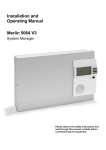
![[Unlocked] SC-2042](http://vs1.manualzilla.com/store/data/005660029_1-1367986a5e7a7fe673239a9957384234-150x150.png)