1
Adding Entries with the monitor Directive • 261
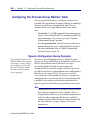
Dynamic Configuration During Operation
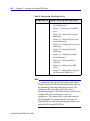
The SystemEDGE agent uses the
SNMPv2 SMI textual convention
for creating, deleting, and
modifying rows in the
self-monitoring tables. For more
information about the textual
conventions for row status, refer
to Appendix E.
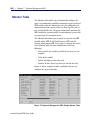
You can dynamically modify entries in the Monitor table by
sending SNMP Set request messages from your NMS (including
AdvantEDGE View) to the SystemEDGE agent. Each time an
SNMP request successfully modifies the Monitor table, the
agent updates the sysedge.mon file to record the changes. This
file preserves changes that are made during the operation of the
SystemEDGE agent across agent and system restarts, which
means that if the agent is stopped, it can restart with the same
Monitor table configuration.
NOTE
Configuration file directives in sysedge.cf take precedence
over entries in sysedge.mon. For example, if a Monitor
table entry is contained in sysedge.mon at index 10, and a
configuration file directive for index 10 of the Monitor
table is added to sysedge.cf, the entry in sysedge.cf replaces
the entry from sysedge.mon.
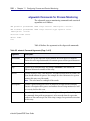
Adding Entries with the monitor Directive
Use the monitor keyword to add entries to the Monitor table as
follows:
monitor attribute monIndex monFlags monInterval monSampleType monOperator
monValue 'monDescr' 'monAction'
eHealth SystemEDGE User Guide
1