1
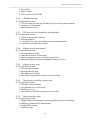
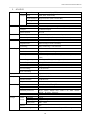
VDH-DXA Series Hardware Manual Contents A. CAUTION ................................................................................................................................................ 1 B. Introduction ........................................................................................................................................... 2 C. 1. Product Overview ........................................................................................................................ 2 2. Main functions ............................................................................................................................. 2 Unpacking .............................................................................................................................................. 3 1. Accessories ................................................................................................................................... 3 2. Unpacking ..................................................................................................................................... 3 D. Installation ............................................................................................................................................. 3 E. Product appearance ............................................................................................................................ 4 F. G. 1. Front Panel .................................................................................................................................... 4 2. Rear Panel ..................................................................................................................................... 5 3. Installation Illustration ............................................................................................................... 6 Video input ......................................................................................................................... 6 Connections for video outputs ...................................................................................... 6 Audio Inputs ....................................................................................................................... 7 Audio Output ..................................................................................................................... 7 AlarmIn/AlarmOut connections .................................................................................... 7 RS-485 connection ........................................................................................................... 8 Q & A and Maintenance ..................................................................................................................... 8 1. Q & A.............................................................................................................................................. 8 2. Maintenance............................................................................................................................... 12 Appendix : Specifications ................................................................................................................. 13 1. 8CH DVR ...................................................................................................................................... 13 2. 4CH DVR ...................................................................................................................................... 15 i