1
4.2.4 Manual Refinement of the Final Object Map using Volume Edit
Here we will review manual segmentation tools in the Volume Edit module that will allow for the correction of
small regions of trabecular bone identified as cortex. Object map refinement will improve the accuracy of the
measurements generated by the BMA add-on module.
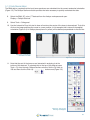
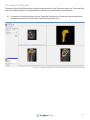
68. With the BMA_PE_micro_reformat_sub data set selected open Segment > Volume Edit.
69. Select File > Load Object Map and load the Final object map saved in step 66.
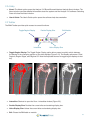
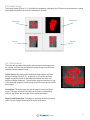
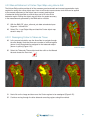
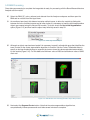
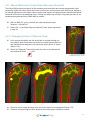
70. In the Coronal orientation use the slice slider to navigate through the slice display. Note that there are
a number of cortical regions (shown in red) that need to be assigned to the trabecular bone (shown in
orange).
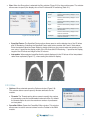
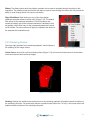
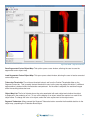
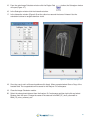
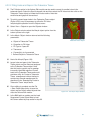
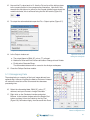
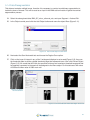
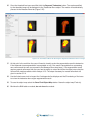
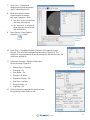
71. Lock the Intra-Trabecular Space Tissue (yellow) object (Figure 4.27), then select the Trabecular Bone
object and then click on the Manual tab and select the
Trace tool.
Figure 4.27. Lock Intra-Trabecular Space
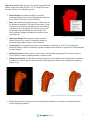
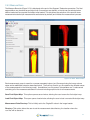
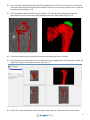
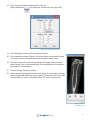
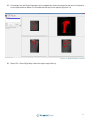
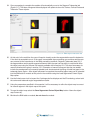
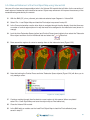
72. Draw around the regions of cortex to reassign them to the trabecular bone (Figure 4.28).
73. Continue working through the slice data to correct regions in this manner. When completed select
File > Save Object Map and save the object map as Final-edited.obj.
Figure 4.28. Steps to Reassign Incorrectly Assigned Regions to the Trabecular Bone
74. Close the Volume Edit module.
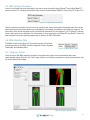
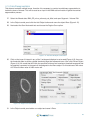
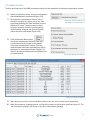
75. In the BMA add-on module use the Load Final Object Map to load the Final-edited.obj map
saved in step 73.
36