1
7.
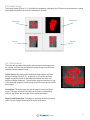
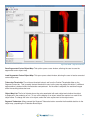
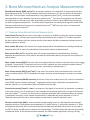
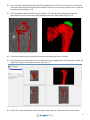
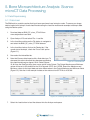
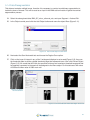
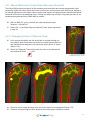
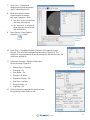
Go to View > Objects and
rename objects with associated
mg/CC values (Figure 6.3).
8.
Determine last slice where
objects should be defined
then open Generate > Slice:
a. Set ‘Slice’ to the current slice
(first slice with objects).
b. Set ‘Increment’ to number of
slices between first slice and
last desired slice.
9.
Next click the ‘Copy Regions
Forward’
button.
Figure 6.3.
Renaming
Regions
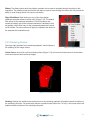
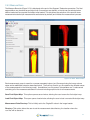
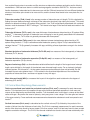
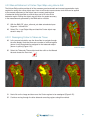
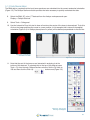
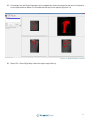
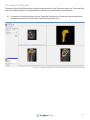
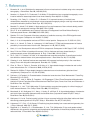
10. Open Tools > Propagate Regions. Check all of the objects except
Original. Then click the Propagate Regions button (Figure 6.4). The
objects will be propagated to all slices between the first and last slice the
objects are defined on.
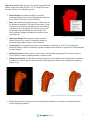
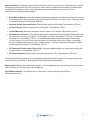
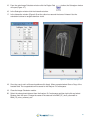
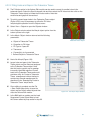
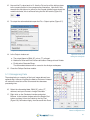
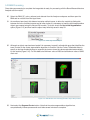
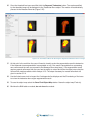
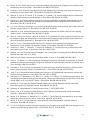
11. Next open Generate > Sample Options and
set the following (Figure 6.5):
• Sample Type = Object(s)
Figure 6.4. The ROI
Propagate Regions Tool
• Summing = On
• Auto Reset = On
• Sample = All Slices
• Sequence Display = Off
• Stat Type = Intensity
• Decimal Places = 4
• Log Stats = On
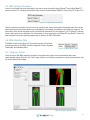
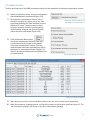
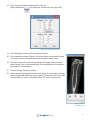
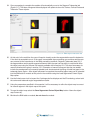
12. Click the Sample Images button and then save
the generated .stats log file to disk.
Figure 6.5. The ROI Sample Options Window
53