1
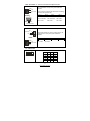
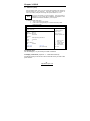
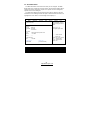
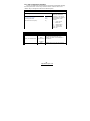
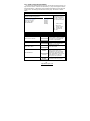
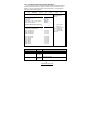
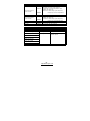
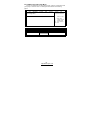
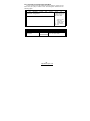
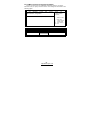
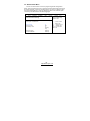
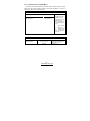
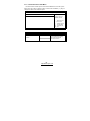
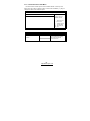
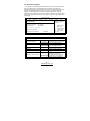
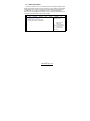
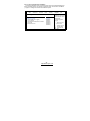
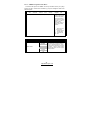
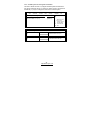
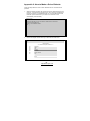
3.9.1.1 – Memory Configuration Sub -Menu
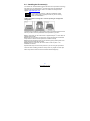
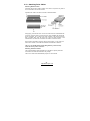
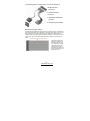
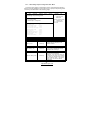
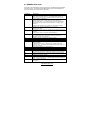
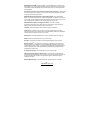
This menu has options for memory speed & latency. Use the up and down
arrow (á/â ) keys to select an item. Use the Plus and Minus (+/ -) keys to
change the value of the selected option.
Main
Advanced
BIOS Setup Utility
PCI/PnP
Boot
Security
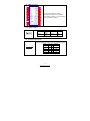
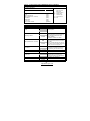
Memory Configuration
Memclock Mode
MCT Timing Mode
User Config Mode
Burst Length
HardWare Memory Hole
[Auto]
[Auto]
[Auto]
[4 Beats]
[Enabled]
CPU1 Mem DQ Driver Strength
CPU2 Mem DQ Driver Strength
[No Reduction]
[No Reduction]
Feature
Option
Chipset
Exit
MEMCLK can be set
by the code using
AUTO, or if you use
LIMIT, you can set
one of the standard
values.
? ? Select Screen
? ?
+/F1
F10
ESC
Select Item
Change Option
General Help
Save and Exit
Exit
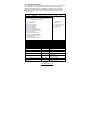
Description
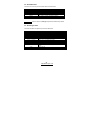
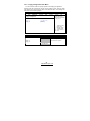
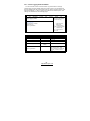
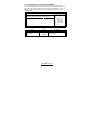
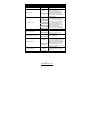
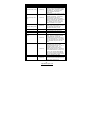
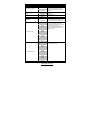
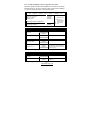
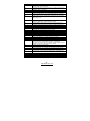
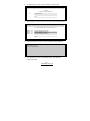
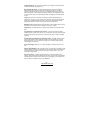
Memory Configuration
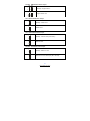
MCT Timing Mode
Manual
Auto
MEMCLK can be set by the code
using AUTO, or if you use LIMIT,
you can set one of the standard
values.
Allows user to configure the MCT
Timing Mode manually.
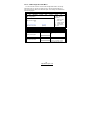
User Config Mode
Manual
Auto
Allows user to set the User Config
Mode manually.
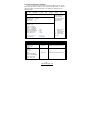
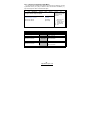
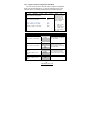
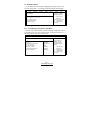
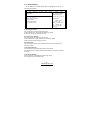
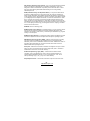
8 Beats
Burst length can be set to 8 or 4
beats. 64 bit DQ must use 4 beats.
Limit
Memclock Mode
Auto
Burst Length
4 Beats
2 Beats
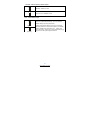
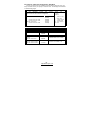
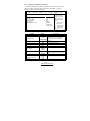
HardWare Memory Hole
Allows user to enable hardware
memory remapping around memory
hole.
Disabled
Enabled
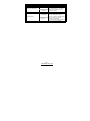
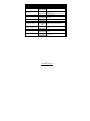
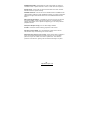
CPU1 Mem DQ Driver
Strength
CPU2 Mem DQ Driver
Strength
No Reduction
-15%
-30%
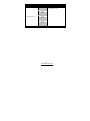
This field controls the drive strength
reduction of the Memory DQ pins.
-50%
74
http://www. tyan.com