1
USER GUIDE FOR EDG REPLICA
MANAGER 1.4.3
Doc. Identifier:
DataGrid-02-ERM-USER-V1.0
Date: August 26, 2003
EDG Replica Manager
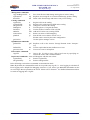
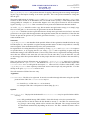
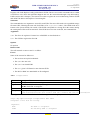
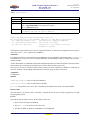
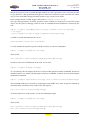
usage: edg-replica-manager listReplicas fileName
List all replicas of a file.
Arguments:
fileName
The LFN, GUID or SURL to list all replicas of.
List replicas as they are registered in the Replica Catalog.
Semantics
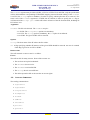
Depending whether you specify an LFN, GUID or SURL as the input filename the edg-replica-manager
will issue different commands to the underlying services. The result is always the same: a list of SURLs
that are replicas of the same file.
• If a GUID is specified, then the RLS is contacted to resolve it into the corresponding list of SURLs,
which is then returned and listed to stdout.
• If you specify an LFN as the filename argument, first the Replica Metadata Catalog is contacted
to resolve the LFN into a proper GUID. Then the RLS is contacted to retrieve all corresponding
registered SURLs.
• If an SURL is specified, the RLS is contacted to retrieve the corresponding GUID and then based
on that GUID all other SURLs are found. So knowing an SURL you can find all available replicas.
The SURL will be listed again in the output.
Arguments
fileName The file to get all replicas of. It must be a valid Logical File Name, GUID or Storage File
Name.
Options
no options.
Return value
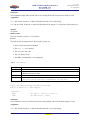
The call returns 0 on success and -1 on failure and prints all SURLs that are replicas of the input filename
to stdout, one on each line.
Errors
The call can fail for many reasons. Some of the reasons are:
• The user has no/expired credentials.
• The SURL, GUID or LFN is invalid or does not exist.
• The RLS or RMC are unattainable or ill-configured.
3.2.5.
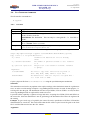
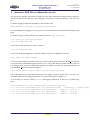
listGUID
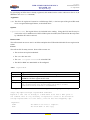
Command:
Description:
Arguments:
Options:
Example:
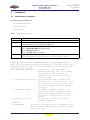
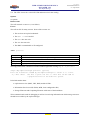
listGUID
Print the GUID associated with an LFN or SURL.
LFNorSURL The LFN or SURL to get the GUID of.
edg-replica-manager --vo=wpsix listGUID lfn:mydata
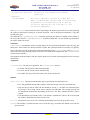
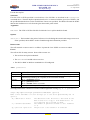
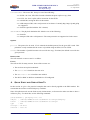
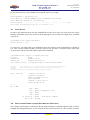
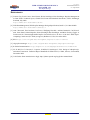
The help printed if the command is invoked without arguments or using edg-rm -h listGUID:
IST-2000-25182
PUBLIC
21/36