1
GENERAL
Handle your Satellite Terminal with care. The enclosure is weather resistant per
IEC 60529 IP55; however, do not submerge the unit or expose it to severe rain
storms. Avoid exposing your Satellite Terminal to extreme hot or cold
temperatures outside the range -25ºC to +60ºC.
Avoid placing the Terminal close to cigarettes, open flames or any source of
heat.
Changes or modifications to the Terminal not expressly approved by Hughes
Network Systems could void your authority to operate this equipment.
Only use a soft damp cloth to clean the Terminal.
To avoid impaired Terminal performance, please ensure the unit’s antenna is
not damaged or covered with foreign material like paint or labeling.
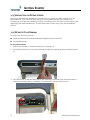
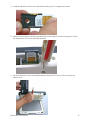
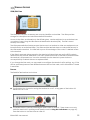
When inserting the USIM/SIM, do not bend it or damage the contacts in any
way. When connecting the interface cables, do not use excessive force.
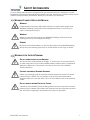
IN THE VICINITY OF BLASTING WORK AND IN EXPLOSIVE ENVIRONMENTS
Never use the Satellite Terminal where blasting work is in progress. Observe all
restrictions and follow any regulations or rules. Areas with a potentially
explosive environment are often, but not always, clearly marked. Do not use
the Terminal while at a petrol filling station. Do not use near fuel or chemicals.
QUALIFIED SERVICE
Do not attempt to disassemble your Satellite Terminal. The unit does not
contain consumer-serviceable components. Only qualified service personnel
may install or repair equipment.
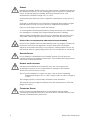
BATTERIES AND ACCESSORIES
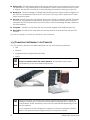
Use approved batteries and accessories only. Use of non-approved
accessories may result in loss of performance, damage to the Satellite
Terminal, fire, electric shock or injury.
The AC power adapter is for indoor use only. It has an indoor operating
temperature range of 0ºC to +40ºC and provides an output voltage of
19 VDC.
The storage capacity of the battery decreases when operated.
The terminal will only charge the battery when the temperature is within the
range of 0 to 45°C.
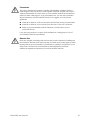
CONNECTING DEVICES
Never connect incompatible devices to the Satellite Terminal. When
connecting the Satellite Terminal to any other device, read the device’s User
Manual for detailed safety instructions.
ii
BGAN 9201 User Manual