1
9.4. Defining which temperature input is used for control
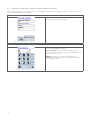
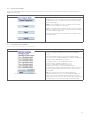
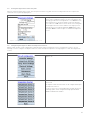
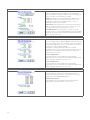
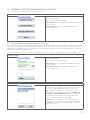
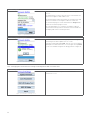
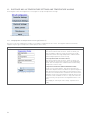
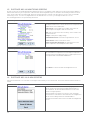
The third screen of the Temperature Settings menu defines the Temperature Control Mode.
Temperature Settings
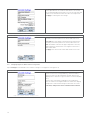
Use the Temperature Control Screen to define which
temperature input is chosen for control. Of all the temperature
input options one input needs to be selected for control.
Alternatively the control temperature can be based on the
average or the lowest temperature of all temperature inputs
currently connected and enabled.
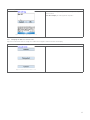
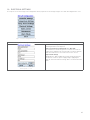
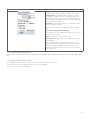
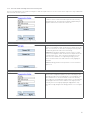
High Temperature Alarm Set point
(range from min -80 to Max +700°C)
Enter in this field the value at which - when surpassed - you
want the NGC-20 control unit to generate a high temperature
alarm. This high temperature condition will be monitored by the
temperature sensor or group of temperature sensors selected
for control.
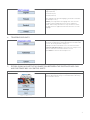
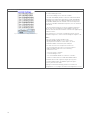
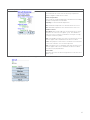
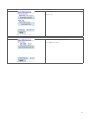
Figure 9 5: Temperature Settings: Control screen
Low Temperature Alarm Set point
(range from min -80 to Max +700°C)
Enter in this field the value at which - when surpassed - you
want the DigiTrace NGC-20 control unit to generate a low
temperature alarm. This low temperature condition will be
monitored by the temperature sensor or group of temperature
sensors selected for control.
High and Low Temperature Alarm Filter
( Range from Min 0 to Max 59940 seconds)
Alarm filters can be seen as an alarm delay. This means that
when the temperature drops below the Low Alarm Set point the
DigiTrace NGC-20 Control unit will only trigger an alarm when
the value entered in the Low Alarm Filter is timed out. This
means that if immediate action of the alarm output is required,
that the Low Alarm Filter value should be set at 0 sec. Any
other value will result in a delay. The operation of the High
Alarm Filter is the same. Hit Apply when done
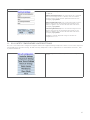
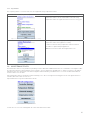
Note that TS 1 and TS 2 are inputs directly connected to the
input terminals of the DigiTrace NGC-20 unit, whereas the
temperature inputs TS 3 to TS 8 are optional through the use
of MONI-RMM2-E temperature multiplexing units and an NGC30-UIT. Please refer to the installation instructions of these
products for more details.
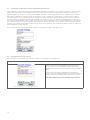
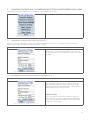
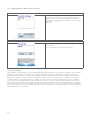
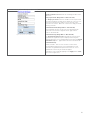
Lowest: Setting the Temperature Control to Lowest means that
the output of the DigiTrace NGC-20 will be controlled based on
the lowest temperature measured by any of the temperature
sensors connected to the DigiTrace NGC-20 either direct to the
Temperature sensor inputs TS 1 or TS 2 or any other sensor
connected via MONI-RMM2-E and DigiTrace NGC-UIT.
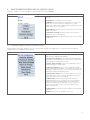
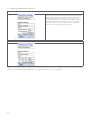
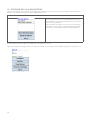
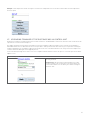
Figure 9 6: Temperature Settings: Control screen
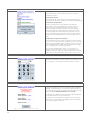
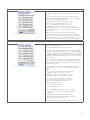
Average: Setting the Temperature Control to Average means
that the output of the DigiTrace NGC-20 will be controlled based
on the average temperature measured by all the Temperature
sensors connected to the DigiTrace NGC-20 either direct to the
Temperature sensor inputs TS 1 and TS 2 and any other sensor
connected via MONI-RMM2-E and DigiTrace NGC-UIT.
21