1
20. Configuring DigiTrace NGC-20 control units
In order to configure the connected DigiTrace NGC-20 control unit tap on Continue
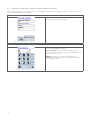
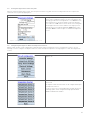
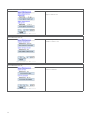
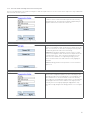
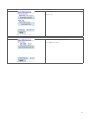
DigiTrace NGC-20 Main Configuration Screen
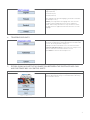
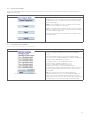
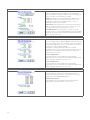
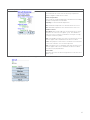
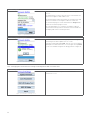
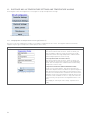
The NGC-20 main screen supports different options as shown in
Figure 20 1.
Configure: to configure the selected unit.
Monitor: to monitor all process variables as currently active
on this unit. All measured sensor temperatures, control
temperature, load current, supply voltage, ground fault current
and the status of the safety limiter.
View Alarms: shows an overview of all active alarms and to
reset alarms.
Firmware / Settings: to install a new version of firmware in the
selected controller.
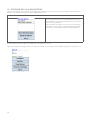
Figure 20 1: NGC-20 Main screen
Back to go back to the Bluetooth discovery screen. From
here a different DigiTrace NGC-20 unit can be selected for
configuration.
20.1. Changing the NGC-20 controller settings
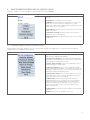
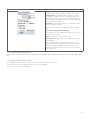
Tap on Configure in the NGC-20 Main screen. As a result of this the NGC-20 Configuration screen will be shown. The NGC-20
configuration screen supports different options.
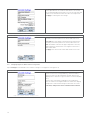
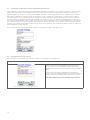
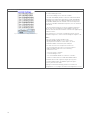
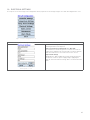
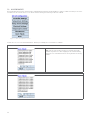
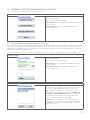
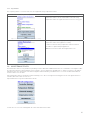
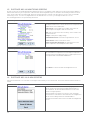
DigiTrace NGC-20 Configuration Screen
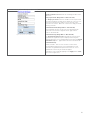
Use Controller Settings to alter; set points, control mode, dead
band, the device tag and load shedding.
Use Temperature Settings to alter High and Low Temperature
alarm values, the temperature alarm filter, fail safe mode and to
enable and preset the high limit Cut-Out
Use Electrical Settings in order to set the high and low load
current and voltage alarm values. The second screen offers the
possibility to load the relay cycles time counter and to adjust the
ground fault alarm warning and trip level.
Use Safety Limiter; use this entry in order to control the
Safety temperature limiter setpoint, trip and reset the Safety
temperature limiter after it has tripped.
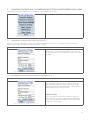
Figure 20 2: NGC-20 Configuration screen
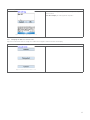
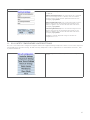
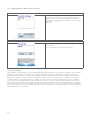
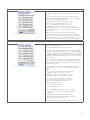
Use Maintenance to get information about the minimum
and maximum values recorded by the unit. Of the following
variables the minimum and maximum are stored; control
temperature, AC Voltage, ground fault current, load current,
relay cycle count, heater hours in use time and the safety limiter
temperatures.
Back returns to the Main Screen (Figure 20 1).
45