1
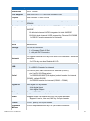
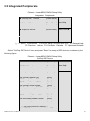
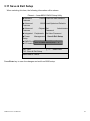
3.5 Integrated Peripherals
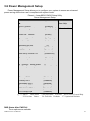
Phoenix – AwardBIOS CMOS Setup Utility
Integrated Peripherals
► OnChip IDE
Device
[Press Enter]
Item Help
► Onboard Device
[Press Enter]
► Super IO Device
[Press Enter] Menu Level►
↑↓→←:Move Enter:Select +/-/PU/PD:Value F10:Save ESC:Exit F1:General Help
F5: Previous Values F6: Fail-Safe Defaults F7: Optimized Defaults
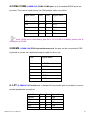
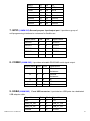
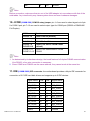
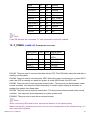
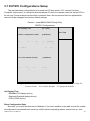
Select "OnChip IDE Device" item and press "Enter" for setup of IDE devices, as shown by the
following figure:
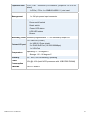
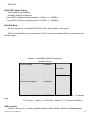
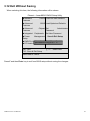
Phoenix – AwardBIOS CMOS Setup Utility
OnChip IDE Device
IDE HDD Block Mode
[Enabled]
IDE DMA Transfer access
[Enabled]
On-Chip Primary PCI IDE
[Enabled]
IDE Primary Master PIO
[Auto]
IDE Primary Slave
[Auto]
PIO
IDE Primary Master UDMA
[Auto]
IDE Primary Slave UDMA
[Auto]
On-Chip Secondary PCI IDE
[Enabled]
IDE Secondary Master PIO
[Auto]
IDE Secondary Slave
[Auto]
PIO
IDE Secondary Master UDMA
[Auto]
IDE Secondary Slave UDMA
[Auto]
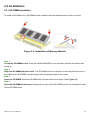
Item Help
Menu Level►
*** On-Chip Serial ATA Setting ***
X SATA Mode
AHM-6xx7A User Manual
IDE
47