1
SoilVision Systems Ltd.
Data
36
of
66
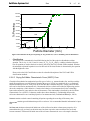
best fit of the grain-size distribution will be used as the basis for all calculations.
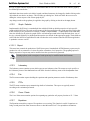
Unimodal Fit tab contains all information related to the fit of the grain-size distribution with the unimodal
equation. Please refer to the SoilVision Theory Guide for a description of the theory involved with the
unimodal equation.
Bimodal Fit tab contains all information related to the fit of the grain-size distribution with the bimodal
equation. Please refer to the SoilVision Theory Guide for a description of the theory involved with the
bimodal equation.
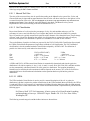
6.6.8.2.1 Load % Clay, D10, etc.
If % clay, % silt, % sand, % coarse, D10, D20, D30, D50, or D60 information is entered in the main Grain-size form,
it is possible to translate this information to points on the grain-size distribution curve. Execution of this
function will perform this translation and automatically add the points to the grain-size distribution
experimental points. The points will be added to the appropriate Sieve Data or Hydrometer Datasheet table.
The cutoff between sieve and hydrometer data is the #200 sieve (0.075 mm). Particle diameters >= 0.075 mm
are placed in the Sieve Data table. All remaining points are placed in the Hydrometer Datasheet table. The
Load % Clay, D10, etc. command may be initiated under the Tools > Load % Clay, D10, etc. menu option.
6.6.8.2.2 Update ASTM Sieves
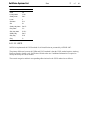
This command will back-calculate all sieve descriptions in the current database based on particle diameter. For
example, if a sieve diameter of 101.6 mm has been entered, the Sieve No. field would be updated to 4”. The
Sieve No. field is the only fields updated. The Particle Diameter and Percent Passing fields are not modified in
any way. The command may be found under the Tools > Update ASTM Sieves menu option.
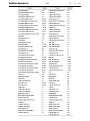
6.6.8.2.3 ASTM Sieve Sizes
This menu option displays the ASTM sieve numbers and their corresponding screen (passing) sizes.
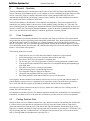
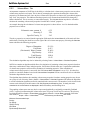
6.6.8.2.4 Specification Manager
The specification manager allows the user to enter and maintain a separate list of minimum and maximum
specifications or boundaries for the grain-size distribution. This functionality is useful when running tests on
grain-size distributions that must fall within certain limits. An example of this is the upper and lower
specification limits in pavement subgrade design.
The specification manager may be found under the Tools > Specification Manager menu option in the
Grain-size form.
Specifications may be entered in the subform provided. It is important to note that each specification contains
only a minimum or maximum specification and not both. A typical specification would consist of two entries;
one for the minimum and one for the maximum specification.
Selecting the View field of the specification manager will cause the current specification to be displayed on
ALL generated grain-size graphs and reports.
The specifications are stored in tables in the specification database that is linked to at the start of SoilVision
operation. The specifications are therefore stored outside the SoilVision application and are unaffected by
subsequent installations of upgrades of the SoilVision software.
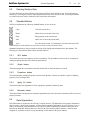
6.6.8.2.5 Fitting the Grain-size Distribution
Please refer to the SoilVision Theory Guide for a description of the fitting methods currently available in
SoilVision.