1
G12 GAMING MOUSE LAYOUT
A
INSTALLING YOUR DRAGONWAR G12
C
B
D
E
G
F
H
A.
B.
C.
D.
E.
03
Left Mouse Button
Right Mouse Button
Scroll Up
Scroll Down
Gun Change / Function Key
Dragonwar
F. Sensitivity Stage Change
G. Forward
H. Backward
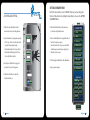
Step 1:
Step 2:
Step 3:
Step 4:
Plug the Dragonwar G12 into the USB port of your computer.
Run the installer and follow the Programme.
Wait until the software automatically downloads and installs.
Open the programme, then set up
Dragonwar
04