Download General description
Transcript
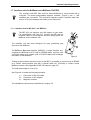
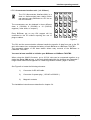
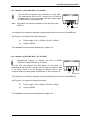
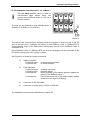
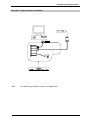
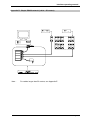
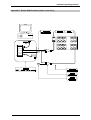
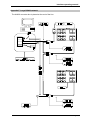
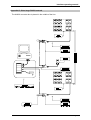
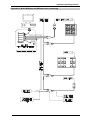
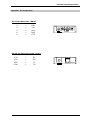
Interface operating manual 2.4 Multiple interface unit (concentrator). The CIU / ILM is designed for wall-mounting locations, but the smaller stations (4 or 8 cells) can also be used as a table model. Its size depends on the customer's requirements. 1 1 2 3 The CIU / ILM package comes with : - One CIUxxx / ILMxxx unit - One RJ11 connecting cable 10m (CPC005) 1 1 Figure 16 2.4.1 Wall-mounting installation procedure : 1) Unscrew the 4 screws ( " on figure 16 ) on the top and bottom side of the CIU / ILM unit ( do not remove the screws of the back side ). 2) Remove the back plate # and fix it to the wall with 4 screws !. 3) Replace the CIU / ILM unit on the back plate # and screw it on top and bottom side ". 2.4.2 Electrical installation procedure : 1) Switch off your Computer. 2) Connect the RS 232 Serial port (COM1 to COM4) to the AX422 Converter with the DB9 cable CPC009 (use an adapter for the DB25 connectors). 3) Connect the RJ11 cable, the Y derivation and the two terminators as described in Appendix D. For cable length up to 50 meters, terminators are not necessary ( see Appendix C ). 4) Plug in the Power cable ( 115 - 230 VAC ) and switch on. 5) Restart your Computer. 2.4.3 Concentrator number setting procedure: Each concentrator has an internal number (default: 0001). In case of a network with several concentrator, it’s necessary that each one has a different number. 1) Run CIUTOOL on the floppy. 2) Select menu 5 (Setup the CIU) and follow the instructions displayed. Page 23