1
Logging into the NUWS Remote Workplace
The NUWS Remote Workplace allows you to make use of most of the programs available at your
workplace. In addition, you can easily access your personal documents on the University network,
including the workgroup and department folders for which you have right of access.
1) Go to https://remote.campus.leidenuniv.nl and enter
your ULCN user name and password and click “Log On”
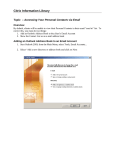
2) If the required Citrix Receiver is already installed on your computer, the NUWS Remote
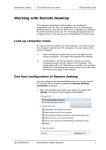
Workplace will appear. You find below an example of how it may appear on your screen.
The example below may differ from your screen depending on your right of access to various programs.
- The “Verkenner” allows you to access your own files in the University domain (P and J drive) and
also your own local stored files on your own computer.
- You can for instance use Internet Explorer to access from home the SAP Self Service,
which is not otherwise accessible outside the University domain.
2