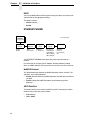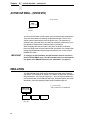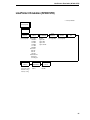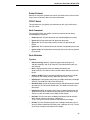
1
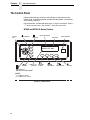
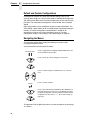
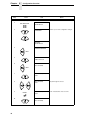
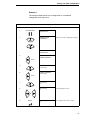
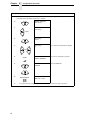
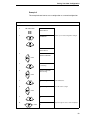
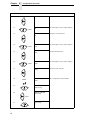
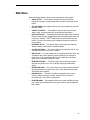
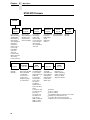
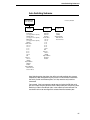
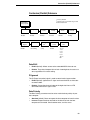
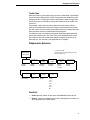
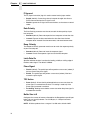
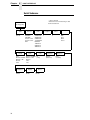
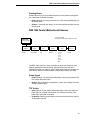
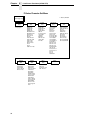
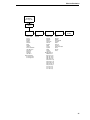
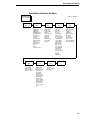
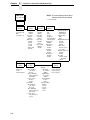
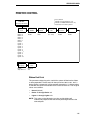
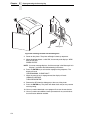
Chapter 4 Configuration Overview Default and Custom Configurations A configuration consists of a group of parameter settings, such as line spacing, forms length, etc. Your printer provides a fixed default configuration and allows you to define several custom configurations for use with particular print jobs. The factory default configuration can be loaded, but it cannot be altered. Eight configurations can be modified for unique print job requirements. The “Save Config.” option allows you to save eight groups of parameter settings in memory as custom configurations numbered from 1 through 8. An explanation on how to save a set of parameter values as a custom configuration using the “Save Config.” menu option begins on page 50. Navigating the Menus To manipulate configurations review the following instructions about navigating through the menus. You must be offline to move within the menus. ON LINE/CLEAR Press to toggle between ONLINE and OFFLINE. Menus are accessed with the printer offline. Press to move up or down through the menu levels. OR Press to scroll through the available choices on a chosen level. OR ENTER + Press to confirm selection. Press to lock and unlock the ENTER key. The ENTER key is locked by default to prevent you from accidentally changing the printer configuration. The lock and unlock function can be configured to be other than + (See “Set Lock Key” on page 153.) To experiment with navigating the menus, use the example on the next page as a tutorial. 46