1
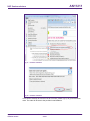
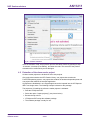
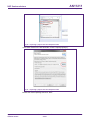
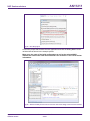
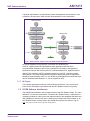
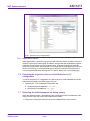
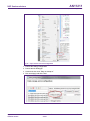
AN11211 NXP Semiconductors Blueboard Quick Startup Guide • C/C++ build MCU settings expand desired LPC1xxx MCU group choose the correct microcontroller click OK Fig 41. Selection of the LPC1769 MCU 7.5 Level of compiler optimization When the code size at the current compiler level overloads the FLASH size of the target board, a higher compiler optimization level can be selected to reduce the code size of the project. The following steps can be followed to select a level of compiler optimization: • Click on the application project in the project window of the LPCXpresso IDE, • Right click of the mouse Select properties Select C/C++ build, • Select Settings Optimization, • Choose the desired level in the combo box. AN11211 Application note COMPANY PUBLIC All information provided in this document is subject to legal disclaimers. Rev. 2.1 — 11 November 2015 226221 © NXP Semiconductors N.V. 2015. All rights reserved. 38 of 47