1
NOTE
General information
Important text passages
Functions
>> << Sections that are shown in this way represent
commands that are invoked via menu assistance.
•
•
•
•
•
•
•
E This attention symbol indicates dangerous situations.
!
Lines marked in this way provide tips.
[A] Drive letter; in this case the floppy disk drive.
System requirements
The system requirements described in the following only
specify minimum default values.
Hardware
•
•
•
•
•
•
commercially available PC (Win95 capable)
screen resolution min. 800 x 600
3.5" disk drive or CD-ROM drive
keyboard and mouse
modem* or ISDN card*
commercially available telephone cable on telephone
connection*
*) Only applies to control via a telecommunication network
•
!
Reading in the configuration of a heating installation
Access controller on bus
Read-in / modify / transmit parameters to controller
Transmit saved parameter records to controller
Read-in measured values
Read-in error messages
Documentation of temperature curves, for example,
through integrated data recorder (log function)
Automatic fault notification function via the PLC
(only in connection with a "CoCo-PC active")
Telephone charges arise for connections made via a
telecommunications network.
When using a "CoCo-PC active", SMS messages can be
sent to up to three stored telephone numbers [e.g. mobiles] in the case of a fault.
The "CoCo-PC active" also provides the possibility of connecting the controller to a control system via the
specified, integrated "Open"-RS 232 Interface
(only for controllers which support this mode).
Software
•
•
Microsoft Windows PC operating system from Windows 95 or later
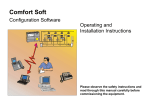
Comfort Soft from Version 3.0.0
3