1
User interface
Operation
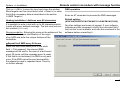
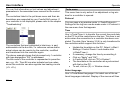
be in the national language selected. After selecting the
desired language click "OK". The new setting takes effect
after a restart.
Change code number
(Only active if a CoCo PC is connected to the PC) The
heating installation is protected against unauthorized intervention by a code number (applies only for telecontrol via a
telephone line).
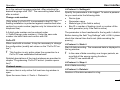
A 2-digit code number can be entered under
>>Tools/Change code number<<. Enter the new code
number into both fields and confirm with OK.
CoCo-PC
When used with a modem, it may be necessary to change
the configuration (modify set values on the "CoCo-PC active").
!
This function is only active when the connection to a
CoCo-PC was established beforehand!
Detailed descriptions of the input windows are provided in
chapter "Programming 'CoCo-PC active' (modem operation)".
Protocol menu
his menu item is only active if at least one log window is
open.
Open the menu items >>Tools -> Protocol<<.
>>Protocol -> Settings<<
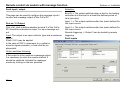
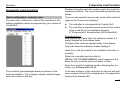
Specify the parameters to be logged. To select a parameter you must enter the following data:
•
•
•
•
Device type
Parameter name
Module type (if the field is active)
Bus ID = number of heating circuit or number of the
heat generator (only if the field is active)
The parameter is then transferred to the log with >>Add<<.
Before leaving the field "Log Settings" with >>OK<< please
check the interval time that is set (data recording frequency).
>>Protocol -> Start<<
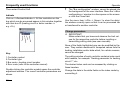
Start of data recording: The measured data is displayed in
the log window.
!
In the case of data recording over longer periods, ensure that all the energy-saving functions
of the PC are switched off.
>>Protocol -> Stop<<
End of data recording.
>>Protocol -> Delete<<
Deletion of the data recorded in a log.
43