1
2KnowResourceGuide.fm Page 21 Monday, November 18, 2013 3:14 PM
M ATHFACTS IN A F LASH ON RESPONDERS
Working in MathFacts in a Flash Renaissance Place
Working in MathFacts in a Flash Renaissance Place
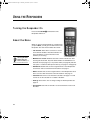
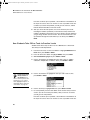
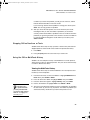
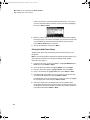
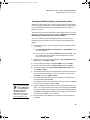
When students choose MathFacts in a Flash and then Renaissance Place
on Responders, they can work toward mastering MathFacts in a Flash levels
and meeting goals, just as they would when logging in to Renaissance Place
using a computer.
Preparing to Work in MathFacts i n a Fl ash Renaissance Place on
Responders
Before students can do this, you must do the following:
• Have MathFacts in a Flash RP version 3.1 or higher on your Renaissance
Place server.
• Install the 2Know! Toolbar on the computer that will have the Renaissance
Receiver connected so that the Renaissance Wireless Server Utility is
available.
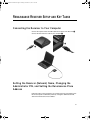
• Connect a Renaissance Receiver to the computer (see page 9).
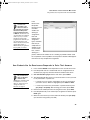
• In the Renaissance Wireless Server Utility, name your Renaissance
Receiver’s wireless connection (network) and enter the address of your
Renaissance Place server (see page 9). Make sure students know the
name you set.
• In Renaissance Place, make sure your students have been added to the
database and enrolled in a MathFacts in a Flash class.
• In MathFacts in a Flash RP, set the Classroom preferences. (For
instructions, see the MathFacts in a Flash Software Manual.)
• Make sure students know their Renaissance Place user names and
passwords. You can get this information when you search for students in
Renaissance Place: click Personnel, Students, and Parents, then View
Students; in the search results, click the Passwords tab to see user
names and passwords.
• If you have younger students, explain how the questions and answers are
displayed on the screen and how to select and enter answers.
21