1
Ki Pro Mini Installation and Operation Manual — Controls and Connectors
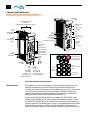
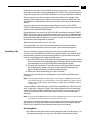
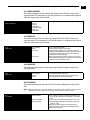
SDI Input and Outputs
Two BNC connectors are provided for SDI input and output. SDI input and output
supports SD-SDI and HD-SDI video and embedded 24-bit digital audio. If your camera
has multiple outputs, look to see if it has SDI, and use it where possible for the highest
quality.
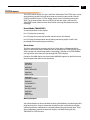
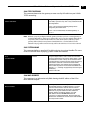
HDMI
Two HDMI connectors provide for input and output of HDMI compatible video (version
1.3) and multi-channel embedded audio. HDCP is not supported on either input or
output; only original material, such as that generated by a camcorder, is an acceptable
HDMI source. The HDMI input is designed to support long cable runs: up to 100 feet
(30.48m) when using 22 or 24AWG HDMI cable, or up to 50 feet (15.24m)
1 using 28 or
30AWG HDMI cable. The HDMI output supports standard HDMI cables only.
HDMI Formats supported:
525i 29.97
625i 25
720p 50, 720p 59.94, 720p 60
1080i 25, 1080i 29.97, 1080i 30
1080p 23.98, 1080p 24, 1080p 25, 1080p 29.97
Note: When using Ki Pro Mini HDMI connections and attaching it to any HDMI audio or video
accessory, you must use one each of the ferrite beaded HDMI cables, HH-28F-06,
between the input and output ports of the Ki Pro Mini and the HDMI accessory to
maintain regulatory compliance.
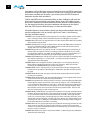
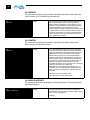
Analog 2 Channel Balanced Audio Input
Two XLRs, (female), provide 2 channels of balanced audio. Audio is high-quality 24-bit
A/D input at 48kHz. Level adjustments are made via software and a switch for line-level
inputs. Software level adjustments for analog audio (parameter 4.1) apply to balanced
audio (XLR) using the “Line” setting on the switch. The Mic and Mic +48 settings offer a
lower input level suitable for microphones and their associated input impedance. Use
Mic +48 for microphones with phantom power (condenser mic.), or Mic for
microphones without phantom power (dynamic microphones).
Ethernet
An RJ45 connector provides a 10/100/1000 Ethernet port for connecting Ki Pro Mini
directly to a computer or Ethernet hub or switch for connecting to a LAN. Ki Pro Mini is
compatible with CAT-5 straight-through or cross-over Ethernet cables, automatically
detecting which is used. Once connected and properly configured, Ki Pro Mini can then
be controlled by a web browser on the LAN.
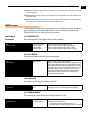
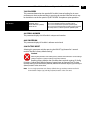
LANC Loop
This connector accepts a LANC plug (2.5mm 3-conductor TRS jack) and then loops it
through to a second connector (loop). LANC or Local Application Control Bus System
(sometimes called Control-L) is a Sony protocol for synchronizing cameras. Available on
many brands of cameras, LANC enables accessories to control camera and Ki Pro Mini
record/stop functions.
13