1
Contents
3
Contents
Chapter 1: About this Guide..................................................................5
How to use this guide..........................................................................5
Where to find advanced technical information.................................5
Download manuals and drivers.......................................................................5
Support.................................................................................................5
Chapter 2: About the Printer.................................................................7
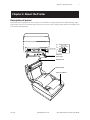
Description of printer..........................................................................7
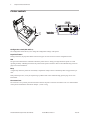
Printer controls.....................................................................................8
Available printer configurations.........................................................9
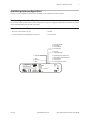
Printer configuration identification...................................................9
Communication interfaces .................................................................9
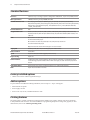
Standard Features..............................................................................10
Factory-installed options..................................................................10
Add-on options..................................................................................10
Printing features................................................................................10
Chapter 3: Setting up the Printer........................................................11
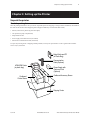
Unpack the printer.............................................................................11
Check the packing list........................................................................11
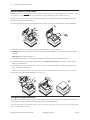
Changing the paper path width........................................................12
Load or change the receipt paper.....................................................12
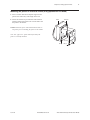
Mounting the printer on a vertical surface......................................13
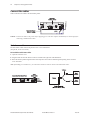
Connect the cables.............................................................................14
Cash drawer cables............................................................................14
Communication cables......................................................................15
RS-232C cable (9-pin and 25-pin) and Parallel......................................... 15
Powered USB cable............................................................................................ 16
USB cable............................................................................................................... 16
Power supply cable ...........................................................................17
Cable routing......................................................................................18
Test the printer...................................................................................18
11/2012
A798-UG00001 Rev. D
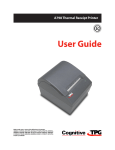
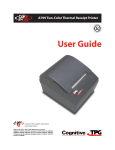
A798 Thermal Receipt Printer: User Guide