1
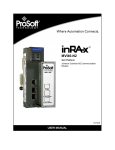
MVI46-MCM Training Lab One – Installation and Setup OBJECTIVE: The purpose of this lab is to provide step-by-step instructions for installation and setup of the ProSoft MVI46-MCM communications module. This lab assumes you have a basic working knowledge of Allen-Bradley SLC hardware and Rockwell Software RSLinx and RSLogix500 software and that you have the latest versions of this software installed on you personal computer (PC). WHAT YOU WILL NEED: Allen-Bradley SLC 5/03, 5/04, or 5/05 – assembled with rack and power supply ProSoft MVI46-MCM communications module and User’s Manual and InRAx Solutions CD. Laptop or desktop PC – with Rockwell Software RSLinx and RSLogix500 installed. PC must have a CD ROM drive and an available DB9M RS-232 port or an USB-to-RS232 adapter. NOTE: Some USB-to-RS232 adapters do not function reliably with RSLinx, depending on PC hardware and adapter type. Different PCs or adapters may have to be tried to find a working combination. The optimum situation is to use a PC with a working, native DB9M RS-232 port. Two DB9F-DB9F null modem cables, one is provided with the ProSoft Module. An Allen-Bradley CP3 programming cable may be substituted for one of the null modem cables. If a female-to-female cable is not available, any null modem cable with gender changing adapters may be used. If your PC has an older style 25-pin (DB25) serial port, you may use any null modem cable with any necessary gender changing adapters or 25-to-9-pin adapters, as required. Just be sure the basic cable is a null modem cable (sometimes called a ‘crossover’ cable.) Two of the DB9M-RJ45 pigtail connectors, provided with the ProSoft module. ProSoft Solutions CD, provided with the ProSoft module. Page 2 of 33 Version: A.05