1
VT-100 UTILITY CONFIGURATION
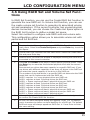
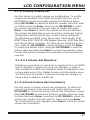
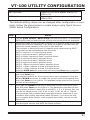
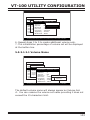
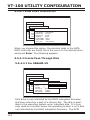
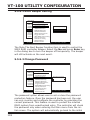
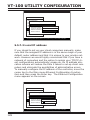
5.5.5.2 Alert Beeper Setting
Main Menu
RAID System Function
Quick Volume/RAID Setup
Mute The Alert Beeper
RAID Set Function
Alert Beeper Setting
Volume Set Function
Alert Beeper Setting
Change Password
Physical Drives
JBOD/RAID Function
RAID
Disabled
RAID System
System Function
Function
RAID Rebuild Priority
Ethernet Configuration
Enabled
View SystemMaximum
Events ATA Mode
HDD Read Ahead Cache
Clear Event Buffer
Stagger Power On
Hardware Monitor
HDD SMART Stautus Polling
System information
Capacity Truncation
Terminal Port Config
Update Firmware
Restart
Controller
Arrow Key: Move
Cursor,
Enter: Select, ESC: Escape, L:Line Draw, X: Redraw
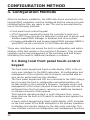
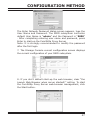
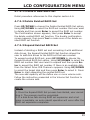
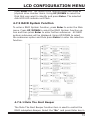
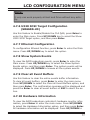
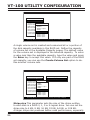
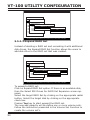
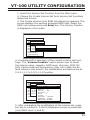
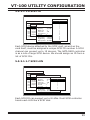
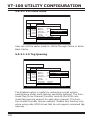
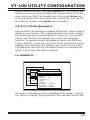
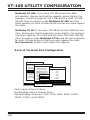
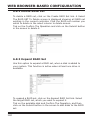
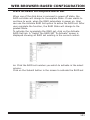
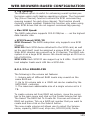
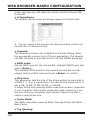
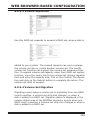
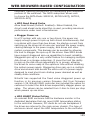
The Mute The Alert Beeper function item is used to control the
SATA RAID controller Beeper. Select the No and press Enter key
in the dialog box to turn the beeper off temporarily. The beeper
will still activate on the next event.
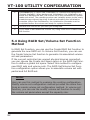
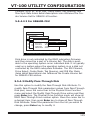
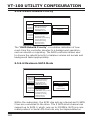
5.5.5.3 Change Password
Main Menu
RAID System
Quick Volume/RAID
Setup Function
RAID Set Function
Mute The Alert Beeper
Volume Set Function
Alert Beeper Setting
Physical Drives
Change Password
Password
Enter New Password
Change
RAID
RAID System
System Function
Function
JBOD/RAID Function
Ethernet Configuration
RAID Rebuild Priority
View System Events
Maximum ATA Mode
Clear Event Buffer
HDD Read Ahead Cache
Hardware Monitor
Stagger Power On
System information
HDD SMART Stautus Polling
Capacity Truncation
Terminal Port Config
Arrow Key: MoveUpdate
Cursor,Firmware
Enter: Select, ESC: Escape, L:Line Draw, X: Redraw
Restart Controller
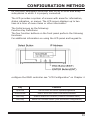
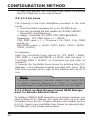
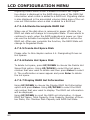
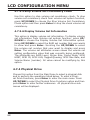
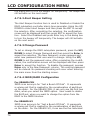
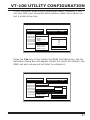
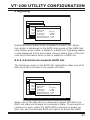
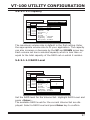
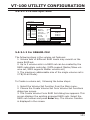
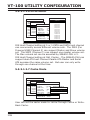
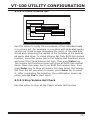
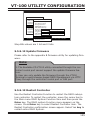
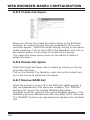
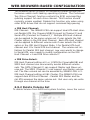
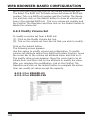
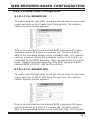
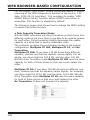
The password option allows user to set or clear the password
protection feature. Once the password has been set, the user
can only monitor and configure the controller by providing the
correct password. This feature is used to protect the internal
RAID system from unauthorized entry. The controller will check
the password only when entering the Main menu from the initial screen. The system will automatically go back to the initial
118