1
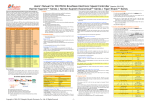
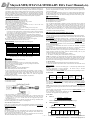
Maytech MTB, MTA V2 & MT180A-HV ESCs Users’ Manual (v2.0) NOTE: If change “OFF” to “Slow Down” or “Cut-off”, you must set battery type. PWM-Frequency (♪ ♪ ♪ ♪ ) 4) Cut-off Votage: ♪ 8kHz ♪♪ 9kHz ♪♪♪♪♪♪ 13kHz ♪♪♪♪♪♪♪ 14kHz ♪♪♪ 10kHz ♪♪♪♪♪ 12kHz ♪♪♪♪ 11kHz The upper line is LiFe(2.2, 2.3, 2.4, 2.5, 2.6, 2.7), The bottom line is for LiPo (2.9, 3.0, 3.1, 3.2, 3.3,3.4) 5) Cells: indicating Li-Po or Li-Fe cells number. NOTE: ♪♪♪♪♪♪♪♪ ♪♪♪♪♪♪♪♪♪ 15kHz 16kHz ★ In NiMh mode, pls do not program cells number. ★ 2 and 3 cells are recognized automatically by the ESC. That is why the cell count settings are starting with 4 cells on the ProgCard. The programming of the cell count is saved in the controller. Connecting a different cell count battery would lead to wrong under voltage detections. ★ If you change 4S or over 4S Lipo/LiFe batteries to 2S/3S LiPo/LiFe, pls firstly change battery type, then disconnect power from battery. For example, in last flight, you use a 5S LI-PO pack, now you will use 3S Li-Po pack. Firstly, choose battery type LiFe, press “Enter”, you will hear a beep. Then change to LiPo. Press “Enter” button, you will hear a beep. Disconnect power of prog-card. Then re-connect power to prog-card. Wait all LEDs blink. Then you can see both Cells line shows no value. This means, progcard automatically detect the power of 3 Cells. ★ You may see both lines have value, pls refer to value you last set. Governor Mode (♪ ♪ ♪ ♪ ♪ ) ♪ Governor mode OFF ♪♪ Governor mode ON After programming the ESCs, the ESC will memorize the current speed at next start. It is therefore important to wait until you can notice a small speed jump indicating that the governor mode is activated. 6) Special Functions: ★ Beep short: shortens the start beep. ★ Rev. (Navy): Forward and reverse activation (only for Boat ESC). ★ Stop/Full Speed: this is for throttle range calibration NOTE:The beep starts always with the current setting. This gives a way to send a feedback to the ESC settings. Ⅵ. Instructions of Programming ESCs by Progcard Step1: Connect Throttle channel of receiver to progcard (right connector), via the included extension cable. Step2: Turn on the transmitter, and put the throttle to lowest position. Choose “stop” and push the “Enter” button. Put the throttle to highest position. Choose “Full Speed” and push the “Enter” button. (Without brake) Factory Default Value: Item Timing Brake Cut-off/AccuType Cutt-off Type Cells Special Function Act. Freew./Gov. Mode Gov. Mode/P-Gain Gov. Mode/I-Gain Start-up Speed PWM Frequency Startup Power Default value (Boat ESC) 12° Middle Slowdown/Lipo 3.1V(LiPo) Automatic Rev.(Navy) Freew off/ Governor Off 0.9 0.05 Plane Middle 12KHz Automatic Default value (Airplane/Heli ESC) 18° Off Slowdown/Lipo 3.1V(LiPo) Automatic None Freew on/ Governor Off 0.9 0.05 Heli Middle 8KHz Automatic With MayTech programming card, you can program ALL parameters, easier and convenient. 1. Disconnect battery and motor from ESC. Disconnect ESC signal wire from receiver. 2. Plug ESC program wire to left connector of prog-card. The left contact is signal (white, yellow or orange), the center contact is +5V (red), and the right contact is minus (brown or black). Do not plug the connector the wrong way. With brake: If we consider the throttle stick move range as 0 to 100%, usually, 0 to 10% is brake status. 10% to 100% is running status. Therefore, put the throttle stick to 10% (about 3 notches away from 0) and set the “Stop” and 100% to set “Full Speed”. For transmitters with -100 to +100% travels you need to program -80¡ã% to +100% for calibration. 7) Special Functions: adjust F3A brake intensity. If you require 50% brake force, put throttle stick to 1/2position, and press the “Enter” button. For 75%, put the stick to3/4 position, etc. 4. Now program parameters on level 2: ★ For OPTO ESC, Push the two left buttons simultaneously, you enter LEVEL2. LED is blinking now for confirmation. (By pushing again the two left buttons you come back to level 1 exactly where you were in level 1.) 1) Act. Freewheel (FreeW. Off/ FreeW. On) Step1: Connect progcard to throttle channel of receiver via extension wire of progcard. Make sure receiver has power. Then, you can see upper LED of the lateral LED-column light. Step2: After 4 seconds, all LEDs will light up in sequence, in one cycle. Step3: Connect motor to ESC; Connect battery to ESC. You will hear 6 Beeps from motor. Step4: Push “Enter” button. All LEDs will light up again in sequence, in one cycle. You are now on level 1, starting with the timing indicator. ★ For BEC ESC, Step1: Connect motor to ESC; Connect battery to ESC. You will hear 6 Beeps from motor, and upper LED of the lateral LED column will light up. Step2: Shortly, the current settings are read from the ESC. All LED will light up in a sequence, in one cycle. You are now on level 1, starting with the timing indicator. 3. Now program parameters on level 1: Step1: Press the lower left button to choose the item. Step2: Press upper left button to choose the value you require. Step3: Press “Enter” button on the right. The motor makes a sound (♪ ♪) to confirm the change has been saved. At the same time, ESC LED will light once. If any functions cannot be programmed, you will hear a low tone ♪. 1) Timing (0°, 6°, 12°, 18°, 24°, 30°) (Basic rule: the higher the timing, the higher the full power rpm.) NOTE: If you would like Auto-timing, pls choose “Auto-timing” in “Special Function”. If no automatic timing is enabled, it can be adjusted according to the following guideline. Inrunner: 0 to 12°, Outrunner: 18 to 30°. If your motor manufacturer recommends a timing value, it is preferable to use it. If erratic or abnormal sound heard during motor acceleration, motor timing must be increased. If no improvement obtained at 30°, the motor is overloaded. Then smaller propeller, or smaller-volt battery or a stronger motor will help. 2) Brake (Off, Arco, Acrohard, smooth, middle, hard) NOTE: smooth, middle, hard are only for folding propellers! 3) Cut-off type(OFF, Slow down, Cut-off )/ Accu type(NiMh,LiFe,Lipo) ★ OFF: means no cut-off setting; ★ Slow down: ESC reduces motor power when the pre-set cut-off Voltage value reached (recommended). ★ Cut-off: ESC instantly cuts motor power when pre-set cut-off Voltage value reached. ★ NiMh: In NiMh mode, neither the cutoff voltage nor the cell number needs to be programmed. The slowdown is done automatically based on the battery voltage during connection. (Therefore, use only fully charged NiMh batteries) ★ LiFe: By activating the LiFe cell type (LiFePO4), the cutoff voltage is reduced by 0.7V per cell. Cutoff voltage for LiFe is 2.2 to 2.7V per cell. ★ LiPo: Cutoff voltage is 2.9 to 3.4V per cell. --2-- FreeW. On: allows best efficiency in certain load range, ESC remains cool. 2) Governor Mode (Gov. off / Gov. Store/Gov./fast Gov.) It is the classical main blade speed regulation for helicopters. ★ Gov. Store is an extended helicopter feature, the correspondence of the throttle curve and the main blade speed is done only at the first start. It is stored so that at every later start, the main blade speed will remain exactly the same. If you modify anything in power system, you will have to select again Gov. Store. ★ Fast (Gov.) can be selected along with Gov. Store and Gov. This feature increases the control loop frequency and can be used for 2pole motors, RPM over 80000/min. This function is used only if the speed control is not completely satisfactory. The advantage is that the P and I gains can be reduced without getting a weak speed control. NOTE: ★Pls make sure Throttle range calibration has been done in Level 1. ★A throttle point is corresponding to a determined head speed, which is held as long as possible for main blades. ★For both Gov Store and Gov fast, pls DONOT modify the P-gain, I-gain and PWM Frequency! Otherwise, the ESC parameters would also be modified. The setting of the throttle curve should be around 60 to 80% of the full throttle ranges. Important notice for the governor fine tuning: The governor software default parameters are adapted to most setups. If necessary the following parameters (P and I gain) can be adjusted. P-Gain: the proportional gain. According to this parameter, head speed variations will be regulated harder or softer. I-Gain: the integral gain. According to this parameter, remaining head speed deviations are corrected faster or slower. Both parameters should be adjusted simultaneously. If you can increase the P-Gain, you should also increase I-Gain, and vice versa. The adjustments on P and I should be done in small steps. By selecting again one of the governor modes, these parameters are reset to factory default values. 3) Startup Speed: this is the rising speed for helicopters and planes. 4) PWM Frequency: With low frequencies the losses are reduced, but the motor run slightly rougher. With high frequencies, it is the opposite. The best frequency may be found in the user manual of your motor. 5) Startup Power: The higher and faster, the harder of the start. With small propellers it isn’t a problem, but with large ones, it can lead to a rough startup. After all parameters programmed, disconnect power from ESC' and Prog.Card! Re-connect battery to ESC, it is ready to work! Copyright (c) 2006-2012 Maytech Electronics Co., Ltd. All Rights Reserved WEB:http://www.maytech.cn EMAIL:[email protected]