1
-----------------How to Use IPMI
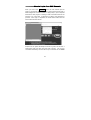
When IPMI option is enabled, addition columns appear in the main
config table. Follow the link for Sensor report to control the indicated
machine. A sensor report for all sensors on the BMC is shown on this
page, and the following Chassis Controli commands are available at
the top of the page:
Hard Reseti
Power Cyclei
Turn ONi
Turn OFFi
Pulse diag inti - Causes NMI fault, might reset machine.
Graceful OFFi - Tries to tell the O/S to shutdown.
Unfortunately, most of these commands are not implemented by current
IPMI systems. You will find most of them don't work in all circumstances.
Remote SSH login
It is possible bypass the web page login and login directly using SSH.
Using a SSH client (not provided, many free ones are available) connect
to port 22 of the system. With appropriate user name / password you
will be able to login to the Linux operating system running on our device.
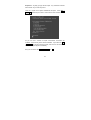
Use the connect… command to connect to any Serial Supervisor.
connect –l list all units attached, and their baud rates, for example:
10