1
NCast Presentation Recorder Reference Manual
Table of Contents
1. Introduction................................................................................................................................................... 6
1.1. Purpose.................................................................................................................................................. 6
1.2. Document Overview............................................................................................................................... 6
1.3. Presentation Recorders – Basic Models................................................................................................ 6
1.4. Presentation Recorders – Extreme Models............................................................................................ 7
1.5. Presentation Recorders – Ultra Models................................................................................................. 7
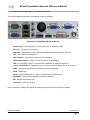
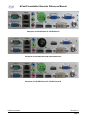
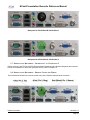
1.6. Presentation Recorders – Connector Options........................................................................................ 8
1.7. Presentation Recorders – Generation 1 vs. Generation 2.................................................................... 10
1.8. Presentation Recorders – Phoenix Connector Wiring.......................................................................... 10
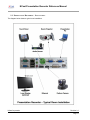
1.9. Presentation Recorders – Installation.................................................................................................. 11
2. Quick Start.................................................................................................................................................. 12
2.1. Startup................................................................................................................................................. 12
2.2. Presentation Recorder Modes of Operation......................................................................................... 14
3. Theory of Operation.................................................................................................................................... 17
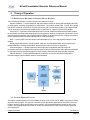
3.1. Presentation Recorder Component Block Diagram ............................................................................. 17
3.2. Capture Module Function..................................................................................................................... 17
3.3. Compression........................................................................................................................................ 18
3.4. Transmission........................................................................................................................................ 18
3.5. Decompression.................................................................................................................................... 18
3.6. Display Function................................................................................................................................... 18
3.7. Audio Subsystem................................................................................................................................. 18
3.8. Archive Flash Disk............................................................................................................................... 18
4. Quick Start Configuration and Setup.......................................................................................................... 19
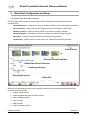
4.1. Quick Start Page Organization............................................................................................................. 19
4.2. Channel Selection................................................................................................................................ 20
4.3. Source Selection.................................................................................................................................. 21
4.4. Streaming Start/Stop............................................................................................................................ 22
4.5. Recording............................................................................................................................................. 23
4.6. Status Bar............................................................................................................................................ 23
4.7. Control Icons........................................................................................................................................ 23
5. The Channel Table..................................................................................................................................... 26
5.1. Channel Settings.................................................................................................................................. 26
5.2. Edit Channel – General........................................................................................................................ 27
5.3. Edit Channel – Frame Size.................................................................................................................. 29
5.4. Edit Channel – Layout.......................................................................................................................... 30
5.5. Edit Channel – Profile.......................................................................................................................... 33
5.6. Edit Channel – Customized Profile Settings......................................................................................... 34
5.7. Edit Channel – Network....................................................................................................................... 37
5.8. Edit Channel – RTMP Streaming......................................................................................................... 39
5.9. Edit Channel – Automatic Unicast........................................................................................................ 40
5.10. Edit Channel – Recording.................................................................................................................. 42
5.11. Edit Channel – Upload....................................................................................................................... 45
5.12. Edit Channel – Notifications............................................................................................................... 51
6. Archives...................................................................................................................................................... 53
6.1. Archive Settings................................................................................................................................... 53
7. Configuration.............................................................................................................................................. 57
7.1. Personal............................................................................................................................................... 57
7.2. Time..................................................................................................................................................... 58
7.3. Network................................................................................................................................................ 59
NCast Corporation
Revision 2.2
Page 2