1
DATA CONNECT
Contents
Contents .................................................................................................................. iii
Figures..................................................................................................................... iv
Chapter 1 Introduction ............................................................................................ 5
Features ...................................................................................................................... 6
Applications ................................................................................................................. 7
Chapter 2 Installation .............................................................................................. 8
Unpacking Your Hardware .......................................................................................... 8
Additional Items You Need to Complete Your Installation........................................... 8
Hardware Overview..................................................................................................... 9
Front View ................................................................................................................... 9
Back View.................................................................................................................... 9
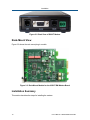
Rack-Mount View ...................................................................................................... 10
Installation Summary................................................................................................. 10
Configuring the Modem ............................................................................................. 11
Setting the DIP Switches........................................................................................... 13
SW1-1 − Auto RTS .............................................................................................. 14
SW1-2 − RTS-CTS Delay (Bell 202 Mode Only) ................................................. 14
SW1-3 − Transmit Carrier Control ....................................................................... 14
SW1-4 – Soft Carrier Control............................................................................... 15
SW1-5 − Anti-streaming ...................................................................................... 15
SW1-6 − 2-Wire or 4-Wire Operation .................................................................. 15
SW1-7 − Transmitter Termination Impedance..................................................... 15
SW1-8 − Receiver Termination Impedance......................................................... 16
JP1 − Transmit Level........................................................................................... 16
JP2 − RS-232 or RS-485 Serial Interface (Standalone Only)............................. 17
For Rack-Mount Plug-in Modules ........................................................................ 17
Connecting to a Transmission Line ........................................................................... 18
Connecting to a Voltage Source................................................................................ 19
Connecting to an RS-232 Device .............................................................................. 20
Connecting to an RS-485 Device .............................................................................. 20
LEDs.......................................................................................................................... 21
Loopback Control Switch........................................................................................... 21
Problem Solving ........................................................................................................ 23
iii
User’s Manual - SM202T/SMV23 Modem