1
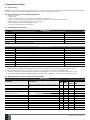
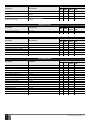
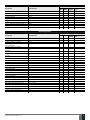
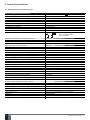
Contents
1.
General Information ................................................................................................................................................................6
1.1. Functionality ......................................................................................................................................................................................................6
1.2. Compatible Device Overview ...........................................................................................................................................................................6
1.3. Default Parameters & Ways of Parameter Configuration ...........................................................................................................................6
2.
Technical Specifications .......................................................................................................................................................12
2.1. Electrical & Mechanical Characteristics .......................................................................................................................................................12
2.2. Main Unit, LED & Connector Functionality ..................................................................................................................................................13
2.3. Wiring Diagrams ..............................................................................................................................................................................................14
3.
INSTALLATION ...................................................................................................................................................................... 20
4. GENERAL OPERATION ........................................................................................................................................................... 24
5.
CONFIGURATION METHODS ..................................................................................................................................................25
6.
PASSWORDS .......................................................................................................................................................................... 28
7.
SYSTEM LANGUAGE .............................................................................................................................................................. 29
8. USER PHONE NUMBERS ....................................................................................................................................................... 30
8.1. User Phone Number Names ..........................................................................................................................................................................31
8.2. System Control from any Phone Number ....................................................................................................................................................31
9.
DATE AND TIME ......................................................................................................................................................................33
10. USER PASSWORDS ................................................................................................................................................................ 34
10.1. User Password Names ....................................................................................................................................................................................35
11. iBUTTON KEYS ...................................................................................................................................................................... 36
11.1. Adding and Removing iButton Keys ............................................................................................................................................................ 36
11.2. iButton Key Names..........................................................................................................................................................................................37
12. ARMING AND DISARMING ..................................................................................................................................................... 38
12.1. Free of Charge Phone Call ............................................................................................................................................................................. 38
12.2. SMS Text Message.......................................................................................................................................................................................... 39
12.3. EKB2 Keypad and User Password ................................................................................................................................................................ 40
12.4. EKB3/EKB3W Keypad and User Password ................................................................................................................................................. 41
12.5. iButton Key ...................................................................................................................................................................................................... 41
12.6. EWK1/EWK2 Wireless Keyfob ...................................................................................................................................................................... 42
12.7. Arm-Disarm by Zone ...................................................................................................................................................................................... 42
12.8. EGR100 Middle-Ware..................................................................................................................................................................................... 43
12.9. Disabling and Enabling Arm/Disarm Notifications.................................................................................................................................... 43
13. EXIT AND ENTRY DELAY ....................................................................................................................................................... 45
14. ZONES.................................................................................................................................................................................... 47
14.1. Zone Numbering............................................................................................................................................................................................. 47
14.2. Zone Expansion .............................................................................................................................................................................................. 47
14.3. 6-Zone Mode ................................................................................................................................................................................................... 47
14.4. ATZ (Advanced Technology Zone) Mode.................................................................................................................................................... 48
14.5. Zone Type Definitions ................................................................................................................................................................................... 49
14.6. Zone Attributes .............................................................................................................................................................................................. 50
14.7. Bypassing and Activating Zones...................................................................................................................................................................52
14.8. Zone Names .....................................................................................................................................................................................................53
14.9. Disabling and Enabling Zones ...................................................................................................................................................................... 54
15. STAY MODE .............................................................................................................................................................................55
16. TAMPERS ................................................................................................................................................................................56
16.1. Tamper Names ................................................................................................................................................................................................ 56
17. ALARM INDICATIONS AND NOTIFICATIONS ..........................................................................................................................57
17.1. Enabling and Disabling Alarm Notifications............................................................................................................................................... 58
17.2. Audio Files ....................................................................................................................................................................................................... 60
18. PROGRAMMABLE (PGM) OUTPUTS .......................................................................................................................................61
18.1. PGM Output Numbering .................................................................................................................................................................................61
18.2. PGM Output Expansion...................................................................................................................................................................................61
18.3. PGM Output Names ........................................................................................................................................................................................ 62
18.4. Turning PGM Outputs ON and OFF............................................................................................................................................................... 62
18.5. PGM Output Control by Event and Scheduler ............................................................................................................................................ 64
18.6. Wireless PGM Output Type Definitions....................................................................................................................................................... 65
19. WIRELESS DEVICES ............................................................................................................................................................... 66
19.1. Binding, Removing and Replacing Wireless Devicess .............................................................................................................................. 66
19.2. Wireless Device Information and Signal Status Monitoring .................................................................................................................... 67
19.3. Disabling and Enabling Siren if Wireless Signal is Lost ............................................................................................................................ 69
MANUAL ELDES ESIM364 V1.3
EN
3