1
Accessories
5 - 19
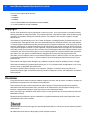
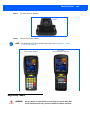
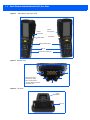
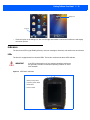
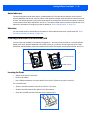
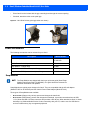
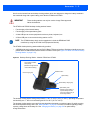
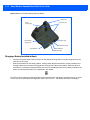
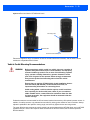
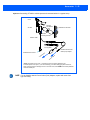
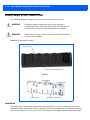
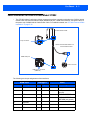
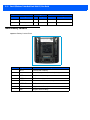
Figure 5-16 Front and back of ST1002 with Omnii
Mounting holes
Release button
Power/Communications port
Zebra also supplies a range of standard mounts for the hand-held vehicle cradles, and the Omnii vehicle
cradles are compatible with all of them.
Vehicle Cradle Mounting Recommendations
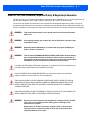
WARNING
Before mounting a vehicle cradle in a vehicle, there are a number of
operator safety issues that require careful attention. An improperly
mounted cradle may result in one or more of the following: operator
injury, operator visibility obstruction, operator distraction and/or
poor ease of egress for the operator. Zebra strongly recommends
that you seek professional mounting advice from the vehicle
manufacturer.
Ensure that you read the ST1002 Vehicle Cradle Installation Instructions document (PN 1020305), enclosed with the ST1002, for
important safety information on connecting fuses.
Cable routing within a vehicle cab also requires careful consideration, especially for devices with loose cables. If you are unable to
obtain suitable advice, contact Zebra for assistance. Note also that
for better protection, the equipment should be mounted inside the
vehicle roll cage.
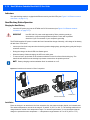
Pedestal mounts are recommended for all fixed mount locations because they offer optimal operator access. In
addition, for safety reasons, only pedestal mounts with fully locking joints should be used in vehicles. Always
adjust the pedestal for the optimum viewing angle, and securely tighten the hex and wing screws.
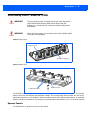
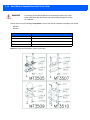
The most effective way to mount the vehicle cradle is to use brackets with the MT3324 (short arm) or MT3325
(standard arm) kit. The ST1002 requires either the MT3326 or MT3327 bracket; the ST1000 requires the
MT3328 bracket.